Salesforce Platform Archives - gettectonic.com - Page 11
Salesforce Automation

Salesforce Automation

In today’s fast-paced business landscape, efficiency reigns supreme, and the optimization of processes is paramount for success. Salesforce automation tools stand as indispensable allies in this pursuit, empowering businesses to automate repetitive tasks, eliminate errors, and liberate valuable time for employees to focus on mission-critical endeavors. From sales to marketing and customer service, Salesforce offers a comprehensive suite of automation tools designed to enhance efficiency, productivity, and ultimately, profitability. This insight serves as a guide to the value and various components of Salesforce automation. At the core of Salesforce’s effectiveness lies its sophisticated suite of automation tools, reshaping how organizations manage and streamline their sales operations. For administrators entrusted with overseeing the Salesforce environment, mastering these automation tools transcends mere skill; it’s a strategic necessity. Salesforce Automation Tools empower administrators to craft and deploy intricate workflows, facilitating seamless coordination of tasks and processes within the CRM platform. From lead generation to deal closure, these tools offer a comprehensive array of features that can metamorphose manual, time-consuming tasks into streamlined, automated processes. As businesses aspire for agility and efficiency in their operations, administrators assume the role of architects, leveraging Salesforce automation tools to erect a robust foundation for success. This deep dive into Salesforce Automation Tools aims to arm administrators with the knowledge and insights required to navigate the platform’s intricacies adeptly. We will dive into the fundamental components of automation, including workflow rules, process builder, and flow builder, unraveling their functionalities and showcasing how they can be tailored to suit specific business requirements. Through real-world examples and practical guidance, this exploration seeks to empower administrators to unleash the full potential of Salesforce Automation Tools, transforming them into proficient conductors of the CRM symphony. As we embark on this journey, administrators will cultivate a comprehensive understanding of Salesforce’s automation capabilities, enabling them to optimize processes, enhance productivity, and elevate the overall user experience. Whether you’re a seasoned Salesforce administrator or a newcomer to the platform, this deep dive promises invaluable insights and hands-on expertise to navigate the dynamic realm of Salesforce automation with confidence and proficiency. What is Salesforce Automation? Salesforce automation represents a sophisticated sales management solution that automates pivotal sales components such as lead management, sales forecasting, and team performance management. Leveraging Software-as-a-Service (SaaS) products enables the automation of repetitive and redundant tasks and processes. Workflow rules enable organizations to design and enforce business processes systematically. For example, as leads progress through the sales pipeline, workflow rules can automatically assign tasks to sales representatives, update opportunity stages, and notify relevant stakeholders. By establishing these rules, administrators lay the groundwork for a more streamlined and error-resistant workflow, allowing teams to focus on high-impact activities while the system handles routine, rule-based tasks. Understanding the foundations of Salesforce automation through workflow rules is crucial for administrators seeking to optimize their CRM environment. As businesses evolve, the ability to adapt and scale automation becomes paramount. This foundational knowledge not only empowers administrators to create efficient workflows but also sets the stage for exploring more advanced automation tools within the Salesforce ecosystem, ensuring a robust and responsive foundation for the dynamic world of CRM. Centralized Data Storage and Enhanced Lead Tracking Centralizing customer-related data stands as one of the most significant advantages of Salesforce automation. This consolidation facilitates streamlined lead tracking, performance monitoring, and revenue prediction. By automating non-revenue-generating tasks, which can consume up to two-thirds of a sales representative’s time, sales teams can redirect their efforts towards high-impact, revenue-generating activities, thereby fostering overall business growth. Automated Sales Processes: Boosting Productivity The automation of repetitive sales processes emerges as a direct response to research indicating the imperative to enhance sales productivity. Through automation, sales representatives can leverage their time more effectively, focusing on tasks that directly contribute to revenue generation and organizational success. Understanding the Crucial Role of Salesforce Automation The importance of Salesforce automation cannot be overstated in the realm of sales management. By offering centralized data storage, streamlined lead tracking, and enhanced performance monitoring, Salesforce automation revolutionizes the sales landscape. Discover – Controllers in Salesforce: What It Is, Types and Features. Key Benefits of Salesforce Automation The benefits of Salesforce automation are manifold. Firstly, it facilitates the consolidation of customer-related data, enabling efficient lead tracking, reminder setting, and performance monitoring. Additionally, automation saves time and minimizes errors, allowing sales representatives to concentrate on revenue-generating activities such as deal closure and client relationship building. Moreover, Salesforce automation ensures a personalized and consistent customer experience, empowering sales reps to tailor interactions based on customer preferences and behaviors. Furthermore, Salesforce automation fosters efficient collaboration and communication within sales teams, providing a centralized platform for accessing essential information and insights. Additionally, it offers valuable analytics and insights to optimize sales strategies, analyzing customer behavior, sales performance, and market trends to drive revenue growth. Components of Salesforce Automation Lead Management: Involves collecting, tracking, and analyzing customer data and interactions to streamline the sales pipeline and convert leads into customers. Sales Forecasting: Enables organizations to make educated decisions and prepare for future development by forecasting sales revenue based on market analysis and demands. Team Performance Management: Involves monitoring sales team performance, identifying areas for improvement, and providing feedback and coaching to enhance team performance. Email and Social Media Marketing: Automates marketing platforms to communicate better with consumers and prospects, customizing campaigns based on customer preferences and behaviors. Workflow and Approval Processes: Ensures that sales processes follow established procedures and workflows, reducing manual errors and enhancing organizational performance. Data and Analytics: Tracks key performance indicators (KPIs) and provides actionable insights to inform decision-making and drive revenue growth. Streamlining Appointment Scheduling: Assists in scheduling sales appointments efficiently, mitigating the risk of double-booking meetings. Prioritizing Leads: Analyzes leads based on various metrics to maximize sales and productivity. Salesforce automation has revolutionized sales operations, fostering efficiency, effectiveness, and customer-centricity. As technology continues to evolve, Salesforce automation remains a critical tool for businesses striving to stay ahead of the competition and achieve their sales goals. In the dynamic world of Salesforce, administrators


Read More
Granular Locking in Salesforce

WithSecure Cloud Protection for Salesforce

WithSecure Cloud Protection for Salesforce: Comprehensive Cloud Security Solution WithSecure Cloud Protection for Salesforce is a robust, cloud-based security solution designed to enhance and extend the existing security features of the Salesforce platform. This solution thoroughly inspects content entering or leaving the Salesforce cloud, ensuring that files or URLs exchanged within a Salesforce organization are safeguarded against potential cyber threats targeting your company, partners, or customers. Key Features of WithSecure Cloud Protection for Salesforce 1. Salesforce Application and WithSecure Security Cloud Integration: 2. Real-time Threat Intelligence: 3. Impact on Salesforce Usage: Setting Up File Protection 1. Configuring File Protection Scan Settings: 2. Handling Disallowed Content: Setting Up URL Protection 1. Configuring URL Protection Scan Settings: WithSecure Cloud Protection for Salesforce delivers robust security enhancements without requiring additional software installations or network configurations. It ensures comprehensive protection against evolving cyber threats while seamlessly integrating into your existing Salesforce environment. Like Related Posts Who is Salesforce? Who is Salesforce? Here is their story in their own words. From our inception, we’ve proudly embraced the identity of Read more Salesforce Marketing Cloud Transactional Emails Salesforce Marketing Cloud Transactional Emails are immediate, automated, non-promotional messages crucial to business operations and customer satisfaction, such as order Read more Salesforce Unites Einstein Analytics with Financial CRM Salesforce has unveiled a comprehensive analytics solution tailored for wealth managers, home office professionals, and retail bankers, merging its Financial Read more AI-Driven Propensity Scores AI plays a crucial role in propensity score estimation as it can discern underlying patterns between treatments and confounding variables Read more

Read More

Salesforce Cloud Key Management

Salesforce Cloud Key Management refers to features and services that allow users to manage encryption keys used to protect data stored within the Salesforce platform. This includes options like Bring Your Own Key (BYOK), Hold Your Own Key (HYOK), and External Key Management (EKM), allowing organizations to maintain control over their encryption keys and meet compliance requirements.  Here’s a deeper dive: 1. Key Management in Salesforce: 2. Key Management Features and Services: 3. Benefits of Salesforce Key Management: Salesforce Cloud Key Management provides organizations with a range of options to manage encryption keys for their data stored in Salesforce, enabling them to enhance security, meet compliance requirements, and maintain control over their sensitive information.  Like Related Posts Who is Salesforce? Who is Salesforce? Here is their story in their own words. From our inception, we’ve proudly embraced the identity of Read more Salesforce Marketing Cloud Transactional Emails Salesforce Marketing Cloud Transactional Emails are immediate, automated, non-promotional messages crucial to business operations and customer satisfaction, such as order Read more Salesforce Unites Einstein Analytics with Financial CRM Salesforce has unveiled a comprehensive analytics solution tailored for wealth managers, home office professionals, and retail bankers, merging its Financial Read more AI-Driven Propensity Scores AI plays a crucial role in propensity score estimation as it can discern underlying patterns between treatments and confounding variables Read more

Read More
Salesforce Marketing Cloud Advertising Studio

Salesforce Advertising Studio Platforms

Are you looking to take your advertising and marketing campaigns to new heights? Look no further than Salesforce Advertising Studio. In this insight, we will provide an overview of Salesforce Advertising Studio and its crucial role in driving successful advertising and marketing endeavors. Engage prospects across every channel. Connect third-party webinar, survey, and SMS apps directly to your marketing programs. Trigger webinar and event registrations, survey sends, and SMS sends in your automated journeys. Connect engagement data, like third-party webinar, survey, and SMS data, for easy segmentation and campaign maintenance. One of the key advantages of Salesforce Advertising Studio is its seamless integration with other Salesforce platforms such as Customer 360 and Marketing Cloud. This integration allows businesses to harness the power of unified customer data, enabling highly personalized and targeted advertising campaigns. By leveraging the wealth of insights and information stored within Customer 360 and Marketing Cloud, advertisers can create more impactful and relevant messaging that resonates with their audience. An upscale solution of Salesforce Marketing Cloud (SFMC), Advertising Studio helps marketers digitize their efforts at scale and target the right audiences to reach business goals effectively. It allows you to create unique experiences for customers while displaying ads to your target audience. Leverage Salesforce Advertising Studio to effortlessly plan and execute advertising campaigns across multiple channels. This powerful tool provides marketers with efficient features for designing personalized ads, creating compelling content, scheduling campaigns, and automating processes. Furthermore, Advertising Studio smoothly integrates with popular advertising networks and platforms, such as Facebook, Google Ads, Instagram, and Twitter. Benefits Of Advertising Studio Marketing Cloud Advertising helps you engage and advertise to your customers and prospects. Use it to coordinate campaigns with social, mobile, sales, and customer service efforts and enhance your email marketing goals with advertising. You can engage with existing customers, find new prospects with lookalikes, and re-engage inactive users within the customer journey across digital advertising. NOTE: Salesforce Advertising Studio is now called Marketing Cloud Advertising. Use Marketing Cloud Advertising to: Marketing Cloud Advertising helps you target your digital advertising campaigns across various platforms with Advertising Audiences. These platforms include Facebook, Instagram, Google Ads, LinkedIn, X (Twitter), Pinterest, and Snapchat. Use Advertising Audiences to: You can also configure audiences to refresh automatically. If you discontinue your Ad Studio license, you must delete all audiences and authorized accounts. As a Marketing Cloud Advertising customer with a Marketing Cloud Intelligence license, you have access to deeper audience and campaign analytics with Audience Insights for Marketing Cloud Advertising. The application is available in the Marketing Cloud Intelligence Marketplace. Advertising Studio is now called Marketing Cloud Advertising. During this transition, you may see references to Advertising Studio. To empower your advertising with Marketing Cloud Advertising, contact Tectonic today. Content updated November 2023. Like1 Related Posts Who is Salesforce? Who is Salesforce? Here is their story in their own words. From our inception, we’ve proudly embraced the identity of Read more Salesforce Marketing Cloud Transactional Emails Salesforce Marketing Cloud Transactional Emails are immediate, automated, non-promotional messages crucial to business operations and customer satisfaction, such as order Read more Salesforce Unites Einstein Analytics with Financial CRM Salesforce has unveiled a comprehensive analytics solution tailored for wealth managers, home office professionals, and retail bankers, merging its Financial Read more AI-Driven Propensity Scores AI plays a crucial role in propensity score estimation as it can discern underlying patterns between treatments and confounding variables Read more

Read More
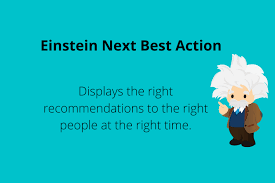
Salesforce Einstein Next Best Action

What is Salesforce Next Best Action?

Einstein Next Best Action Efficiently present tailored recommendations to the right individuals at the right moment with Einstein Next Best Action. Correspondingly craft and showcase offers and actions personalized to your specific criteria. Formulate a strategy applying your business logic to refine these recommendations. Then distilling them into key suggestions like repairs, discounts, or add-on services. Display the final recommendations seamlessly within your Lightning app or Experience Builder site. Einstein Next Best Action (ENBA) is an innate Salesforce Platform feature empowering users to configure business rules and filters, especially surfacing the optimal course of action for any user. This tool seamlessly offers a range of recommended actions accessible directly within Salesforce. Next Best Action (NBA) is a strategic approach aiding businesses in identifying the most effective marketing actions to guide customers towards desired conversion events lest they veer off the desired path. It optimizes marketing efforts by enhancing the return on investment (ROI) of marketing campaigns. Key Features: FAQs: Like2 Related Posts Who is Salesforce? Who is Salesforce? Here is their story in their own words. From our inception, we’ve proudly embraced the identity of Read more Salesforce Marketing Cloud Transactional Emails Salesforce Marketing Cloud Transactional Emails are immediate, automated, non-promotional messages crucial to business operations and customer satisfaction, such as order Read more Salesforce Unites Einstein Analytics with Financial CRM Salesforce has unveiled a comprehensive analytics solution tailored for wealth managers, home office professionals, and retail bankers, merging its Financial Read more AI-Driven Propensity Scores AI plays a crucial role in propensity score estimation as it can discern underlying patterns between treatments and confounding variables Read more

Read More
Salesforce Manufacturing Cloud

Salesforce for Manufacturing and Salesforce Manufacturing Cloud

What is Salesforce for Manufacturing? Salesforce Manufacturing Cloud is a tailored CRM solution designed specifically for enterprise-level manufacturing companies. It offers out-of-the-box functionality with key features including demand and production forecasting, along with sales agreements. The platform aims to transform customer operations in manufacturing through the integration of Data, AI, CRM, and Trust. How Manufacturers Use Salesforce Manufacturing companies utilizing the Salesforce platform typically leverage it for managing various aspects directly from the platform. These include sales, customer service, partner and channel portals, marketing, and e-commerce. In some cases, certain applications may also integrate with third-party systems. What’s Included With Salesforce Manufacturing Cloud? Manufacturing Cloud encompasses various components to manage the complete business cycle, from customer inquiry to order visibility and demand forecasting accuracy. Key components include Rebate Management, Revenue Cloud, B2B Commerce, CRM Analytics, Slack, and MuleSoft Anypoint Platform. Salesforce Service Capabilities for Manufacturing Salesforce Field Service Expand Salesforce Field Service service offerings with warranty management, aftermarket parts programs, and predictive maintenance services. Channel Partner Visibility and Engagement Connecting Sales and Operations with Manufacturing Cloud Manufacturing Cloud helps connect sales and operations, driving forecast accuracy and visibility across the ecosystem. It includes components such as Experience Cloud, CRM Analytics, Rebate Management, Loyalty Management, Revenue Cloud, B2B Commerce, Marketing Cloud, Slack, and MuleSoft Anypoint Platform. Like1 Related Posts Who is Salesforce? Who is Salesforce? Here is their story in their own words. From our inception, we’ve proudly embraced the identity of Read more Salesforce Marketing Cloud Transactional Emails Salesforce Marketing Cloud Transactional Emails are immediate, automated, non-promotional messages crucial to business operations and customer satisfaction, such as order Read more Salesforce Unites Einstein Analytics with Financial CRM Salesforce has unveiled a comprehensive analytics solution tailored for wealth managers, home office professionals, and retail bankers, merging its Financial Read more AI-Driven Propensity Scores AI plays a crucial role in propensity score estimation as it can discern underlying patterns between treatments and confounding variables Read more

Read More
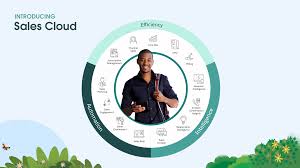
salesforce sales cloud

Case Management in Salesforce Sales Cloud

Does Salesforce provide a case management system? Desk is an all-in-one support application that comes ready-to-use, offering mobile support, case management, multi-channel support, and productivity tools. By integrating with other Salesforce solutions, Desk provides companies with a complete 360-degree view of each customer. Is case management included in Salesforce Sales Cloud? Sales Cloud and Service Cloud are both built on the core Salesforce Platform, sharing critical features like accounts, contacts, and case management (although in a basic form within Sales Cloud compared to Service Cloud). Sales Cloud is Salesforce’s core CRM product designed to help businesses manage their sales processes, including standard case functionality to manage cases, track customer issues, and provide support. Does Salesforce Sales Cloud support cases? Sales Cloud, as Salesforce’s primary CRM product, includes basic case functionality to help customer service teams manage cases, track customer issues, and provide support. A common misconception is that Salesforce customers believe they require Service Cloud licenses (or a separate third-party tool) to manage customer support tickets. If a Salesforce customer has a Sales Cloud license (often the entry point into the Salesforce world), they automatically gain case management features with Sales Cloud. How do I configure case management in Salesforce? Utilize queues and automated rules to assign cases to your team without constant monitoring. Cases can be assigned to a queue where team members can select from a list, helping prioritize work and automatically assign cases based on conditional rules. What is the difference between Salesforce Sales Cloud cases and Service Cloud? The primary distinction is that Sales Cloud focuses on streamlining sales efforts, while Service Cloud assists support agents in delivering exceptional customer service and resolving issues proactively. Is Email-to-Case included in Sales Cloud? Email-to-Case functionality is included in Sales Cloud licenses, providing case management features. It allows you to automatically create cases from incoming emails, which can then be managed within the Sales Cloud system. Essentially, you can have emails from customers turn into cases within Salesforce, streamlining your customer support processes.  What are the limitations of Email-to-Case in Salesforce? Email-to-Case controls the number of cases that can be created within an organization, with a default limit of 2500 cases that cannot be increased.  Daily Email Limits: Sales Cloud includes a range of case management features within its license. The Case object is a standard component that comes ‘out of the box’ with Sales Cloud, alongside Accounts, Contacts, Activities, Leads, and Opportunities. Additionally, Email-to-Case and Web-to-Case are available for self-service case creation, allowing inbound cases to be automatically generated by customers. Salesforce setup time is minimal, with configuration options such as Auto-Response rules to send branded email templates to customers and Case Assignment Rules to allocate cases to support agents or queues. Service Cloud is Salesforce’s customer service platform designed to enhance customer experiences. Adding Service Cloud to your Salesforce org unifies sales and customer service teams on a single platform, providing enhanced functionality and integration compared to standard case management with Sales Cloud. Like Related Posts Who is Salesforce? Who is Salesforce? Here is their story in their own words. From our inception, we’ve proudly embraced the identity of Read more Salesforce Marketing Cloud Transactional Emails Salesforce Marketing Cloud Transactional Emails are immediate, automated, non-promotional messages crucial to business operations and customer satisfaction, such as order Read more Salesforce Unites Einstein Analytics with Financial CRM Salesforce has unveiled a comprehensive analytics solution tailored for wealth managers, home office professionals, and retail bankers, merging its Financial Read more AI-Driven Propensity Scores AI plays a crucial role in propensity score estimation as it can discern underlying patterns between treatments and confounding variables Read more

Read More
gettectonic.com