

Testing Archives - gettectonic.com - Page 17
Migrating from Zoho to Salesforce

Migrating from Zoho to Salesforce

Migrating from Zoho to Salesforce is a major undertaking that can significantly enhance a business’s CRM processes as it scales. To ensure a smooth transition, careful planning, data preparation, and execution are essential for accurate and efficient data transfer. In this guide, we’ll outline a step-by-step approach to migrating from Zoho to Salesforce, covering everything from pre-migration planning to post-migration follow-up. Step 1: Pre-Migration Planning 1. Evaluate Your Business RequirementsBegin by assessing your current and future CRM needs. Identify critical functionalities in Zoho that you depend on and determine which Salesforce features will either replace or enhance them. Consider: This evaluation ensures that Salesforce is configured to align with your business processes during the migration. 2. Assign a Project TeamForming a dedicated project team is crucial for a successful migration. Include stakeholders from various departments, designate a project manager to oversee the migration, and enlist CRM specialists familiar with both Zoho and Salesforce. You might also consider hiring a certified Salesforce consultant or partner to assist with technical aspects. 3. Backup Your DataBefore starting the migration, back up your data from Zoho. Export all relevant information, including: This backup ensures you have a complete copy in case any issues arise during the migration. Step 2: Preparing Salesforce for Migration 1. Customize Salesforce to Fit Your NeedsNow is the time to tailor Salesforce to reflect your existing business processes. Review the custom fields, objects, workflows, and automations in Zoho, replicating or enhancing them in Salesforce. Salesforce’s high customization level allows you to optimize your CRM for your team’s specific needs. 2. Set Up IntegrationsIf you’ve been using third-party tools integrated with Zoho, establish the corresponding integrations in Salesforce. The Salesforce AppExchange offers a range of integrations, from email marketing platforms to accounting systems. Ensure the necessary tools are connected before migrating your data. Step 3: Data Migration 1. Map Data FieldsTo facilitate accurate data transfer between Zoho and Salesforce, map your Zoho data fields to their Salesforce counterparts. For instance, “Account Name” in Zoho should correspond to “Account” in Salesforce. Create equivalent custom fields in Salesforce if they exist in Zoho. 2. Cleanse Your DataData cleansing is vital to ensure only relevant, accurate, and up-to-date information is migrated. Remove duplicates, outdated contacts, and incorrect data from Zoho. This step streamlines the migration process and enhances the quality of your Salesforce database. 3. Choose a Migration ToolSelect an appropriate tool for migrating data between CRMs, such as: Depending on your data’s complexity, choose a tool that provides additional support, such as mapping or automation features. 4. Perform a Test MigrationConduct a test migration using a subset of your data before proceeding with the full migration. This allows you to verify that everything transfers correctly and identify any issues with data formatting, relationships between objects, or custom fields. Adjust your mapping and migration processes based on the test results. Step 4: Full Data Migration Once you’re satisfied with the test migration results, proceed with the complete data migration from Zoho to Salesforce. This process may take time, depending on your data‘s size and complexity, so plan for downtime or staggered migrations to minimize disruptions to your team’s workflow. Step 5: Post-Migration Setup and Testing 1. Validate Your DataAfter the full migration, verify that all data has been transferred accurately. Check for discrepancies between Zoho and Salesforce records, ensuring that relationships (e.g., contacts linked to accounts) remain intact. 2. Recreate Automation and WorkflowsRe-establish any automations, workflows, or triggers that were functioning in Zoho within Salesforce. Utilize Salesforce’s automation tools, like Process Builder or Flow, to replicate these processes. Adjust them as necessary to leverage Salesforce’s advanced capabilities. 3. Train Your TeamSuccessful migration extends beyond data transfer; it’s crucial to ensure your team is equipped to use Salesforce effectively. Conduct training sessions focused on new features and workflows, providing documentation or cheat sheets to facilitate adjustment. 4. Monitor System PerformancePost-migration, monitor your Salesforce instance for any performance issues or data inconsistencies. Make necessary adjustments and ensure that integrations are functioning as expected. Step 6: Post-Migration Follow-Up 1. Run Parallel OperationsConsider operating both systems in parallel for a brief period to confirm Salesforce is fully functional before phasing out Zoho. This allows your team to continue using Zoho if critical issues arise in Salesforce during the transition. 2. Optimize Your Salesforce InstanceOver time, identify opportunities to further customize and optimize Salesforce to meet your evolving needs. Regularly review workflows, automations, and reporting to fully utilize Salesforce’s advanced features. Who Should You Work With A successful migration from Zoho to Salesforce involves key stakeholders from various departments to ensure the new CRM setup aligns with company processes. Typical Migration Timelines The duration of a Zoho to Salesforce migration typically depends on your data’s complexity and the required customizations. For smaller businesses with straightforward CRM setups, the process may take 4 to 6 weeks, encompassing planning, data mapping, testing, and training. However, larger organizations with extensive custom fields, workflows, and third-party integrations may require 3 to 6 months. Allow ample time for thorough testing and validation to ensure data accuracy and system functionality before going live. User training and post-migration follow-up are also critical for a smooth transition. Conclusion Migrating from Zoho to Salesforce is a growth step in enhancing your company’s CRM capabilities and positioning it for future growth. By meticulously planning your migration, cleansing your data, and configuring Salesforce to meet your business requirements, you can facilitate a smooth transition and leverage Salesforce’s powerful features from day one. With the right preparation and support, your business will be well-equipped to scale, streamline operations, and achieve long-term success using Salesforce. If you need assistance with your migration, don’t hesitate to contact Tectonic for a quote. Content updated September 2024. Like Related Posts Who is Salesforce? Who is Salesforce? Here is their story in their own words. From our inception, we’ve proudly embraced the identity of Read more Salesforce Marketing Cloud Transactional Emails Salesforce Marketing Cloud Transactional Emails are immediate, automated, non-promotional messages crucial to business operations

Read More
Sales Cloud Innovation Driven by UX Design Principles

Enhance UX With Keyboard Accessibility

Enhancing User Experience (UX) with Keyboard Accessibility Keyboard accessibility plays a crucial role in creating more inclusive and scalable products. While many individuals can navigate a computer using a mouse, there are those with mobility- or dexterity-related accessibility needs who rely on alternative devices like head wands or switch controls. The foundation of these alternative interactions is keyboard access. Enhance UX With Keyboard Accessibility for greater user experiences. In a world where approximately 16% of the population has at least one disability, prioritizing keyboard accessibility becomes paramount. Salesforce, a company committed to equality, incorporates this principle into its product design, ensuring that every user, regardless of their abilities, can effectively engage with their products. Enhance UX With Keyboard Accessibility But what does keyboard accessibility entail? Essentially, it means that any action achievable with a mouse should also be accomplishable with a keyboard. This foundational principle accommodates various user needs, such as screen readers for the blind or voice commands. The consistent factor across these diverse modes of interaction is the reliance on keyboard access. Let’s explore an alternative interaction pattern called “click to create” that serves as a keyboard-accessible substitute for drag-and-drop functionalities, addressing accessibility issues in the Email Builder of Marketing Cloud. This pattern allows users, including those with mobility challenges, to add content through keyboard strokes. By incorporating “click to create” into a new keyboard-accessible version of the Email Builder, Salesforce ensures compliance with keyboard accessibility standards and facilitates content creation for all users. To elevate keyboard accessibility during the product design process, consider these five key moments: By integrating keyboard accessibility considerations at each of these key moments, designers, product managers, and engineers can collaboratively contribute to creating products that are accessible to all users. The mantra “Can I do it with a keyboard?” serves as a constant reminder to prioritize inclusivity throughout the product development cycle, making accessibility a shared responsibility among all contributors. Like1 Related Posts Who is Salesforce? Who is Salesforce? Here is their story in their own words. From our inception, we’ve proudly embraced the identity of Read more Salesforce Marketing Cloud Transactional Emails Salesforce Marketing Cloud Transactional Emails are immediate, automated, non-promotional messages crucial to business operations and customer satisfaction, such as order Read more Salesforce Unites Einstein Analytics with Financial CRM Salesforce has unveiled a comprehensive analytics solution tailored for wealth managers, home office professionals, and retail bankers, merging its Financial Read more AI-Driven Propensity Scores AI plays a crucial role in propensity score estimation as it can discern underlying patterns between treatments and confounding variables Read more


Read More
Google Analytics and Salesforce Integration

Google Analytics and Salesforce Integration

Syncing Google Analytics Data to CRM Analytics To integrate Google Analytics and Salesforce Integration using the Google Analytics connector, follow these steps: Important Note: As of July 1, 2023, the main product Google Analytics has been decommissioned and replaced with the new product Google Analytics 4 (GA4). The Salesforce announcement GA4 Set to Replace Universal Analytics gives an overview on this. Creating a Connection Required Settings: Google Analytics 4 Integration To sync Google Analytics 4 data to Salesforce Data Pipelines: Connector Considerations: Google Analytics Salesforce Sales Cloud Integration User Identification Analytics provides two methods to identify users: Required Salesforce Sales Cloud Objects and Fields: Integration Steps: Testing and Viewing Imported Data: Notes: Google Data Studio and Salesforce Integration Connecting Salesforce with Google Data Studio allows for powerful visualizations that combine sales and marketing data. This integration helps in understanding which channels generate the most leads and income. Google Analytics 4 Connection Setup: Connection Details: Advanced Properties: Considerations: By following these steps, you can seamlessly integrate Google Analytics data into your CRM Analytics and Salesforce Data Pipelines, ensuring robust data analysis and informed decision-making. Decide How to Identify Your Users: Analytics offers two ways to programmatically identify your users: Client ID and User-ID. To support Data Import for Salesforce Sales Cloud, you must implement Client ID. You may optionally choose to also implement User-ID. Client ID pseudonymously identifies a browser instance and is best suited for businesses focused on lead generation and new customer acquisition. User-ID enables the analysis of groups of sessions, across devices, using a unique, persistent, and non-personally identifiable ID string representing a user. This option is best for businesses with high rates of logged-in users. How to Import CRM/ERP Data with Google Analytics 4 Using a CSV File: Transitioning to Google Analytics 4: As of March 2023, Google has automatically created GA4 properties for users unless they opt-out. Until July 1, 2023, you can continue to use and collect new data in your Universal Analytics properties. After this date, you must export your historical reports as Universal Analytics will be phased out. How Does Google Help Salesforce Marketing Cloud Users? Google Analytics provides invaluable insights into user behavior, helping Salesforce Marketing Cloud users optimize campaigns and understand customer journeys. Integration with the Google platform allows businesses to combine offline sales data with digital analytics, optimizing digital marketing strategies and improving campaign effectiveness. Additional Integration: Using datasets from Google Analytics and Google BigQuery, businesses can create interactive Tableau CRM dashboards to visualize campaign activities and performance metrics. By following these guidelines, organizations can leverage Google Analytics data effectively within their Salesforce ecosystem, enhancing decision-making and strategic planning. Content updated July 2024. Like1 Related Posts Who is Salesforce? Who is Salesforce? Here is their story in their own words. From our inception, we’ve proudly embraced the identity of Read more Salesforce Marketing Cloud Transactional Emails Salesforce Marketing Cloud Transactional Emails are immediate, automated, non-promotional messages crucial to business operations and customer satisfaction, such as order Read more Salesforce Unites Einstein Analytics with Financial CRM Salesforce has unveiled a comprehensive analytics solution tailored for wealth managers, home office professionals, and retail bankers, merging its Financial Read more AI-Driven Propensity Scores AI plays a crucial role in propensity score estimation as it can discern underlying patterns between treatments and confounding variables Read more

Read More

Keys to Writing Meaningful Email Content

By Tectonic’s Salesforce Marketing Consultant, Shannan Hearne Email marketing remains a powerful tool for businesses to engage with their prospects and customers. Writing meaningful email content takes time and practice. It’s essential to recognize that your recipients and subscribers face a constant barrage of emails. The challenge becomes making your email stand out in the inbox, prompt subscribers to open, read, and respond to your desired Call to Action.  Here are proven methods to enhance the interest, effectiveness, and credibility of your emails: Stay Relevant: Set a Content Hierarchy: Tell a Story: Keep it Simple: Trim it Back and Clean it Up: Grab Their Attention: Include a Preheader: Save Time with AI: Drive Results with a Strong CTA: Test. Test. Test Again: By adhering to these email content tips, you can create emails that are engaging, effective, and eagerly anticipated by your readers. Whether focusing on relevance, storytelling, simplicity, or testing, these strategies will highlight the interest, effectiveness, and trustworthiness of your brand. Start crafting those emails and monitor their success. If you are struggling with the challenge of writing meaningful email content, Tectonic consultants can help. Contact us today. Like Related Posts Who is Salesforce? Who is Salesforce? Here is their story in their own words. From our inception, we’ve proudly embraced the identity of Read more Salesforce Marketing Cloud Transactional Emails Salesforce Marketing Cloud Transactional Emails are immediate, automated, non-promotional messages crucial to business operations and customer satisfaction, such as order Read more Salesforce Unites Einstein Analytics with Financial CRM Salesforce has unveiled a comprehensive analytics solution tailored for wealth managers, home office professionals, and retail bankers, merging its Financial Read more AI-Driven Propensity Scores AI plays a crucial role in propensity score estimation as it can discern underlying patterns between treatments and confounding variables Read more
Read More
Salesforce Flow

Einstein GPT Integration with Flow and Data Cloud Now Available

Salesforce has recently unveiled exciting new capabilities for Flow, Einstein GPT Integration with Flow and Data Cloud. Introducing Einstein GPT and Data Cloud features to its growing family of automation tools. This development empowers everyday administrators, eliminating the need for extensive engineering teams to harness large datasets for automation purposes. The groundbreaking aspect lies in the ability to achieve this in real-time, using a user-friendly interface without the need for coding. Introduction to Einstein GPT: Einstein GPT builds upon ChatGPT technology, combining public and private AI models with CRM data within Salesforce. This allows users to pose natural-language prompts directly within Salesforce CRM, receiving AI-generated content that adapts continuously to changing customer information and needs. The learning capability of Einstein GPT ensures ongoing improvement based on user input, aligning with best practices. Einstein GPT for Flow: When integrated with Salesforce Flow, Einstein GPT enables users to create and modify automations through a conversational interface, simplifying the flow creation process significantly. This fusion lowers barriers for non-technical users, enhancing the overall experience with Flow Builder and ensuring adherence to best practices. Key benefits of Einstein GPT for Flow include: Pricing details for Einstein GPT products are pending confirmation, and Salesforce will soon announce pilot program dates to broaden accessibility. Data Cloud for Flow: Introduced at Dreamforce 2022, Salesforce Data Cloud, formerly Genie, facilitates highly personalized customer experiences in real-time. Serving as a command center for customer data, Data Cloud integrates real-time data streams with Salesforce data, powering Flow with actionable insights. By combining Data Cloud with Flow, users can automate complex workflows and trigger actions based on real-time changes without the need for extensive IT involvement. This approach streamlines the process of designing, building, and testing custom integrations, reducing the burden on IT teams. Key advantages of Data Cloud for Flow include: These announcements bring forth transformative capabilities, making data utilization more accessible and streamlining the automation process within Salesforce. The combination of Einstein GPT and Data Cloud for Flow opens up possibilities for creating personalized and interconnected customer experiences across different sectors. Like1 Related Posts Who is Salesforce? Who is Salesforce? Here is their story in their own words. From our inception, we’ve proudly embraced the identity of Read more Salesforce Marketing Cloud Transactional Emails Salesforce Marketing Cloud Transactional Emails are immediate, automated, non-promotional messages crucial to business operations and customer satisfaction, such as order Read more Salesforce Unites Einstein Analytics with Financial CRM Salesforce has unveiled a comprehensive analytics solution tailored for wealth managers, home office professionals, and retail bankers, merging its Financial Read more AI-Driven Propensity Scores AI plays a crucial role in propensity score estimation as it can discern underlying patterns between treatments and confounding variables Read more

Read More
IT Pilot Programs

IT Pilot Programs

The Role of IT Pilot Programs in Software Implementation Introducing new technology in a business environment can lead to unexpected challenges. A technology pilot helps mitigate risks by allowing a select group of employees to test the application, provide feedback, and refine the implementation before full deployment. While IT pilot programs can be conducted at different stages of the software purchasing process, this discussion focuses on pilots conducted when implementation is nearly complete. Benefits of an IT Pilot Program A well-executed pilot program offers several advantages: Challenges of an IT Pilot Program Despite its benefits, an IT pilot program can also introduce challenges: Are IT Pilot Programs Worth It? Before launching a pilot, project sponsors should consider: While IT pilot programs require careful execution, they can significantly enhance the success of a software implementation by refining the user experience, reducing risk, and improving adoption. When structured effectively, a pilot program becomes a powerful tool for ensuring a smooth technology rollout. Like Related Posts Who is Salesforce? Who is Salesforce? Here is their story in their own words. From our inception, we’ve proudly embraced the identity of Read more Salesforce Unites Einstein Analytics with Financial CRM Salesforce has unveiled a comprehensive analytics solution tailored for wealth managers, home office professionals, and retail bankers, merging its Financial Read more AI-Driven Propensity Scores AI plays a crucial role in propensity score estimation as it can discern underlying patterns between treatments and confounding variables Read more Tectonic’s Successful Salesforce Track Record Salesforce Technology Services Integrator – Tectonic has successfully delivered Salesforce in a variety of industries including Public Sector, Hospitality, Manufacturing, Read more

Read More
Salesforce Flow Tests

Mastering Salesforce Flows

Mastering Salesforce Flows: The Complete Guide to Process Automation Why Flows Are Every Admin’s Superpower In today’s fast-moving business world, 87% of organizations report that automation is critical to maintaining competitiveness. Salesforce Flows empower admins to automate complex processes that traditionally required developer resources – making you the automation hero your team needs. The Flow Advantage *”After implementing flows, one manufacturing company reduced their quote-to-cash cycle from 5 days to 2 hours.”* Flow Types Demystified: Choose the Right Tool Flow Type Best For Key Features Trigger Examples Screen Flow User-guided processes Interactive UI, data collection Onboarding wizards, service case triage Record-Triggered Auto-processing records Runs on create/update/delete Auto-calculate discounts, update related records Schedule-Triggered Batch operations Runs on cron schedule Daily data cleanup, monthly reports Platform Event System integrations Handles external events Process IoT device alerts, SMS responses Orchestration Multi-step workflows Coordinates teams/systems Complex approvals, onboarding journeys Pro Tip: With Process Builder sunsetting in 2025, all new automation should use flows. Building Your First Flow: Step-by-Step 1. Planning Your Flow 2. Creating in Flow Builder markdown Copy Download 1. Setup > Flows > New Flow 2. Select type (e.g., Record-Triggered) 3. Configure trigger (when to run) 4. Add elements using + button: – Get Records (query data) – Decision (if/then logic) – Action (create/update records) 5. Set fault paths for error handling 3. Testing Like a Pro 4. Deployment Checklist ✅ Sandbox testing complete✅ Error handling implemented✅ Documentation created✅ User training scheduled Advanced Flow Techniques Avoid These Common Pitfalls 🚫 Nested Loops – Use Collection Filter instead🚫 Hardcoding IDs – Create custom labels🚫 Overquerying – Leverage $Record variables🚫 No Null Checks – Always add decision branches Proven Performance Boosters Example: Filtering 10,000 contacts takes: Real-World Flow Examples 1. Lightning-Fast Lead Routing Diagram Code Download EMEA APAC New Lead Region? Assign to London Queue Assign to Sydney Queue Send Welcome Email Create First Task Result: 90% faster lead assignment 2. Automated Renewal Management Impact: 30% increase in renewals 3. Customer Service Escalation Flows vs. Code: When to Choose What Scenario Flow Apex Field updates ✅ Best ⚠ Overkill Complex calculations ✅ Spring ’22+ ✅ Needed pre-2022 External API calls ✅ (Simple) ✅ (Complex) Bulk data (>10k recs) ⚠ Careful ✅ Better Trigger frameworks ❌ Avoid ✅ Required Golden Rule: Start with Flow, escalate to Apex only when limits hit. Flow Orchestration: Next-Level Automation For processes spanning multiple departments: Benefits:✔ End-to-end visibility✔ Automatic handoffs✔ Built-in wait steps Getting Started Resources “The average admin automates 23 hours of work weekly using flows.” – Salesforce ROI Study Ready to transform your processes? Book a flow consultation with our certified experts today! #Salesforce #Flow #CRM #BusinessAutomation #DigitalTransformation Content updated December 2024. Like Related Posts Who is Salesforce? Who is Salesforce? Here is their story in their own words. From our inception, we’ve proudly embraced the identity of Read more Salesforce Marketing Cloud Transactional Emails Salesforce Marketing Cloud Transactional Emails are immediate, automated, non-promotional messages crucial to business operations and customer satisfaction, such as order Read more Salesforce Unites Einstein Analytics with Financial CRM Salesforce has unveiled a comprehensive analytics solution tailored for wealth managers, home office professionals, and retail bankers, merging its Financial Read more AI-Driven Propensity Scores AI plays a crucial role in propensity score estimation as it can discern underlying patterns between treatments and confounding variables Read more

Read More
Technical Debt

Don’t Let Salesforce Technical Debt Derail Your Next Upgrade!

A well-optimized Salesforce org is the foundation of a smooth upgrade and long-term success. But like any powerful, customizable platform, Salesforce naturally accumulates technical debt—especially as your business evolves. The good news? It’s manageable—if you take the right approach. Is Your Salesforce Org Carrying Hidden Technical Debt? Just like financial debt, unchecked technical debt can slow your growth, reduce agility, and frustrate users. Partnering with a Salesforce expert can help you quickly identify and resolve issues before they escalate—saving time, money, and headaches. Signs Your Salesforce Org Has Technical Debt You don’t need to be a developer to spot the symptoms. Technical debt often impacts users first, then spreads across your business. Watch for: Behind the Scenes: Developer & Admin Struggles Admins and developers face their own battles with tech debt, including: These issues don’t just slow performance—they make every future change harder, delaying releases and limiting your ability to leverage new Salesforce features. How Does Salesforce Technical Debt Happen? Even with a skilled team, tech debt creeps in through: The result? Your team spends more time patching problems than driving innovation—whether that’s streamlining quotes, improving service, or scaling operations. How to Manage (and Reduce) Salesforce Technical Debt A structured, three-phase approach keeps your org healthy: Start with a Salesforce Health Check A technical debt assessment from a trusted Salesforce partner can uncover hidden risks and create a clear roadmap for optimization. Real-World Impact: When Technical Debt Holds You Back Imagine you’re a fast-growing outdoor retailer. Salesforce helped you scale—but now, it’s slowing you down. Your Challenges: The Solution? A Strategic Optimization Plan The Results? Keep Your Org Healthy for the Long Haul Technical debt never disappears completely—but with the right partner, you can control it, reduce it, and prevent it from derailing your growth. Why Partner with Us? At Tectonic, we don’t just fix Salesforce—we transform it into a growth engine. Our mission is to simplify processes, empower teams, and drive measurable success. Ready to optimize your Salesforce org? Let’s talk. Like Related Posts Who is Salesforce? Who is Salesforce? Here is their story in their own words. From our inception, we’ve proudly embraced the identity of Read more Salesforce Marketing Cloud Transactional Emails Salesforce Marketing Cloud Transactional Emails are immediate, automated, non-promotional messages crucial to business operations and customer satisfaction, such as order Read more Salesforce Unites Einstein Analytics with Financial CRM Salesforce has unveiled a comprehensive analytics solution tailored for wealth managers, home office professionals, and retail bankers, merging its Financial Read more AI-Driven Propensity Scores AI plays a crucial role in propensity score estimation as it can discern underlying patterns between treatments and confounding variables Read more
Read More
Salesforce Flow Builder

How Smart Flows Supercharge Your Business

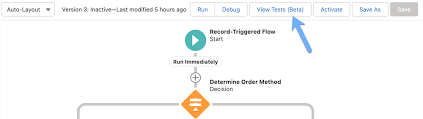
The Automation Revolution: How Smart Flows Supercharge Your Business Automation isn’t just a buzzword—it’s the secret weapon of high-performing businesses. When done right, it transforms clunky processes into frictionless, hyper-efficient experiences—delighting customers and freeing up teams to focus on what really matters. And here’s the best part: You don’t need to be a coding wizard to harness its power. With Salesforce Flow, you can automate complex workflows with clicks, not code—while still maintaining full control over your business logic. But automation isn’t just about saving time—it’s about unlocking new possibilities. Want to see how? Let’s dive into 5 game-changing strategies most admins overlook. 🔥 Pro Tip #1: Treat Your Flow Like a Story—Not Just a Process Every great automation starts with a clear narrative. Before building, ask: 📌 Pro Hack: ⚡ Pro Tip #2: The Debugger Is Your Time Machine Imagine testing a flow without activating it—seeing exactly where it breaks before users do. That’s the Flow Debugger—your undo button for automation. ✅ Next-Level Debugging: ⚠ Watch Out For: 🚨 Pro Tip #3: Never Let Users See “Unhandled Fault” Again A cryptic error message is like a “Closed” sign on your automation. Instead: 🎯 Where This Shines: 🧩 Pro Tip #4: Subflows = Your Automation LEGO Blocks Why rebuild the wheel? Subflows let you: 🚀 Advanced Move:Create a “Utility” subflow library (e.g., “Send Approval Request,” “Log Audit Entry”). 🌀 Pro Tip #5: The Silent Killer Inside Every Loop Loops are powerful—but sneaky performance killers if misused. ❌ The Mistake: text Copy Download LOOP (500 Accounts) → UPDATE each Account (Result: 500 DML statements → SLOW!) ✅ The Fix: text Copy Download LOOP (500 Accounts) → STORE changes → SINGLE UPDATE at end (Result: 1 DML statement → FAST!) 🚀 From Theory to Action: Automate This Today Scenario: Your sales team keeps duplicating tasks on Accounts. The Fix: A 10-minute Flow that:1️⃣ Checks for existing tasks (Prevents duplicates).2️⃣ Auto-creates tasks if needed (No manual work).3️⃣ Notifies the team (“Hey, this was already done!”). 💡 Bonus: Use prebuilt Salesforce Flow templates to jumpstart dozens of automations. Your Next Move? ✔ Bookmark: Salesforce Flow Docs✔ Premier Support? Schedule a 1:1 Flow Workshop with an expert. Automation isn’t just the future—it’s your unfair advantage. Start building smarter today. Like Related Posts Who is Salesforce? Who is Salesforce? Here is their story in their own words. From our inception, we’ve proudly embraced the identity of Read more Salesforce Marketing Cloud Transactional Emails Salesforce Marketing Cloud Transactional Emails are immediate, automated, non-promotional messages crucial to business operations and customer satisfaction, such as order Read more Salesforce Unites Einstein Analytics with Financial CRM Salesforce has unveiled a comprehensive analytics solution tailored for wealth managers, home office professionals, and retail bankers, merging its Financial Read more AI-Driven Propensity Scores AI plays a crucial role in propensity score estimation as it can discern underlying patterns between treatments and confounding variables Read more

Read More
10 Essential Email Marketing KPIs to Measure Success

10 Essential Email Marketing KPIs to Measure Success

Is Your Email Strategy Working? These Metrics Tell the Truth Email marketing isn’t a “set it and forget it” channel—it’s a data-driven science. With evolving privacy rules (like Apple’s Mail Privacy Protection) and shifting consumer behaviors, tracking the right KPIs is crucial to optimizing engagement, conversions, and ROI. Here are the 10 most critical email marketing KPIs to measure performance—and how to use them to refine your strategy. 1. Delivery Rate What it measures: Percentage of emails that actually reach inboxes.Formula: (Emails Sent – Bounces) / Emails SentWhy it matters: If your emails aren’t being delivered, nothing else matters. Low delivery rates? Check for spam filters, authentication issues (SPF/DKIM/DMARC), or poor list hygiene. 2. Click-Through Rate (CTR) What it measures: Percentage of recipients who clicked a link in your email.Formula: Unique Clicks / Delivered EmailsWhy it matters: Indicates content relevance and CTA effectiveness. A high CTR means your message resonates; a low CTR suggests weak offers or poor email design. 3. Clicks by Link What it measures: Which links get the most engagement.Why it matters: Not all clicks are equal. If subscribers only click your unsubscribe link or a secondary CTA (instead of your main offer), you need to restructure your email flow. 4. Event Lag (Time-to-Click) What it measures: How quickly recipients engage after receiving your email.Why it matters: Fast clicks = urgent, compelling content. Slow clicks = your email got buried or lacked urgency. Use this to refine subject lines, send times, and preheaders. 5. Bounce Rate (By Type) What it measures: Percentage of emails rejected by the recipient’s server.Types: 6. Unsubscribe & Complaint Rates What they measure: 7. Web Traffic & Conversions What it measures: How many email clicks lead to desired actions (purchases, sign-ups, downloads).Pro tip: Use UTM parameters to track email-driven conversions in Google Analytics.Why it matters: The ultimate measure of ROI. If clicks don’t convert, your landing page or offer may be the issue. 8. Campaign vs. Email Performance What it measures: How individual emails perform within broader campaigns.Why it matters: Some emails (e.g., welcome series) may outperform others (promotional blasts). Compare CTR, conversions, and unsubscribe rates to identify winning templates. 9. List Growth Rate What it measures: How fast your subscriber list is expanding.Formula: (New Subscribers – Unsubscribes) / Total List SizeWhy it matters: Stagnant lists = missed opportunities. Boost growth with lead magnets, opt-in incentives, and cross-channel promotions. 10. Most & Least Engaged Subscribers What it measures: Who opens/clicks regularly vs. who ignores your emails.Why it matters: Key Takeaway: Test, Analyze, Optimize Email success isn’t static—it’s a cycle of testing, measuring, and refining. Start with these 10 KPIs, but always:✅ A/B test subject lines, CTAs, and send times✅ Segment your lists for hyper-relevant messaging✅ Clean your lists regularly to maintain deliverability “Your email metrics are a mirror—they show exactly what’s working (and what’s not). Stop guessing. Start measuring.” Need help tracking these KPIs? Contact Tectonic for marketing measurement assistance. #EmailMarketing #DigitalMarketing #KPIs #MarketingStrategy #ROI Like Related Posts Who is Salesforce? Who is Salesforce? Here is their story in their own words. From our inception, we’ve proudly embraced the identity of Read more Salesforce Marketing Cloud Transactional Emails Salesforce Marketing Cloud Transactional Emails are immediate, automated, non-promotional messages crucial to business operations and customer satisfaction, such as order Read more Salesforce Unites Einstein Analytics with Financial CRM Salesforce has unveiled a comprehensive analytics solution tailored for wealth managers, home office professionals, and retail bankers, merging its Financial Read more AI-Driven Propensity Scores AI plays a crucial role in propensity score estimation as it can discern underlying patterns between treatments and confounding variables Read more

Read More
Salesforce Customization Steps

Salesforce Customization Steps

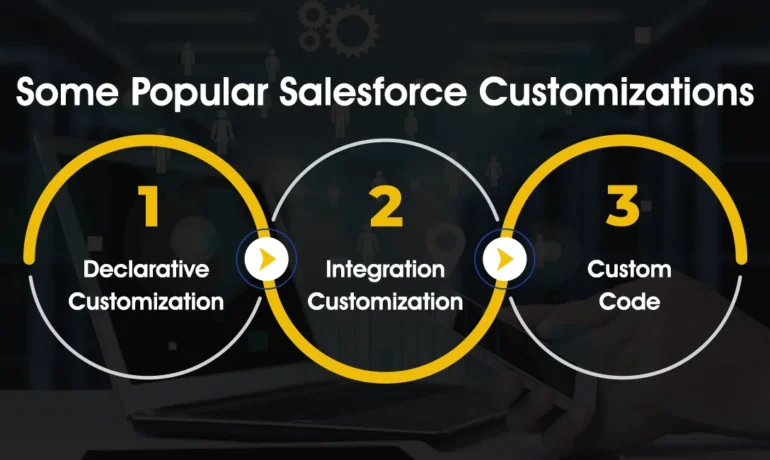
Comprehensive Salesforce Customization Steps Executing a successful SFDC customization requires a structured approach. This detailed plan outlines the 12 essential steps to ensure project success. Following this structured customization plan ensures efficient project execution and maximizes the benefits of Salesforce customization for your organization. Each step contributes to the successful implementation and adoption of tailored Salesforce solutions. Salesforce Customization Steps. Like1 Related Posts Who is Salesforce? Who is Salesforce? Here is their story in their own words. From our inception, we’ve proudly embraced the identity of Read more Salesforce Marketing Cloud Transactional Emails Salesforce Marketing Cloud Transactional Emails are immediate, automated, non-promotional messages crucial to business operations and customer satisfaction, such as order Read more Salesforce Unites Einstein Analytics with Financial CRM Salesforce has unveiled a comprehensive analytics solution tailored for wealth managers, home office professionals, and retail bankers, merging its Financial Read more AI-Driven Propensity Scores AI plays a crucial role in propensity score estimation as it can discern underlying patterns between treatments and confounding variables Read more

Read More
Salesforce Service Cloud Einstein

Salesforce Service Cloud Einstein

Einstein for Service is a robust suite of time-saving Artificial Intelligence features designed to empower agents in delivering exceptional customer service experiences. Salesforce Service Cloud Einstein-learn more. Customer service has evolved from being a cost center to a growth driver, and leading companies are prioritizing customer service to increase brand loyalty. In Service Cloud Einstein, various AI technologies, such as Machine Learning (ML), deep learning, predictive analytics, Natural Language Processing (NLP), and smart data discovery, work collaboratively to enhance customer support, providing faster and better service. Salesforce Einstein, recognized as the world’s first “generative AI” built for CRM, seamlessly integrates into multiple Salesforce products, including Marketing Cloud, Sales Cloud, and Service Cloud. Sales Cloud incorporates Einstein in the form of eight essential tools: Salesforce Einstein, since its inception in 2016, has been at the forefront of CRM AI technology, delivering personalized and predictive experiences for enhanced professionalism. Salesforce Service Cloud is a CRM platform focused on providing service and support to business customers. It is an extension of the Sales Cloud product tailored for sales professionals. Service Cloud Einstein is utilized by notable companies like Thomson Reuters, Southern Glazer’s Wine and Spirits, Cisco, and Skillsoft. Service Cloud Einstein benefits businesses by providing efficient customer service, with Einstein GPT responding promptly to inquiries, offering precise responses, enhancing customer satisfaction, and reducing resolution time. Studies show that in the same time 3 customers could be serviced before Service Cloud Einstein, now ten can be taken care of. The difference between Einstein GPT and ChatGPT lies in their design, with Einstein GPT specifically tailored for Salesforce users and clouds, while ChatGPT is a more versatile model for general use. Einstein is available for free with Salesforce’s Developer Edition, providing access to most platform features for building and testing custom applications and integrations using Einstein. Salesforce Sales Cloud and Service Cloud differ in their focus, with Sales Cloud concentrating on sales processes, while Service Cloud centers around customer service and support. Einstein remains the overarching AI brand for Salesforce, present across the portfolio, including within Tableau. Einstein Discovery is available as part of Tableau CRM Plus or through Einstein Predictions. Are you ready to explore the power of Einstein in your Salesforce Service Cloud implementation? Contact Tectonic today. Tectonic is please to announce Salesforce Service Cloud Implementation Solutions. Content updated January 2024. Like1 Related Posts Who is Salesforce? Who is Salesforce? Here is their story in their own words. From our inception, we’ve proudly embraced the identity of Read more Salesforce Marketing Cloud Transactional Emails Salesforce Marketing Cloud Transactional Emails are immediate, automated, non-promotional messages crucial to business operations and customer satisfaction, such as order Read more Salesforce Unites Einstein Analytics with Financial CRM Salesforce has unveiled a comprehensive analytics solution tailored for wealth managers, home office professionals, and retail bankers, merging its Financial Read more AI-Driven Propensity Scores AI plays a crucial role in propensity score estimation as it can discern underlying patterns between treatments and confounding variables Read more
Read More
MuleSoft Robotic Process Automation

MuleSoft Robotic Process Automation

MuleSoft Robotic Process Automation (RPA) MuleSoft Robotic Process Automation (RPA) empowers organizations to automate business processes and tasks using bots, streamlining operations and minimizing human errors. Fully integrated with Salesforce Clouds, MuleSoft RPA enables admins, business teams, and developers to leverage robotic process automation technology, facilitating end-to-end workflow automation. Key Features and Capabilities Benefits of MuleSoft RPA Common Use Cases MuleSoft RPA Development Lifecycle Comprehensive Applications for Managing the Development Lifecycle Installation and Comparison Enhanced Efficiency and Productivity By automating data extraction and entry, reducing errors, and improving productivity, MuleSoft RPA significantly enhances operational efficiency. This allows human operators to focus on more complex and strategic tasks, driving overall organizational success. Like1 Related Posts Who is Salesforce? Who is Salesforce? Here is their story in their own words. From our inception, we’ve proudly embraced the identity of Read more Salesforce Marketing Cloud Transactional Emails Salesforce Marketing Cloud Transactional Emails are immediate, automated, non-promotional messages crucial to business operations and customer satisfaction, such as order Read more Salesforce Unites Einstein Analytics with Financial CRM Salesforce has unveiled a comprehensive analytics solution tailored for wealth managers, home office professionals, and retail bankers, merging its Financial Read more AI-Driven Propensity Scores AI plays a crucial role in propensity score estimation as it can discern underlying patterns between treatments and confounding variables Read more
Read More
gettectonic.com