
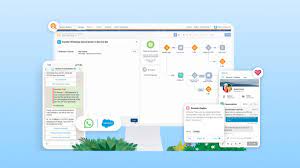
Set Up a Unified WhatsApp Channel for Marketing and Service
Create a WhatsApp channel in Unified Messaging to support both marketing and service interactions. To get started, deploy and configure the necessary data streams in Data Cloud and ensure your WhatsApp Business Account (WABA) is linked to your Salesforce account. Contact your Salesforce account executive to confirm eligibility.
Prerequisites:
✔ WhatsApp Business Account – Must be associated with Salesforce.
✔ Messaging Channel Setup – For bots or service agents, configure a Messaging channel in Service Cloud first.
✔ Supported Editions:
- Unified Messaging for SMS: Available in Salesforce Enterprise and Unlimited Editions with Marketing Cloud Growth & Advanced Editions.
- Unified Messaging for WhatsApp: Available in Enterprise & Unlimited Editions for Marketing Cloud Engagement, Growth & Advanced Editions.
- Not supported in Government Cloud Plus.
Prepare for WhatsApp Unified Messaging
Before setting up your channel, familiarize yourself with how Unified Messaging integrates across Marketing Cloud Engagement and Service Cloud Digital Engagement. Understand key features such as number reuse and conversation transitions within a WhatsApp Unified Messaging channel.
Connect Your WhatsApp Business Account
To enable WhatsApp messaging, connect your WhatsApp Business Account (WABA) and number to Salesforce. If you don’t have a WABA, Salesforce provides step-by-step guidance to create one.
Manage WhatsApp Consent & Keywords
Deploy data streams to track and manage WhatsApp consent settings. Once set up, you can control opt-in keywords and customer consent preferences for each connected number.
Enhance Your WhatsApp Unified Messaging Channel
✅ Add a Cloud: Connect an existing WhatsApp Unified Messaging channel to additional clouds within Salesforce.
✅ Migrate to Unified WhatsApp: Consolidate all service and marketing interactions into a single Unified Messaging channel for seamless communication. Migration also ensures that your existing message templates remain available.
✅ Transfer a WhatsApp Number: Follow Meta’s compliance guidelines to migrate your WhatsApp number smoothly.
Configure WhatsApp Messaging
📩 Handle Incoming Messages – Route WhatsApp messages to the appropriate flow, service agent, bot, or Marketing Cloud Engagement. If no configuration is set, messages are dropped.
💬 Messaging During Support Sessions – Prevent customers from receiving promotional or non-essential content while engaging with a Service Cloud support agent or bot.
📊 WhatsApp Engagement Data – Use Journey Builder to transition customer conversations between marketing interactions and service bots for a seamless support experience.
⏸ Pause Traffic – Temporarily pause a WhatsApp Unified Messaging channel by disconnecting the Service Cloud Digital Engagement and Marketing Cloud Engagement apps in Salesforce Setup.
With Unified WhatsApp Messaging, you can provide seamless, real-time communication across marketing and customer service—all within Salesforce.
Content updated March 2025.


Who is Salesforce? Here is their story in their own words. From our inception, we've proudly embraced the identity of Read more

Salesforce Marketing Cloud Transactional Emails are immediate, automated, non-promotional messages crucial to business operations and customer satisfaction, such as order Read more

Salesforce has unveiled a comprehensive analytics solution tailored for wealth managers, home office professionals, and retail bankers, merging its Financial Read more

AI plays a crucial role in propensity score estimation as it can discern underlying patterns between treatments and confounding variables Read more





