EMI Archives - gettectonic.com - Page 19
Slack's Next Gen Platform Released

Slack’s Next Gen Platform Released

The Salesforce Slack platform lets you extend, expand, and automate your workspaces all while collaborating. Slacks Next Gen Platform Released. Slacks Next Gen Platform Released Slack’s advanced platform, initially in the beta phase for developers, is now progressively rolling out to all teams. Following nearly three years of community-driven experimentation, development, and testing, Slack is excited for you to explore the possibilities it unlocks for your teams: Modular Architecture: Introduce yourself to a new modular architecture rooted in building blocks like functions, triggers, and workflows. These elements are remixable, reusable, and seamlessly connect to the data flow within Slack. Enhanced Developer Experience: Enjoy a faster, more intuitive developer interface with new tools such as the Slack CLI and TypeScript SDK. These tools simplify and clarify the often tedious aspects of building atop the Slack platform. Secure Infrastructure: Benefit from secure deployment, data storage, and authentication powered by Slack-managed serverless infrastructure. The fast Deno-based TypeScript runtime keeps your focus on coding and user experience. Flexible User Experience: Experience a flexible user interface that facilitates easy sharing of your creations within Slack. Introduce a link trigger to make your workflow portable—share it in messages, add it to bookmarks, incorporate it into a canvas, and more. Slack Seeks Feedback Acknowledging the importance of feedback from developers, admins, and users, Slack understands the challenges encountered while building custom integrations. From ensuring enterprise readiness to keeping integrations up-to-date with new Slack features, your input has guided every decision, leading them to this point. The platform’s distinction lies in its extensive options and robust support, offering a fluid and expansive development experience. This approach has allowed Salesforce and Slack to explore innovative ways to integrate support structures directly within Slack, as echoed by Tyler Beckett, SaaS Operations Engineer at Workiva. Slacks Next Gen Platform Released to Include More Automation Slack’s platform is also designed to make workflows automatically extensible to the Slack surfaces of today and tomorrow. Focus on business logic, and Slack will ensure your functions and workflows seamlessly work in any new experience introduced in Slack. For example, the canvas is a new persistent surface where teams can create, curate, and share essential information like text, files, link unfurls, and more in a single view. From day one, you can embed workflows too, making it easy to discover and use them in a relevant context, such as adding an IT request workflow to an onboarding canvas. Talk to Tectonic today about adding Salesforce Slack to your Salesforce ecosystem. Like Related Posts Who is Salesforce? Who is Salesforce? Here is their story in their own words. From our inception, we’ve proudly embraced the identity of Read more Salesforce Marketing Cloud Transactional Emails Salesforce Marketing Cloud Transactional Emails are immediate, automated, non-promotional messages crucial to business operations and customer satisfaction, such as order Read more Salesforce Unites Einstein Analytics with Financial CRM Salesforce has unveiled a comprehensive analytics solution tailored for wealth managers, home office professionals, and retail bankers, merging its Financial Read more AI-Driven Propensity Scores AI plays a crucial role in propensity score estimation as it can discern underlying patterns between treatments and confounding variables Read more

Read More
Improving Customer Experiences with Salesforce

Improving Customer Experiences with Salesforce

Sustaining competitiveness continues to demand businesses prioritize personalization and agility in their customer experience strategy in 2023. Improved Customer Experiences with Salesforce are attainable. Read on. “You are caller number 10; please stay on the line.” A few years ago, a phone message like this from a company was a standard part of the customer experience. But today, customers expect more. They expect callback options. They expect to open a chat window on your website, send a text message or a tweet, and get a near-instant reply. They expect that you already know who they are when they call, that you’re aware of their most recent order, and that you understand what they need next. They don’t want to repeat their information. And they definitely don’t want to wait. Improved Customer Experiences with Salesforce Here are ways to enhance your customer experience program: Enhancing Customer Experience for Brand Loyalty: Advance Personalized Experiences: By concentrating on these core areas, organizations can navigate the evolving CX landscape, delivering exceptional customer experiences. Tectonic is poised to collaborate, customizing Salesforce tools to craft remarkable customer experiences. CX-Customer experience, gets thrown around a lot. But how is it defined, and what does it mean? “Customer experience and service have converged, it’s more than call centers and successful responses to problems. It is service opportunities in sales, support, and marketing. Delivering great customer experiences now means providing amazing, almost magical service at every opportunity.” Peter Schwartz, Salesforce senior vice president of strategic planning What Does Customer Experience Mean? Customer experience encompasses every interaction a prospect or customer has with a business, spanning various channels and touchpoints. Here’s how to enhance customer experience with Salesforce: Customers have always wanted a consistently good buying experience and the best value they can get. If they’re not happy buying expensive razor blades, they can sign up for inexpensive monthly delivery. If they’re fed up with mediocre hotel chains that don’t offer value, why not try Airbnb? The Good News The good news? Customers are willing to pay a premium for great experiences, and not just great products and services. This means businesses have an opportunity to increase revenue by delighting their customers in a way that no one else can. What are the 3Rs of customer experience? Science shows that customers are looking for 3 things in every interaction. These can be summarized in the 3 service values: be reliable, be responsive and build relationships. What are the six pillars of customer experience excellence? Developed by KPMG Nunwood of the UK following research involving more than one million customers across three continents, the system spotlights six key principles as the building blocks for customer experience success: personalization, integrity, expectations, resolution, time and effort, and empathy. Like2 Related Posts Who is Salesforce? Who is Salesforce? Here is their story in their own words. From our inception, we’ve proudly embraced the identity of Read more Salesforce Marketing Cloud Transactional Emails Salesforce Marketing Cloud Transactional Emails are immediate, automated, non-promotional messages crucial to business operations and customer satisfaction, such as order Read more Salesforce Unites Einstein Analytics with Financial CRM Salesforce has unveiled a comprehensive analytics solution tailored for wealth managers, home office professionals, and retail bankers, merging its Financial Read more AI-Driven Propensity Scores AI plays a crucial role in propensity score estimation as it can discern underlying patterns between treatments and confounding variables Read more

Read More
Salesforce What-If Analysis

Salesforce What-If Analysis

Salesforce What-if analysis, primarily through CRM Analytics and Einstein Discovery, allows users to simulate scenarios and explore potential outcomes by changing variables within a model. This is achieved by either using input widgets to capture numerical values or by leveraging predictive models built in Einstein Discovery. The results of these scenarios can be visualized and used to understand the impact of changes on key business metrics.  Details: 1. CRM Analytics: CRM Analytics provides a way to perform what-if analysis by allowing users to create scenarios and evaluate the impact of different factors on business outcomes. This can be done by utilizing input widgets to capture specific numerical values that influence the analysis.  2. Einstein Discovery: Einstein Discovery allows users to build predictive models based on their data, and then use these models to perform what-if analysis. By changing the input variables of the model, users can see how the predicted outcome would change, providing insights into potential scenarios.  3. Process: 4. Examples: Content updated April 2025. Like Related Posts Who is Salesforce? Who is Salesforce? Here is their story in their own words. From our inception, we’ve proudly embraced the identity of Read more Salesforce Marketing Cloud Transactional Emails Salesforce Marketing Cloud Transactional Emails are immediate, automated, non-promotional messages crucial to business operations and customer satisfaction, such as order Read more Salesforce Unites Einstein Analytics with Financial CRM Salesforce has unveiled a comprehensive analytics solution tailored for wealth managers, home office professionals, and retail bankers, merging its Financial Read more AI-Driven Propensity Scores AI plays a crucial role in propensity score estimation as it can discern underlying patterns between treatments and confounding variables Read more

Read More
Salesforce Managed Services

Automation Tools in Salesforce

What are the types of automation in Salesforce? What are the Automation Tools in Salesforce? The automation capabilities offered by Salesforce are based on two main categories: process automation (workflows) and data operations (data loading and cleansing). There are four main automation tools that Salesforce offers, each tailored to a specific purpose. What is an automation tool in Salesforce? Automation provides the tools necessary to automate repetitive processes and tasks for your business, such as creating a follow-up task, sending a reminder email, or updating a record. Automations can help users save critical time and reduce errors by creating processes to complete repetitive tasks. The Top 8 Best Salesforce Automation Tools What is data automation in Salesforce? Healthy automation enables users to focus on high-value work and reduces time spent on repetitive, manual tasks or complex data entry. Most often, automation means translating business processes from one form to another: from paper-based form to digital form, from an old system to a new one. What is the power of automation in Salesforce? By adopting Salesforce automation, you save time and resources, which can be redirected to more productive tasks. Sales automation can reduce daily administrative time by 14%. Moreover, it significantly enhances deal closure rates by 30% and boosts sales productivity by 14.5%. Why is Salesforce difficult to automate? Here are some of the reasons why Salesforce is difficult to automate from a technical perspective: Frequent system updates: Salesforce regularly update their platform to enhance user experiences or fix underlying issues. Unfortunately, these changes can impact user customizations and even standard uses of the platform. This is one reason many Salesforce customers opt to have a Salesforce Managed Service Provider. Disadvantages of Salesforce Flow Limited Customization and Complexity: While Salesforce Flow is considered user-friendly, it may not offer the customization and complexity required for some advanced automation tasks. Businesses with highly specific needs might find Flow somewhat restrictive. Which three components are used to automate a process in Salesforce? Use Flow Builder to automate most of your organization’s repetitive business processes. More features can provide further automation functionality, including approval processes, Flow Orchestration, Einstein Next Best Action, and Apex. Note: Use Flow Builder instead of Process Builder and workflow rules. Content updated January 2024. Like2 Related Posts Who is Salesforce? Who is Salesforce? Here is their story in their own words. From our inception, we’ve proudly embraced the identity of Read more Salesforce Marketing Cloud Transactional Emails Salesforce Marketing Cloud Transactional Emails are immediate, automated, non-promotional messages crucial to business operations and customer satisfaction, such as order Read more Salesforce Unites Einstein Analytics with Financial CRM Salesforce has unveiled a comprehensive analytics solution tailored for wealth managers, home office professionals, and retail bankers, merging its Financial Read more AI-Driven Propensity Scores AI plays a crucial role in propensity score estimation as it can discern underlying patterns between treatments and confounding variables Read more

Read More
ChatGPT and Einstein GPT

ChatGPT and Einstein GPT

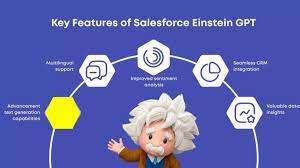
Artificial intelligence (AI) has been rapidly advancing globally, with breakthroughs captivating professionals across various sectors. One milestone that has gained significant attention is the emergence of ChatGPT, a cutting-edge language model revolutionizing the tech landscape. This development has profoundly impacted businesses relying on Salesforce for their customer relationship management (CRM) needs. In March 2023, Salesforce unveiled its latest AI innovation, Einstein GPT, promising to transform how companies engage with their clientele. In this article, we explore what Salesforce Einstein GPT entails and how it can benefit teams across diverse industries. When OpenAI introduced ChatGPT in November 2022, they didn’t expect the overwhelming response it received. Initially positioned as a “research preview,” this AI chatbot aimed to refine existing technology while soliciting feedback from users. However, ChatGPT quickly became a viral sensation, surpassing OpenAI’s expectations and prompting them to adapt to its newfound popularity. Developed on the foundation of the GPT-3.5 language model, ChatGPT was specifically tailored to facilitate engaging and accessible conversations, distinguishing it from its predecessors. Its launch attracted a diverse user base keen to explore its capabilities, prompting OpenAI to prioritize addressing potential misuse and enhancing its safety features. As ChatGPT gained traction, it caught the attention of Salesforce, a leading CRM provider. In March 2023, Salesforce unveiled Einstein GPT, its own AI innovation, poised to transform customer engagement. Built on the GPT-3 architecture and seamlessly integrated into Salesforce Clouds, Einstein GPT promised to revolutionize how businesses interact with their clientele. Einstein GPT boasts a range of features designed to personalize customer experiences and streamline workflows. From generating natural language responses to crafting personalized content and automating tasks, Einstein GPT offers versatility and value across industries. By leveraging both Einstein AI and GPT technology, businesses can unlock unprecedented efficiency and deliver superior customer experiences. Despite its success, OpenAI acknowledges the need for ongoing refinement and vigilance, emphasizing the importance of responsible deployment and transparency in the development of AI technology. Exploring Einstein GPT Salesforce presents Einstein GPT as the premier generative AI tool for CRM worldwide. Utilizing the advanced GPT-3 architecture, Einstein GPT seamlessly integrates into all Salesforce Clouds, including Tableau, MuleSoft, and Slack. This groundbreaking technology empowers users to generate natural language responses to customer inquiries, craft personalized content, and compose entire email messages on behalf of sales personnel. With its high degree of customization, Einstein GPT can be finely tuned to meet the specific needs of various industries, use cases, and customer requirements, delivering significant value to businesses of all sizes and sectors. Objectives of Salesforce AI Einstein GPT Salesforce AI Einstein GPT is designed to achieve several key objectives: Distinguishing Einstein GPT from Einstein AI Einstein GPT represents the latest evolution of Salesforce’s Einstein artificial intelligence technology. Unlike its predecessors, Einstein GPT integrates proprietary Einstein AI models with ChatGPT and other leading large language models. This integration enables users to interact with CRM data using natural language prompts, resulting in highly personalized, AI-generated content and triggering powerful automations that enhance workflows and productivity. By leveraging both Einstein AI and GPT technology, businesses can achieve unparalleled efficiency and deliver exceptional customer experiences. Features of Einstein GPT in Salesforce CRM Key features and capabilities of Salesforce Einstein chatbot GPT include: Utilizing Einstein GPT for Business Improvement Einstein GPT can be leveraged across various domains to enhance business operations: Integration with Salesforce Data Cloud Salesforce Data Cloud, a cloud-based data management system, enables real-time data aggregation from diverse sources. Einstein GPT utilizes unified customer data profiles from the Salesforce Data Cloud to personalize interactions throughout the customer journey. OpenAI on ChatGPT Methods We trained this model using Reinforcement Learning from Human Feedback (RLHF), using the same methods as InstructGPT, but with slight differences in the data collection setup. We trained an initial model using supervised fine-tuning: human AI trainers provided conversations in which they played both sides—the user and an AI assistant. We gave the trainers access to model-written suggestions to help them compose their responses. We mixed this new dialogue dataset with the InstructGPT dataset, which we transformed into a dialogue format. To create a reward model for reinforcement learning, we needed to collect comparison data, which consisted of two or more model responses ranked by quality. To collect this data, we took conversations that AI trainers had with the chatbot. We randomly selected a model-written message, sampled several alternative completions, and had AI trainers rank them. Using these reward models, we can fine-tune the model using Proximal Policy Optimization. We performed several iterations of this process. ChatGPT is fine-tuned from a model in the GPT-3.5 series, which finished training in early 2022. You can learn more about the 3.5 series here. ChatGPT and GPT-3.5 were trained on an Azure AI supercomputing infrastructure. Limitations ChatGPT and Einstein GPT Salesforce Einstein GPT signifies a significant advancement in AI technology, empowering businesses to deliver tailored customer experiences and streamline operations. With its integration into Salesforce CRM and other platforms, Einstein GPT offers unprecedented capabilities for personalized engagement and automated insights, ensuring organizations remain competitive in today’s dynamic market landscape. When OpenAI quietly launched ChatGPT in late November 2022, the San Francisco-based AI company didn’t anticipate the viral sensation it would become. Initially viewed as a “research preview,” it was meant to showcase a refined version of existing technology while gathering feedback from the public to address its flaws. However, the overwhelming success of ChatGPT caught OpenAI off guard, leading to a scramble to capitalize on its newfound popularity. ChatGPT, based on the GPT-3.5 language model, was fine-tuned to be more conversational and accessible, setting it apart from previous iterations. Its release marked a significant milestone, attracting millions of users eager to test its capabilities. OpenAI quickly realized the need to address potential misuse and improve the model’s safety features. Since its launch, ChatGPT has undergone several updates, including the implementation of adversarial training to prevent users from exploiting it (known as “jailbreaking”). This technique involves pitting multiple chatbots against each other to identify and neutralize malicious behavior. Additionally,

Read More
salesforce private lending

Private Lending Simplified

Private Lending Simplified: Unlocking Success with Salesforce In the dynamic world of private lending, technology is transforming the way lenders operate. Salesforce stands out as a powerful platform, enabling private lenders to optimize processes, enhance borrower relationships, and drive sustainable growth. Let’s explore how Salesforce can simplify private lending and boost efficiency. The Landscape of Private Lending and Its Challenges Private lending refers to providing loans to individuals or businesses outside of traditional banks. While this approach offers flexibility and faster approvals, it also comes with challenges such as: Given these complexities, lenders need robust tools to manage the entire loan lifecycle effectively. The Role of Loan Management Software in Private Lending Loan management software is indispensable for automating and streamlining lending operations. Salesforce, with its flexible loan management capabilities, is particularly well-suited for private lenders. Key functionalities include: 1. Automated Underwriting Salesforce enables automated underwriting by using predefined rules and algorithms to evaluate borrower eligibility. This speeds up decision-making, reduces manual errors, and ensures consistency. 2. Loan Processing A centralized system in Salesforce allows lenders to track applications, manage documentation, and communicate with borrowers, ensuring no step in the process is overlooked. 3. Loan Servicing Post-loan disbursement, Salesforce’s integration capabilities support repayment tracking, automated reminders, and delinquency management, ensuring seamless loan servicing. Why Private Lenders Turn to Salesforce Salesforce empowers private lenders with tools designed to optimize every stage of the lending process. 1. Customizable Solutions Salesforce’s flexibility allows lenders to create workflows tailored to different loan types, whether it’s mortgage servicing or merchant cash advance (MCA) underwriting. 2. Advanced Data Management With secure, cloud-based infrastructure, Salesforce ensures easy access to data anytime, anywhere. This not only enhances decision-making through analytics but also supports regulatory compliance. 3. Enhanced Customer Relationship Management (CRM) Strong borrower relationships are key to private lending success. Salesforce’s CRM tools help lenders manage interactions from initial inquiries to post-loan follow-ups, ensuring clients feel supported throughout their journey. 4. Seamless Integration Salesforce integrates effortlessly with other financial tools, such as microfinance platforms and construction loan management software, creating a unified ecosystem for managing diverse loan portfolios. Choosing the Right Loan Management Solution When adopting Salesforce or similar platforms for private lending, consider the following: For private lenders, specialized solutions like Fundingo, built on Salesforce, can take operational efficiency to the next level. Conclusion Salesforce is transforming private lending by simplifying operations and strengthening lender-borrower relationships. With tools to manage the entire loan lifecycle—from underwriting to servicing—private lenders can increase efficiency, maintain compliance, and enhance customer satisfaction. Adopting advanced technologies like Salesforce positions private lenders for long-term success in an increasingly competitive market. Are you ready to harness the power of Salesforce for your private lending business? Let’s connect and explore how Tectonic can streamline your processes. Like Related Posts Who is Salesforce? Who is Salesforce? Here is their story in their own words. From our inception, we’ve proudly embraced the identity of Read more Salesforce Marketing Cloud Transactional Emails Salesforce Marketing Cloud Transactional Emails are immediate, automated, non-promotional messages crucial to business operations and customer satisfaction, such as order Read more Salesforce Unites Einstein Analytics with Financial CRM Salesforce has unveiled a comprehensive analytics solution tailored for wealth managers, home office professionals, and retail bankers, merging its Financial Read more AI-Driven Propensity Scores AI plays a crucial role in propensity score estimation as it can discern underlying patterns between treatments and confounding variables Read more

Read More
Salesforce Automation

Salesforce Automation

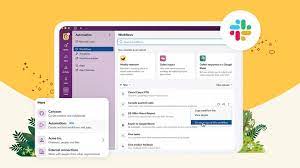
In today’s fast-paced business landscape, efficiency reigns supreme, and the optimization of processes is paramount for success. Salesforce automation tools stand as indispensable allies in this pursuit, empowering businesses to automate repetitive tasks, eliminate errors, and liberate valuable time for employees to focus on mission-critical endeavors. From sales to marketing and customer service, Salesforce offers a comprehensive suite of automation tools designed to enhance efficiency, productivity, and ultimately, profitability. This insight serves as a guide to the value and various components of Salesforce automation. At the core of Salesforce’s effectiveness lies its sophisticated suite of automation tools, reshaping how organizations manage and streamline their sales operations. For administrators entrusted with overseeing the Salesforce environment, mastering these automation tools transcends mere skill; it’s a strategic necessity. Salesforce Automation Tools empower administrators to craft and deploy intricate workflows, facilitating seamless coordination of tasks and processes within the CRM platform. From lead generation to deal closure, these tools offer a comprehensive array of features that can metamorphose manual, time-consuming tasks into streamlined, automated processes. As businesses aspire for agility and efficiency in their operations, administrators assume the role of architects, leveraging Salesforce automation tools to erect a robust foundation for success. This deep dive into Salesforce Automation Tools aims to arm administrators with the knowledge and insights required to navigate the platform’s intricacies adeptly. We will dive into the fundamental components of automation, including workflow rules, process builder, and flow builder, unraveling their functionalities and showcasing how they can be tailored to suit specific business requirements. Through real-world examples and practical guidance, this exploration seeks to empower administrators to unleash the full potential of Salesforce Automation Tools, transforming them into proficient conductors of the CRM symphony. As we embark on this journey, administrators will cultivate a comprehensive understanding of Salesforce’s automation capabilities, enabling them to optimize processes, enhance productivity, and elevate the overall user experience. Whether you’re a seasoned Salesforce administrator or a newcomer to the platform, this deep dive promises invaluable insights and hands-on expertise to navigate the dynamic realm of Salesforce automation with confidence and proficiency. What is Salesforce Automation? Salesforce automation represents a sophisticated sales management solution that automates pivotal sales components such as lead management, sales forecasting, and team performance management. Leveraging Software-as-a-Service (SaaS) products enables the automation of repetitive and redundant tasks and processes. Workflow rules enable organizations to design and enforce business processes systematically. For example, as leads progress through the sales pipeline, workflow rules can automatically assign tasks to sales representatives, update opportunity stages, and notify relevant stakeholders. By establishing these rules, administrators lay the groundwork for a more streamlined and error-resistant workflow, allowing teams to focus on high-impact activities while the system handles routine, rule-based tasks. Understanding the foundations of Salesforce automation through workflow rules is crucial for administrators seeking to optimize their CRM environment. As businesses evolve, the ability to adapt and scale automation becomes paramount. This foundational knowledge not only empowers administrators to create efficient workflows but also sets the stage for exploring more advanced automation tools within the Salesforce ecosystem, ensuring a robust and responsive foundation for the dynamic world of CRM. Centralized Data Storage and Enhanced Lead Tracking Centralizing customer-related data stands as one of the most significant advantages of Salesforce automation. This consolidation facilitates streamlined lead tracking, performance monitoring, and revenue prediction. By automating non-revenue-generating tasks, which can consume up to two-thirds of a sales representative’s time, sales teams can redirect their efforts towards high-impact, revenue-generating activities, thereby fostering overall business growth. Automated Sales Processes: Boosting Productivity The automation of repetitive sales processes emerges as a direct response to research indicating the imperative to enhance sales productivity. Through automation, sales representatives can leverage their time more effectively, focusing on tasks that directly contribute to revenue generation and organizational success. Understanding the Crucial Role of Salesforce Automation The importance of Salesforce automation cannot be overstated in the realm of sales management. By offering centralized data storage, streamlined lead tracking, and enhanced performance monitoring, Salesforce automation revolutionizes the sales landscape. Discover – Controllers in Salesforce: What It Is, Types and Features. Key Benefits of Salesforce Automation The benefits of Salesforce automation are manifold. Firstly, it facilitates the consolidation of customer-related data, enabling efficient lead tracking, reminder setting, and performance monitoring. Additionally, automation saves time and minimizes errors, allowing sales representatives to concentrate on revenue-generating activities such as deal closure and client relationship building. Moreover, Salesforce automation ensures a personalized and consistent customer experience, empowering sales reps to tailor interactions based on customer preferences and behaviors. Furthermore, Salesforce automation fosters efficient collaboration and communication within sales teams, providing a centralized platform for accessing essential information and insights. Additionally, it offers valuable analytics and insights to optimize sales strategies, analyzing customer behavior, sales performance, and market trends to drive revenue growth. Components of Salesforce Automation Lead Management: Involves collecting, tracking, and analyzing customer data and interactions to streamline the sales pipeline and convert leads into customers. Sales Forecasting: Enables organizations to make educated decisions and prepare for future development by forecasting sales revenue based on market analysis and demands. Team Performance Management: Involves monitoring sales team performance, identifying areas for improvement, and providing feedback and coaching to enhance team performance. Email and Social Media Marketing: Automates marketing platforms to communicate better with consumers and prospects, customizing campaigns based on customer preferences and behaviors. Workflow and Approval Processes: Ensures that sales processes follow established procedures and workflows, reducing manual errors and enhancing organizational performance. Data and Analytics: Tracks key performance indicators (KPIs) and provides actionable insights to inform decision-making and drive revenue growth. Streamlining Appointment Scheduling: Assists in scheduling sales appointments efficiently, mitigating the risk of double-booking meetings. Prioritizing Leads: Analyzes leads based on various metrics to maximize sales and productivity. Salesforce automation has revolutionized sales operations, fostering efficiency, effectiveness, and customer-centricity. As technology continues to evolve, Salesforce automation remains a critical tool for businesses striving to stay ahead of the competition and achieve their sales goals. In the dynamic world of Salesforce, administrators

Read More

Salesforce Cloud Key Management

Salesforce Cloud Key Management refers to features and services that allow users to manage encryption keys used to protect data stored within the Salesforce platform. This includes options like Bring Your Own Key (BYOK), Hold Your Own Key (HYOK), and External Key Management (EKM), allowing organizations to maintain control over their encryption keys and meet compliance requirements.  Here’s a deeper dive: 1. Key Management in Salesforce: 2. Key Management Features and Services: 3. Benefits of Salesforce Key Management: Salesforce Cloud Key Management provides organizations with a range of options to manage encryption keys for their data stored in Salesforce, enabling them to enhance security, meet compliance requirements, and maintain control over their sensitive information.  Like Related Posts Who is Salesforce? Who is Salesforce? Here is their story in their own words. From our inception, we’ve proudly embraced the identity of Read more Salesforce Marketing Cloud Transactional Emails Salesforce Marketing Cloud Transactional Emails are immediate, automated, non-promotional messages crucial to business operations and customer satisfaction, such as order Read more Salesforce Unites Einstein Analytics with Financial CRM Salesforce has unveiled a comprehensive analytics solution tailored for wealth managers, home office professionals, and retail bankers, merging its Financial Read more AI-Driven Propensity Scores AI plays a crucial role in propensity score estimation as it can discern underlying patterns between treatments and confounding variables Read more

Read More
Salesforce and Healthcare

Healthcare Technology Solutions

Healthcare institutions have the golden opportunity to enhance the technology systems implemented over the past few pandemic years, particularly in the realm of virtual rounding—where clinicians utilize collaboration technologies to interact with patients remotely. This approach gained significant traction during the pandemic and is now poised for further growth and refinement. Healthcare Technology Solutions. Healthcare technology solutions refer to the use of technology to improve both healthcare delivery and outcomes.  These solutions encompass a wide range of technologies from electronic health records to wearable devices to mobile applications.  Many believe the solution to better healthcare is data and collaboration.  The right software can help. Healthcare Technology Solutions Here are ways to maximize the impact of virtual rounding specifically in your healthcare organization: Devices: Collaboration Software: Telehealth Peripherals: Electronic Medical Records: Patient Experience APIs: Asset Tracking: Business Intelligence: Mobility Management: Whether your organization requires healthcare technology hardware, software, or cloud-based solutions, Tectonic is well-equipped to expedite the implementation process with numerous healthcare implementations under our belt. Five Exciting and emerging healthcare technology solutions coming in 2023 and beyond: Like Related Posts Who is Salesforce? Who is Salesforce? Here is their story in their own words. From our inception, we’ve proudly embraced the identity of Read more Salesforce Marketing Cloud Transactional Emails Salesforce Marketing Cloud Transactional Emails are immediate, automated, non-promotional messages crucial to business operations and customer satisfaction, such as order Read more Salesforce Unites Einstein Analytics with Financial CRM Salesforce has unveiled a comprehensive analytics solution tailored for wealth managers, home office professionals, and retail bankers, merging its Financial Read more AI-Driven Propensity Scores AI plays a crucial role in propensity score estimation as it can discern underlying patterns between treatments and confounding variables Read more

Read More
Crucial Role of Data and Integration in AI at Dreamforce

Salesforce Data Integration

Salesforce Data Integration: A Comprehensive Guide Introduction Salesforce offers numerous tools to access, synchronize, and share data with external systems. However, selecting the right tool for your project is critical. This guide explores Salesforce’s data integration landscape, providing recommendations based on specific use cases—along with guidance on which tools to avoid. Scope of This Guide This decision guide focuses on data-level integrations involving Salesforce, covering: While these are just a subset of integration challenges faced by Salesforce Architects, future guides will address: Note: Many tools discussed here can also solve enterprise-wide integration challenges, but those use cases are beyond this guide’s scope. Key Takeaways Common Considerations for Choosing Data Integration Tools Before selecting a tool, evaluate these key factors: Area to Consider Key Questions Existing Tools & Landscape Is an ESB/ETL solution already in place? Are there compliance requirements? Are systems cloud or on-premise? Data Flow Does data need to move synchronously, asynchronously, or in batches? Should data be replicated? Which system is the source of truth? Implementation What’s the effort for non-Salesforce systems? Which teams will deliver integrations? What tools do they prefer? Maintainability Who will maintain the integration? What skills do they have (or need)? What’s the total cost of ownership? Data Volume Is it a large data volume (LDV) scenario? How frequent are bulk changes? What’s the impact of singleton updates? Limits Are complex transformations needed? Will data be combined from multiple sources? How often will integrations run per user? Overview of Data Integration Tools Tool Salesforce → External External → Salesforce Execution License Required? Apex Actions ✅ Yes ✅ Yes Server-side ❌ No Change Data Capture ✅ Yes ❌ No Server-side ❌ No* Custom Apex (REST/SOAP) ✅ Yes ✅ Yes Server-side ❌ No External Services ✅ Yes ❌ No Server-side ❌ No Generic Events (Legacy) ✅ Yes ❌ No Server-side ❌ No** Heroku Connect ✅ Yes ✅ Yes Server-side ✅ Yes MuleSoft Anypoint ✅ Yes ✅ Yes Server-side ✅ Yes MuleSoft Composer ✅ Yes ✅ Yes Server-side ✅ Yes Native Salesforce APIs ❌ No ✅ Yes Server-side ❌ No OmniScript ✅ Yes ✅ Yes Client-side**** ✅ Yes OmniStudio Integration ✅ Yes ✅ Yes Server-side ✅ Yes Outbound Messaging ⚠️ Not Ideal ❌ No Server-side ❌ No Platform Events ✅ Yes ✅ Yes Server-side ❌ No*** PushTopic (Legacy) ⚠️ Not Ideal ❌ No Server-side ❌ No** Salesforce Connect ✅ Yes ✅ Yes Server-side ✅ Yes ✅ = Recommended | ⚠️ = Possible but consider alternatives | ❌ = Not supported Notes: Other Tools (Not Primary Integration Solutions) While these tools support aspects of data movement, they should not be the foundation of an integration strategy: Final Recommendations By aligning the right tool with your use case, you can optimize performance, reduce technical debt, and ensure scalable integrations. Content updated April 2025. Like Related Posts Who is Salesforce? Who is Salesforce? Here is their story in their own words. From our inception, we’ve proudly embraced the identity of Read more Salesforce Marketing Cloud Transactional Emails Salesforce Marketing Cloud Transactional Emails are immediate, automated, non-promotional messages crucial to business operations and customer satisfaction, such as order Read more Salesforce Unites Einstein Analytics with Financial CRM Salesforce has unveiled a comprehensive analytics solution tailored for wealth managers, home office professionals, and retail bankers, merging its Financial Read more AI-Driven Propensity Scores AI plays a crucial role in propensity score estimation as it can discern underlying patterns between treatments and confounding variables Read more

Read More
Cloud Based Managed Services

Cloud Based Managed Services

At Tectonic, our aim is to enable you to concentrate on your business operations while we handle the intricacies of technology. Our team oversees all technology assets and evaluates your IT systems to ensure your employees have the necessary equipment to support their work. We work diligently in the background to maintain the seamless functioning of your business, encompassing tasks such as consistent backups, 24/7 server monitoring, event logging, and more. Cloud Based Managed Services. Managed Cloud Cloud managed services, or managed cloud, refer to applications, services, or ecosystems in the cloud managed by a third-party organization. These services include IT tasks like engineering on demand, operations management, 24/7 help desk support, hosting, and implementation. Cloud-based service involves the organized administration of cloud computing products and services. It encompasses processes, strategies, policies, and technology used to control and maintain public and private clouds, hybrid clouds, or multicloud environments. Cloud infrastructure managed services involve companies like Microsoft, AWS, HubSpot, IBM, and Google Cloud. This allows businesses to receive personalized tech support from specialists in specific software providers. Examples of cloud-based services include file storage and backup, web-based email, and project management tools. SaaS cloud service providers include Dropbox, G Suite, Microsoft Office 365, and Slack. While cloud service providers are cost-effective, they lack the robustness of fully managed IT services. With Tectonic, managed cloud services provide scalable solutions, offering benefits like consistent backups, disaster recovery, and flexibility to adapt to changing business requirements without downtime. Managed services differ from SaaS as they go beyond software provision, often handling networking and hardware requirements. Managed cloud services offer hybrid IT and cloud administration, with providers offering unique values in areas like migration, optimization, security, and configuration. Advantages of Managed Cloud Service Providers (MCSPs) include resource optimization, cloud service integration, and predictable spending. However, potential drawbacks include high costs, optimization impacting performance, and security risks due to multi-tenancy. Amid the global COVID-19 pandemic, cloud adoption has surged, with companies embracing remote work models. Businesses increasingly partner with cloud managed service providers to optimize IT infrastructure, address regulatory compliance, and ensure security in the cloud environment. Local servers, physically located on-premises or in private data centers, are not considered cloud services. They host applications, websites, or services within a specific organization’s infrastructure. Like Related Posts Who is Salesforce? Who is Salesforce? Here is their story in their own words. From our inception, we’ve proudly embraced the identity of Read more Salesforce Marketing Cloud Transactional Emails Salesforce Marketing Cloud Transactional Emails are immediate, automated, non-promotional messages crucial to business operations and customer satisfaction, such as order Read more Salesforce Unites Einstein Analytics with Financial CRM Salesforce has unveiled a comprehensive analytics solution tailored for wealth managers, home office professionals, and retail bankers, merging its Financial Read more AI-Driven Propensity Scores AI plays a crucial role in propensity score estimation as it can discern underlying patterns between treatments and confounding variables Read more

Read More
Experience Salesforce Experience Cloud

Experience Salesforce Experience Cloud

Salesforce Experience Cloud, formerly recognized as Salesforce Community Cloud, offers organizations a platform to construct branded online communities for employees, customers, partners, and other stakeholders, fostering collaboration, engagement, and self-service among community members. Key Features: Customization: Experience Cloud facilitates customization, empowering organizations to tailor their community’s appearance to match their brand through custom themes, templates, and layouts. Member Engagement: Various engagement tools like discussion forums, chats, and groups enable members to interact, share information, and collaborate effectively. Content Management: Easily create, manage, and share content within the community, including articles, documents, videos, and more, organized into topics for streamlined navigation. Access Control: Administrators can regulate community access and permissions, defining different levels of access for diverse user groups. Integration: Seamless integration with other Salesforce products and external systems enables connectivity with CRM, marketing automation, and other business applications. Mobile-Responsiveness: Communities built with Experience Cloud are mobile-responsive, ensuring accessibility from different devices. Data Visibility: Users can access relevant data from Salesforce CRM, such as customer records and support cases, within the community. Self-Service: Community members can find answers, access support resources, and resolve issues themselves, reducing the burden on support teams. Analytics: Experience Cloud offers analytics and reporting tools to track community engagement, member activity, and content performance for informed decision-making. Developer Tools: Advanced customization and integration requirements are met through developer tools, APIs, and documentation provided by Salesforce Experience Cloud. Use Cases: Customer Communities: Partner Portals: Employee Communities: B2B Commerce: Knowledge Sharing: Event Management: Custom Applications: Branding and Theming: Analytics and Reporting: Advantages of Salesforce Experience Cloud: Enhanced Customer Engagement: Build interactive communities for customers to find support and connect with each other. Scalable Collaboration: Create communities for various user groups while maintaining security and access control. Personalization: Deliver personalized content and services to enhance user engagement. Brand Consistency: Customize community appearance to ensure a consistent brand experience. Integration: Seamlessly connect with other Salesforce products and external systems. Mobile-Friendly: Communities are accessible from various devices, improving accessibility. Analytics and Insights: Gain valuable insights into community engagement and user behavior. Automation: Automate processes like customer support workflows to save time and improve efficiency. Security: Protect community data with robust security features. Customer and Partner Enablement: Provide easy access to resources and support for customers and partners. Reduced IT Overhead: Configure and customize communities without extensive coding or IT resources. Community Growth: Scale communities as your organization grows. Comparison with Community Cloud: Experience Cloud offers a broader range of functionalities beyond traditional community building. It focuses on creating seamless digital experiences for customers, partners, and employees. It provides enhanced integration capabilities and AI-driven personalization features. The name change reflects Salesforce’s shift towards delivering comprehensive digital experiences. Examples of What Can Be Achieved: Self-Service Portals: Customer support and FAQs. Partner Portals: Lead management and collaboration. Employee Intranets: Collaboration and HR processes. E-Commerce Storefronts: Product catalogs and shopping carts. Discussion Forums: Community interaction and knowledge sharing. Event and Conference Portals: Event registration and agendas. Patient and Healthcare Portals: Medical records and appointment scheduling. Nonprofit Donor Engagement: Fundraising campaigns and volunteer opportunities. Education Portals: Learning materials and discussion boards. Government Portals: Citizen services and public discussions. Financial Services Client Portals: Account information and communication with advisors. Like Related Posts Who is Salesforce? Who is Salesforce? Here is their story in their own words. From our inception, we’ve proudly embraced the identity of Read more Salesforce Marketing Cloud Transactional Emails Salesforce Marketing Cloud Transactional Emails are immediate, automated, non-promotional messages crucial to business operations and customer satisfaction, such as order Read more Salesforce Unites Einstein Analytics with Financial CRM Salesforce has unveiled a comprehensive analytics solution tailored for wealth managers, home office professionals, and retail bankers, merging its Financial Read more AI-Driven Propensity Scores AI plays a crucial role in propensity score estimation as it can discern underlying patterns between treatments and confounding variables Read more

Read More
Salesforce Slack

What is Slack?

Chances are a co-worker has at least once offered to “Slack” you something—whether it’s a file, a work order, or a phone number. The first time I heard this phrase, I was concerned about potential physical harm, only to learn that “Slack” refers to a messaging application for businesses and much more.  This insight takes a deep dive into Salesforce’s collaborative tool. Slack is a messaging app for businesses that connects people to the information they need.  Many companies utilize Slack from Salesforce as a centralized hub for various purposes. From project collaboration to casual “water cooler” conversations. This is especially vital for remote teams spread across different locations and time zones. At Tectonic, we’ve integrated Slack channels for accounts and Salesforce tools. For projects, events, webinars, and training, fostering seamless communication. Slack is becoming increasingly popular for its compatibility with Salesforce and numerous applications, across diverse workplaces. As opposed to text messaging or emails, Slack is an efficient messaging app making it easier to communicate and organize conversations. To understand Slack, it’s helpful to distinguish between its two primary communication forms. Channels and direct messages (DMs). Slack channels are tailored by users to bring the right people together. By facilitating the sharing of information, files, thoughts, and project details. In contrast, direct messages are private, one-off conversations ideal for topics outside specific channels. Conversations within the channels are transparent and accessible to everyone, except for private channels, marked with a lock symbol. Direct messages, on the other hand, are suited for smaller, individual conversations. Starting a new conversation in the platform is as simple as clicking the compose button and drafting a message. It can be for a specific channel or individual. Mentioning a team member using @team-members-name ensures that they see your message and are notified when it is posted. Emojis Slack’s wide variety of emoji reactions add a fun element, with commonly used emojis like eyes or check marks indicating engagement or task completion. Custom emojis can be created for personalized use or to trigger automated workflows within your Salesforce project.  The eyes emoji, for example, typically means the message reader is taking at a look at whatever was referenced in the post.   Slack customization is a key aspect of its effectiveness. Updating your profile, integrating with your calendar for availability status, and setting relevant notifications. Utilizing shortcuts, apps, and integrations can enhance collaboration efficiency. Tectonic conducts a comprehensive discovery of your organization’s processes to recommend tailored ways this tool can boost your overall efficiency. Sharing files is easy, with seamless integration with popular file storage tools like Dropbox and Google Drive. Slack’s scheduling feature allows you to compose messages and schedule delivery at more appropriate times, making it a valuable organizational time management tool. Users can set their in and out of office times. Thus silencing notifications outside working hours. Slack also has a mobile app so users can stay connected from anywhere. Chat-based Collaboration Comparisons This chat-based collaboration tool that emphasizes communication. Whereas Microsoft Teams is a comprehensive collaboration suite that offers chat, video conference, and integrated document management.  Teams is a part of the Microsoft ecosystem, while Slack is a standalone tool from Salesforce with robust third party integrations. The primary difference between Google Chat and Slack includes search and customization options and the amount of storage offered. Slack offers more customization options, Google Chat offers unlimited storage in Business and Enterprise plans. Slack differs from Skype in that it takes communication to the level of collaboration by bringing together teams, tools, and workflows in a single platform. The sweet spot for Slack seems to be in companies with 20-50 employees. Many businesses are moving away from email and into channels, Away from legacy suites and onto customizable platforms that can connect more easily.  In 2019 the platform broke the 12 million user daily activity level and continues to grow by about 37% every year. Cross-channel Integrations Slack offers thousands of cross-channel integrations with other apps, not just email and Salesforce. This collaborative tool was developed by Slack Technologies, owned by Salesforce. It offers freemium and paid subscription services, and offers text messaging, file and media sharing, voice and video calls, and group chat for team collaboration. Slack has the capacity to support an unlimited number of users per organization, channels per workspace, and over 100,000 users on a channel. All content in the channels is searchable. Thereby making it an easy repository for conversations which ultimately contain a lot of information users want to reference back to.  Slack also offers bookmarking of content, pinning of content and other assorted features for information organization. Default Slack settings encrypt data at rest and data in transit. Data is further protected with tools like Slack Enterprise Key Management, audit logs, and integrations with top data loss prevention providers. Slack received its official name in 2012 from Stewart Butterfield. He replaced the product codename of linefeed with the communication tool which he said was derived from Searchable Log of All Conversation and Knowledge. If you’re curious about how Slack can enhance your Salesforce experience, reach out to Tectonic for a free quote or demo today. Like Related Posts Who is Salesforce? Who is Salesforce? Here is their story in their own words. From our inception, we’ve proudly embraced the identity of Read more Salesforce Marketing Cloud Transactional Emails Salesforce Marketing Cloud Transactional Emails are immediate, automated, non-promotional messages crucial to business operations and customer satisfaction, such as order Read more Salesforce Unites Einstein Analytics with Financial CRM Salesforce has unveiled a comprehensive analytics solution tailored for wealth managers, home office professionals, and retail bankers, merging its Financial Read more AI-Driven Propensity Scores AI plays a crucial role in propensity score estimation as it can discern underlying patterns between treatments and confounding variables Read more

Read More
Salesforce Health Cloud

12 Transformative Benefits of Salesforce Health Cloud for Healthcare Organizations

Why Health Cloud Leads the Healthcare CRM Market Recognized as the #1 healthcare CRM by KLAS and Forrester, Salesforce Health Cloud is revolutionizing how providers, payers, biotech/pharma, and medical device companies deliver care and manage operations. This powerful platform unifies patient data, streamlines workflows, and enables personalized engagement at scale. Key Advantages by Healthcare Sector For Healthcare Providers For Health Plans & Payers For Biotech & Pharmaceutical Companies For Medical Device Companies Implementation Success Factors Critical Capabilities ROI Drivers ✅ 30% faster care coordination✅ 25% improvement in patient adherence✅ 40% reduction in manual data entry Why Partner with Tectonic? As a certified Salesforce partner with deep healthcare expertise, Tectonic helps organizations: “Health Cloud users report 125% ROI through reduced administrative costs and improved patient outcomes.” – Forrester TEI Study Ready to transform your healthcare operations?Contact us today! Elevate patient care, streamline operations, and drive growth with the healthcare CRM leader—powered by Tectonic’s implementation excellence. Like Related Posts Who is Salesforce? Who is Salesforce? Here is their story in their own words. From our inception, we’ve proudly embraced the identity of Read more Salesforce Marketing Cloud Transactional Emails Salesforce Marketing Cloud Transactional Emails are immediate, automated, non-promotional messages crucial to business operations and customer satisfaction, such as order Read more Salesforce Unites Einstein Analytics with Financial CRM Salesforce has unveiled a comprehensive analytics solution tailored for wealth managers, home office professionals, and retail bankers, merging its Financial Read more AI-Driven Propensity Scores AI plays a crucial role in propensity score estimation as it can discern underlying patterns between treatments and confounding variables Read more

Read More
gettectonic.com