Mulesoft Archives - gettectonic.com - Page 9
Salesforce Manufacturing Cloud

Salesforce for Manufacturing and Salesforce Manufacturing Cloud

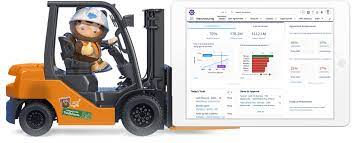
What is Salesforce for Manufacturing? Salesforce Manufacturing Cloud is a tailored CRM solution designed specifically for enterprise-level manufacturing companies. It offers out-of-the-box functionality with key features including demand and production forecasting, along with sales agreements. The platform aims to transform customer operations in manufacturing through the integration of Data, AI, CRM, and Trust. How Manufacturers Use Salesforce Manufacturing companies utilizing the Salesforce platform typically leverage it for managing various aspects directly from the platform. These include sales, customer service, partner and channel portals, marketing, and e-commerce. In some cases, certain applications may also integrate with third-party systems. What’s Included With Salesforce Manufacturing Cloud? Manufacturing Cloud encompasses various components to manage the complete business cycle, from customer inquiry to order visibility and demand forecasting accuracy. Key components include Rebate Management, Revenue Cloud, B2B Commerce, CRM Analytics, Slack, and MuleSoft Anypoint Platform. Salesforce Service Capabilities for Manufacturing Salesforce Field Service Expand Salesforce Field Service service offerings with warranty management, aftermarket parts programs, and predictive maintenance services. Channel Partner Visibility and Engagement Connecting Sales and Operations with Manufacturing Cloud Manufacturing Cloud helps connect sales and operations, driving forecast accuracy and visibility across the ecosystem. It includes components such as Experience Cloud, CRM Analytics, Rebate Management, Loyalty Management, Revenue Cloud, B2B Commerce, Marketing Cloud, Slack, and MuleSoft Anypoint Platform. Like1 Related Posts Who is Salesforce? Who is Salesforce? Here is their story in their own words. From our inception, we’ve proudly embraced the identity of Read more Salesforce Marketing Cloud Transactional Emails Salesforce Marketing Cloud Transactional Emails are immediate, automated, non-promotional messages crucial to business operations and customer satisfaction, such as order Read more Salesforce Unites Einstein Analytics with Financial CRM Salesforce has unveiled a comprehensive analytics solution tailored for wealth managers, home office professionals, and retail bankers, merging its Financial Read more AI-Driven Propensity Scores AI plays a crucial role in propensity score estimation as it can discern underlying patterns between treatments and confounding variables Read more

Read More
Salesforce Slack

Slack Process Automation

Salesforce’s Slack team collaboration tool extends beyond facilitating communication across channels; it empowers users to automate routine processes seamlessly through the Workflow Builder tool. This feature, available in Slack, offers a range of tools to streamline processes both within and outside Slack, all without the need for coding. Slack process automation improves the power and usage of the collaboration tool. The versatility of workflows is vast, accommodating simple to complex processes that can connect with various apps and services, not limited to Slack and Salesforce alone. With over 2,400 apps in the Slack App Directory, integration possibilities are extensive. Should a pre-built app fall short, customization options allow tailoring to specific business needs without the necessity for coding expertise. Building a workflow primarily requires identifying routine business processes suitable for automation, whether through app installation or custom Workflow Builder creation. The absence of coding prerequisites makes this accessible to a broader audience. Workflow Builder considers any series of sequential, repeatable tasks aimed at achieving a specific goal as a viable process for automation. Since Salesforce’s acquisition of Slack in 2021, the platform has become a pivotal collaboration tool within and beyond the Salesforce ecosystem. Its popularity has surged, particularly in remote-based work environments, where integrations with various applications synchronize data into Slack, providing a single, accurate source accessible to all team members. This, coupled with automation features directly accessible from the Slack app, significantly reduces manual task durations. Eight highly recommended Slack automations, facilitated through pre-built templates, cover various aspects, including recruiting, lead management, deal alerts, quote-to-invoice processes, project status tracking, time tracking, support case management, and even creative applications like hue light automation. Tectonic offers expertise in custom Slack integrations with Salesforce projects. Companies can explore how Slack enhances team collaboration and process automation by connecting with us. Slack Workflows Importantly, Slack workflows extend beyond Salesforce integration, working seamlessly with other platforms such as Zapier, Centro, Google Sheets, AttendanceBot, Polly, Datadog, Fellow, Automate.io, BirthdayBot, Jira, Workstreams, ToDoBot, Workast, Simple Poll, and more. The Workflow Builder feature enables the creation of predefined triggers and steps to automate processes directly within the Slack app. Triggers can be manually selected, initiated by emoticon selections, or set to run automatically. Once triggered, the workflow’s steps unfold in the selected order, allowing the seamless execution of various tasks. Process Automation in Slack The possibilities for automation using Workflow Builder in Slack are extensive, ranging from employee onboarding, customer support, content and communication review, to sales lead and marketing campaign management, request approval processes, and beyond. Slack, in conjunction with Tectonic, stands ready to bring these envisioned automations to life for organizations seeking enhanced efficiency and collaboration. Like Related Posts Who is Salesforce? Who is Salesforce? Here is their story in their own words. From our inception, we’ve proudly embraced the identity of Read more Salesforce Marketing Cloud Transactional Emails Salesforce Marketing Cloud Transactional Emails are immediate, automated, non-promotional messages crucial to business operations and customer satisfaction, such as order Read more Salesforce Unites Einstein Analytics with Financial CRM Salesforce has unveiled a comprehensive analytics solution tailored for wealth managers, home office professionals, and retail bankers, merging its Financial Read more AI-Driven Propensity Scores AI plays a crucial role in propensity score estimation as it can discern underlying patterns between treatments and confounding variables Read more

Read More
Manufacturing Cloud

Salesforce for Manufacturing and Manufacturing Cloud

Salesforce Manufacturing Cloud is a specialized CRM solution tailored for large-scale manufacturing enterprises. It comes equipped with essential features like demand and production forecasting, as well as sales agreements, aiming to revolutionize customer operations in manufacturing by integrating Data, AI, CRM, and Trust. Manufacturers using Salesforce typically utilize the platform to streamline various operations directly from one centralized location. This encompasses managing sales, customer service, partner and channel portals, marketing, and e-commerce. Additionally, some applications may seamlessly integrate with third-party systems. Starting with a unified digital experience powered by connecting all customer data across systems is crucial. Salesforce Manufacturing Cloud elevates performance for account teams by enhancing sales and distribution processes with collaborative, AI-driven quoting and pricing. It also orchestrates revenue management flow on a unified platform, enhancing efficiency and reducing revenue leakage. Salesforce Manufacturing Cloud includes several components to manage the entire business cycle, from customer inquiry to order visibility and demand forecasting accuracy. Key components encompass Rebate Management, Revenue Cloud, B2B Commerce, CRM Analytics, Slack, and MuleSoft Anypoint Platform. In terms of service capabilities, Salesforce offers solutions tailored for manufacturing companies. These include reimagining the customer service center to unify customer data, enhance satisfaction, and reduce cost through automation and AI. Intelligent field service optimizes scheduling, boosts technician productivity, and offers full asset visibility through mobility, AI, and remote support. Personalized self-service extends to customers and channel partners, managing field service appointments, while IoT integration enables proactive delivery of next-best actions. Salesforce Field Service extends service offerings with warranty management, aftermarket parts programs, and predictive maintenance services. For channel partner visibility and engagement, Salesforce enables designing and managing partner programs, accelerating recruitment, automating onboarding, and simplifying training. Marketing through the channel is amplified by extending campaigns and delivering marketing funds, making selling easier for partners through streamlined contracts, automated lead generation, and product configuration support. Faster and smarter partner service experiences are facilitated by providing seamless service, streamlining warranty claims, and offering visibility into the claims process. Overall, Salesforce Manufacturing Cloud bridges the gap between sales and operations, enhancing forecast accuracy and visibility across the ecosystem with components like Experience Cloud, CRM Analytics, Rebate Management, Loyalty Management, Revenue Cloud, B2B Commerce, Marketing Cloud, Slack, and MuleSoft Anypoint Platform. Tectonic is proud to introduce Manufacturing Cloud Salesforce Implementation Solutions. Content updated April 2024. Like1 Related Posts Who is Salesforce? Who is Salesforce? Here is their story in their own words. From our inception, we’ve proudly embraced the identity of Read more Salesforce Marketing Cloud Transactional Emails Salesforce Marketing Cloud Transactional Emails are immediate, automated, non-promotional messages crucial to business operations and customer satisfaction, such as order Read more Salesforce Unites Einstein Analytics with Financial CRM Salesforce has unveiled a comprehensive analytics solution tailored for wealth managers, home office professionals, and retail bankers, merging its Financial Read more AI-Driven Propensity Scores AI plays a crucial role in propensity score estimation as it can discern underlying patterns between treatments and confounding variables Read more

Read More
Salesforce Slack

Swarming with Slack

Enhance case resolution and field service efficiency by promoting instant collaboration through Salesforce Slack “swarming”. Facilitate quick access to the right experts using Expert Finder, initiating a swarm channel directly from a case or incident. The seamless integration ensures that agents can participate in a Slack swarm without leaving the console, maintaining access to crucial Salesforce CRM data. Your service team comprises individuals working to resolve customer issues. Using a swarm from a Slack channel to engage the appropriate experts and document activities in Salesforce. To start a swarm using the Service Cloud for Slack app, go to the About tab and select the Start command for /service-swarm-start. Alternatively, invoke a swarm from the Attachments and shortcuts search or with the slash command. Press the return key to activate the command. Choose your preferred swarming method and select Next. Swarm in a New Channel: Create a swarm in a new Slack channel directly from Slack. Enter swarm information in the prompted window fields and click Create. Visit the new swarm channel to collaborate with other agents. To update the record in Salesforce, click Finish Swarming or use the slash command /service-swarm-close. Select members to add to the swarm, view the record, or finish swarming. Note that swarm member records are generated when new members join the swarming Slack channel. To reopen a swarm, click Reopen Swarm. Swarm in an Existing Channel: Create a swarm in an existing Slack channel. Enter swarm details in the prompted window fields and click Create. The Service Cloud for Slack app sends a pinned notification to the selected channel, announcing the new swarm request. Use buttons on the request to view information or close the swarm when the issue is resolved. Select members, view the record, or finish swarming. When complete, the swarm is marked Closed, and the case is linked in the first unpinned post. Only open swarms remain pinned for easy access in channels with multiple swarms. In response to recent challenges, a series featuring insights from customer service leaders and experts explores industry trends and tactics for success. The first post includes discussions with Jim Roth, EVP of Customer Support at Salesforce, and Kevin Albers, VP of Customer Experience at Slack, addressing digital solutions, agent burnout, and collaborative swarming models. In a digital-first world, customer expectations have risen. Companies are adapting with tools like live agent chat and digital support. Jim Roth emphasizes the need to meet customers where they are, leveraging digital innovations to enhance customer experiences. Growing expectations have increased call volume and case complexity, leading to agent burnout. Kevin Albers suggests addressing this with proper tooling, reducing cognitive overload, and empowering agents to be part of the solution through experimentation. Transitioning to a Swarming Model Transitioning from a tiered model to a swarming model, where a single agent owns a case from start to finish, has shown impressive results. Jim Roth highlights the benefits of a tierless model, including reduced wait times, retained context, and increased agent satisfaction. The swarming model benefits agents by providing rewarding challenges, training opportunities, and expanded experiences. Kevin Albers emphasizes that empowering agents leads to higher engagement and better solutions. Successful Swarming with Slack Tips for successful swarming in Slack include creating workflows, utilizing emoji reactions for status updates, and leveraging Slack’s public API for advanced analysis. The aim is to deliver an easy and expert experience to customers through faster resolution and collective wisdom. Like Related Posts Who is Salesforce? Who is Salesforce? Here is their story in their own words. From our inception, we’ve proudly embraced the identity of Read more Salesforce Marketing Cloud Transactional Emails Salesforce Marketing Cloud Transactional Emails are immediate, automated, non-promotional messages crucial to business operations and customer satisfaction, such as order Read more Salesforce Unites Einstein Analytics with Financial CRM Salesforce has unveiled a comprehensive analytics solution tailored for wealth managers, home office professionals, and retail bankers, merging its Financial Read more AI-Driven Propensity Scores AI plays a crucial role in propensity score estimation as it can discern underlying patterns between treatments and confounding variables Read more

Read More
Salesforce Integration

Salesforce Integrations for Sales and Marketing Teams

First Understand Salesforce Integrations Salesforce integrations involve establishing seamless connections between Salesforce and diverse third-party applications. These applications range from marketing automation tools and customer service software to accounting programs. The purpose is to facilitate a smooth exchange of data, ultimately enhancing Salesforce’s overall functionality. Salesforce integrations for sales and marketing teams brings all the applications needed for the relationship with prospects into one place. Salesforce’s Integration Ecosystem While Salesforce boasts a robust integration ecosystem, featuring over 3,000 integrations available on its AppExchange marketplace. Users can leverage various integration approaches: Salesforce Integrations for Sales and Marketing While there’s no complete universal list of essential Salesforce integrations for sales and marketing, several widely-used integrations cater to diverse needs: No-code Data Automation Integrations: Analytics and Reporting Integrations: Email Marketing Automation Integration: Data Storage Integration: Communications Apps Integrations: Project Management Tools Integration: Account Management Integration: CRM Tools Integration: Helpdesk Integrations: Feedback Tools Integration: These integrations facilitate efficient data handling, analytics, communication, project management, and more within sales and marketing teams. Integrations for Sales and Marketing Tools Salesforce seamlessly integrates with various tools relevant to Sales and Marketing teams, including but not limited to: Salesforce Integration with Teams and Workday The Salesforce AppExchange Salesforce’s Role in Sales and Marketing Salesforce Marketing Cloud Salesforce and ERP Integration Digital Marketing and Salesforce Salesforce’s Role in Marketing Automation Content updated November 2023. Like Related Posts Who is Salesforce? Who is Salesforce? Here is their story in their own words. From our inception, we’ve proudly embraced the identity of Read more Salesforce Marketing Cloud Transactional Emails Salesforce Marketing Cloud Transactional Emails are immediate, automated, non-promotional messages crucial to business operations and customer satisfaction, such as order Read more Salesforce Unites Einstein Analytics with Financial CRM Salesforce has unveiled a comprehensive analytics solution tailored for wealth managers, home office professionals, and retail bankers, merging its Financial Read more AI-Driven Propensity Scores AI plays a crucial role in propensity score estimation as it can discern underlying patterns between treatments and confounding variables Read more

Read More
Salesforce Mulesoft

Mulesoft and Salesforce

The MuleSoft Anypoint integration platform is a comprehensive solution for API design and development, offering a unified approach. MuleSoft boasts support for nearly 300 connectors, encompassing databases, SaaS platforms, storage resources, and network services. MuleSoft and Salesforce power data connections. Benefits of Salesforce integration include a vast library of pre-built connectors for systems like Salesforce, SAP, Oracle, etc., streamlining data migration with out-of-the-box solutions. MuleSoft facilitates connecting Salesforce to both cloud and on-premises systems for seamless digital business transformation. MuleSoft’s RPA (Robotic Process Automation) allows teams to automate workflows across multiple systems, integrating RPA bots with Salesforce Customer 360, Anypoint Platform, and MuleSoft Composer. IT teams can effectively govern, monitor, and secure automation and integration built with APIs or bots using Anypoint Platform. MuleSoft serves as a CRM and ERP integration solution, leveraging Anypoint Connectors to establish connectivity with popular applications and services, simplifying integration through a single-platform solution. The popularity of MuleSoft is attributed to its industry-leading Salesforce integration solution, aligning complex integration needs with business goals. The platform is considered one of the best for connecting multiple applications and receiving real-time updates. Salesforce acquired the MuleSoft platform in 2018 to expand its product offerings swiftly, accessing MuleSoft’s customer base. The acquisition provided Salesforce with an integration platform and products like Anypoint Platform, MuleSoft Composer, and MuleSoft RPA. Developers Use the Salesforce Connector Developers can use the Salesforce Connector to create applications responding to common Salesforce events without writing complex code. Five common Salesforce integration patterns include Migration, Broadcast, Aggregation, Bidirectional Synchronization, and Correlation. Increase productivity and efficiency across your enterprise by integrating Salesforce with any cloud or on-premises system. MuleSoft provides amazing connectivity. Stay connected to your customers by learning how to integrate Salesforce Customer 360 to any data or system — delivering truly personalized, connected customer experiences. However, MuleSoft’s interface complexity may pose challenges for beginners in data integration tools. Tectonic, with extensive experience, can overcome this complexity and has successfully built Salesforce integrations with MuleSoft. Some notable MuleSoft customers include Dimension Data, Seiko Epson Corporation, Equinix, and IBM. For consulting and assistance with MuleSoft, contact Tectonic today. MuleSoft eBook MuleSoft integration ebook – download here. Like2 Related Posts Who is Salesforce? Who is Salesforce? Here is their story in their own words. From our inception, we’ve proudly embraced the identity of Read more Agiloft Salesforce Integration Optimize organizational efficiency, performance, and value by automating contracts with Agiloft Contract Lifecycle Management Software. Regain control and streamline processes Read more Demandbase Salesforce Integration The integration of Demandbase with Salesforce creates a seamless connection between Demandbase One and your Salesforce CRM, establishing a bidirectional Read more Box and Salesforce Integration What is Box and Salesforce integration? Together, Box and Salesforce integration bring you seamless solutions that make it easy for Read more

Read More
Salesforce Integration

Salesforce Integrations Explained

Introducing Salesforce Integration – Fundamental Concepts Before diving deep into more the complex aspects, let’s explore the basics of Salesforce Integrations, encompassing three key areas: integration types, integration capabilities, and integration patterns. When we talk about integration, it means to create a connection between a specific Salesforce instance and another database, third party product, or system. The connection can be inbound, outbound, or bi-directional, and you may be connecting to another database, another Salesforce instance, or another cloud-based data source. What is Integration? Salesforce Integration involves bringing together two or more systems to streamline distinct processes, enabling the efficient management of information across various business processes that span multiple systems.  Salesforce Integration is a process of connecting two or more applications. This provides both a sharing of data between systems and end user improved efficiency. Enterprise systems use many applications, many or most of which are not designed to work with one another out of the box. How many integrations does Salesforce have? Salesforce has over 3,000 integrations available on its AppExchange marketplace alone. Apart from those, you can use: low-code and no-code integrations like Coupler.io or Zapier for data automation. Why is Integration Important with Salesforce? In our digital era, enhancing efficiency and customer experience is crucial for competitiveness and user adoption. Integration ensures that systems work seamlessly together by fostering a scalable and faster collaborative environment. How do you make Salesforce even better? Integrate it with the apps you already use. From productivity to marketing to collaboration and beyond, now you can connect your Salesforce to the other tools you need to run your business. MuleSoft is Salesforce’s integration and automation technology and offers connectivity solutions for all of your apps. What is an API? API, or Application Programming Interface, facilitates communication between two applications. It enables the smooth exchange of data, ensuring processes occur without interruptions. Different API types will be covered in the ‘Salesforce Integration Capabilities’ section. Types of Salesforce Integration Architectures Three integration architectures come with both their benefits and drawbacks: Salesforce Integration Capabilities Consider the following aspects for efficient Salesforce integration: Understanding integration involves recognizing its fundamental concepts, including types, architectures, and capabilities.  Like Related Posts Who is Salesforce? Who is Salesforce? Here is their story in their own words. From our inception, we’ve proudly embraced the identity of Read more Salesforce Marketing Cloud Transactional Emails Salesforce Marketing Cloud Transactional Emails are immediate, automated, non-promotional messages crucial to business operations and customer satisfaction, such as order Read more Salesforce Unites Einstein Analytics with Financial CRM Salesforce has unveiled a comprehensive analytics solution tailored for wealth managers, home office professionals, and retail bankers, merging its Financial Read more AI-Driven Propensity Scores AI plays a crucial role in propensity score estimation as it can discern underlying patterns between treatments and confounding variables Read more

Read More

Salesforce Integration: Enhancing Your CRM Capabilities

Salesforce is the world’s leading CRM platform, empowering businesses to streamline operations, enhance customer relationships, and drive growth. However, to maximize its potential, integrating Salesforce with third-party applications is essential. By connecting Salesforce with various external tools—such as MailChimp, QuickBooks, WhatsApp, and LinkedIn—organizations can improve efficiency, automate workflows, and unify data across departments. But how can businesses successfully integrate these applications into their Salesforce environment, and what challenges might they face? Let’s explore. What is Salesforce Integration? Salesforce integration refers to the process of connecting Salesforce with third-party applications to facilitate seamless data flow and process automation. These integrations leverage APIs to establish communication between systems, ensuring a unified experience across different business functions such as HR, finance, marketing, and sales. Why is Salesforce Integration Important? Integrating Salesforce with other systems offers several advantages, including: Common Salesforce Integrations and Use Cases Salesforce can be integrated with a variety of platforms to enhance functionality. Some key use cases include: Challenges in Salesforce App Integration While Salesforce integrations bring numerous benefits, they also come with challenges: Tools for Successful Salesforce Integration To facilitate smooth integrations, businesses can leverage the following tools: 1. Salesforce Native Tools These tools enable direct integrations with Salesforce products. Examples include: 2. App-Native Tools Many external applications offer built-in integrations with Salesforce, such as: 3. Third-Party Middleware For more complex integrations, middleware platforms help bridge gaps between systems: Best Practices for Salesforce Integration To ensure a smooth and successful integration, businesses should follow these best practices: Final Thoughts: Should You Integrate Salesforce with Third-Party Apps? Absolutely. Integrating Salesforce with external applications enhances its capabilities, drives efficiency, and unlocks new business opportunities. However, it’s crucial to implement these integrations through a certified Salesforce partner to minimize risks and ensure seamless execution. By following best practices and using the right tools, businesses can maximize their CRM investment and drive long-term success. FAQs Have more questions about Salesforce integration? Get in touch with our certified Salesforce consultants to explore the best integration solutions for your business. Like Related Posts Who is Salesforce? Who is Salesforce? Here is their story in their own words. From our inception, we’ve proudly embraced the identity of Read more Salesforce Marketing Cloud Transactional Emails Salesforce Marketing Cloud Transactional Emails are immediate, automated, non-promotional messages crucial to business operations and customer satisfaction, such as order Read more Salesforce Unites Einstein Analytics with Financial CRM Salesforce has unveiled a comprehensive analytics solution tailored for wealth managers, home office professionals, and retail bankers, merging its Financial Read more AI-Driven Propensity Scores AI plays a crucial role in propensity score estimation as it can discern underlying patterns between treatments and confounding variables Read more

Read More
Project Management With Asana and Salesforce

Project Management With Asana and Salesforce

Introducing the Revolutionary Asana Salesforce Integration Elevate Your Business with An Enhanced Workflow Efficiency Welcome to the world of a revolutionary blend of CRM and project management—the Asana Salesforce Integration. Opting for this intelligent integration sets your business on the path to unprecedented workflow efficiency. Ever wondered how to further streamline your workflows, intensify team synchronization, and deliver exceptional customer service? The answer lies in integrating your Asana project management tool with Salesforce’s CRM capabilities. Unleashing New Avenues for Business Operations The seamless integration of Asana and Salesforce brings the best of both worlds onto a single platform. Direct communication with your team becomes effortless, and vital business information is transmitted with precision and speed. This means deals progress faster, teams stay informed, and crucial workflows run without a hitch. Making significant business decisions requires hard data, and this powerful integration provides exactly that. Connecting Salesforce with Asana Goals delivers valuable insights that can propel your business forward. Key Takeaways Understanding the Asana Salesforce Integration In today’s fast-paced digital world, CRM software and project management tools evolve rapidly to enhance business efficiency and foster stronger customer connections. Navigating this evolution requires a deep understanding of these tools and their potential synergy. This piece focuses on Salesforce, a formidable player in cloud-based CRM software, and how its integration with Asana, a popular project management tool, can revolutionize your business operations and customer relationship management. What Is Salesforce? Salesforce is a pioneering force in CRM software, providing an exceptional cloud-based platform aimed at enhancing customer interaction and service quality. It serves as a comprehensive tool for managing customer data, tracking sales, and delivering targeted marketing campaigns. Salesforce focuses on forging deeper customer connections, finding prospects, and improving overall customer service. Why Integrate Your CRM with Asana? Integrating CRM software with a platform like Asana enhances its project management potential. Asana, designed to aid in planning, organizing, and executing projects, seamlessly links with Salesforce. This integration eliminates bottlenecks, streamlines internal processes, and improves communication between teams, allowing for easier data and idea exchanges that lead to effective, fast decision-making. The Unification of Sales and Project Management Business success hinges on acquiring and retaining customers. The integration of Salesforce’s CRM capabilities with Asana’s project management utilities results in a unified, powerful tool that optimizes workflows—from tracking sales progress to managing projects. The clear mapping of deal progress linked to strategic business goals creates a data-driven path forward. The Benefits of Combining Asana with Salesforce Integrating Asana and Salesforce unlocks new levels of efficiency and organization within your business. Individually renowned for their capabilities in project management and CRM, the combined strengths of these platforms significantly enhance productivity and streamline operations. Streamlining Your Sales Pipeline Integrating Asana and Salesforce enhances team efficiency and redefines sales pipeline management. This integration leads to improved deal cycles, automated workflows, and informed business decision-making. How to Set Up the Asana Salesforce Integration Setting up the Asana Salesforce integration is straightforward with the right guidance. Navigate to the Salesforce AppExchange, search for Asana for Salesforce, and click ‘Get It Now’. Customize the integration to best serve your organization’s needs, optimizing it for Salesforce’s Lightning Component or Salesforce Classic. Optimizing CRM Operations with Asana Projects Integrating Asana’s project management capabilities with Salesforce provides a new vista for CRM optimization. This coupling enables centralized access to contacts, opportunities, and deal information within Asana, enhancing visibility and operational efficiency. Fostering Team Collaboration Integrating Asana and Salesforce bridges the gap between task management and customer management systems, enhancing teamwork, communication, and project alignment. This synergy results in improved operational excellence and productivity. Enhancing the Customer Experience The Asana Salesforce combo delivers a phenomenal customer experience by improving customer handoff efficiency and enabling smooth transitions with customizable templates and automated workflows. This integration strengthens customer relationships through personalized interactions and efficient service. Automating Tasks for Streamlined Workflows The Asana Salesforce integration simplifies project handoffs and leverages Salesforce’s Process Builder to customize and automate workflows, enhancing cooperation between sales and service teams and maintaining real-time data alignment between platforms. Advanced Integration Options For businesses with complex integration needs, General Automation Platforms (GAP) offer a solution. These low-code platforms facilitate the creation of robust, tailored integrations, automating multistep processes and ensuring smooth data flow. Learning Resources Expand your understanding of the Asana Salesforce integration through resources like the Asana Help Center, Asana Academy’s demo videos, and personalized support from Asana’s dedicated team. The convergence of project management and CRM systems through integrations like Asana and Salesforce is reshaping business operations. This powerful combination enhances client experiences, refines operations, and drives substantial growth, offering a glimpse into the future of business productivity and success. Like Related Posts Who is Salesforce? Who is Salesforce? Here is their story in their own words. From our inception, we’ve proudly embraced the identity of Read more Salesforce Marketing Cloud Transactional Emails Salesforce Marketing Cloud Transactional Emails are immediate, automated, non-promotional messages crucial to business operations and customer satisfaction, such as order Read more Salesforce Unites Einstein Analytics with Financial CRM Salesforce has unveiled a comprehensive analytics solution tailored for wealth managers, home office professionals, and retail bankers, merging its Financial Read more AI-Driven Propensity Scores AI plays a crucial role in propensity score estimation as it can discern underlying patterns between treatments and confounding variables Read more

Read More
public sector and tribal governent

What is BI in Salesforce?

Salesforce BI helps to create fast, digestible reports to help you make informed decisions at the right time. Salesforce Einstein is a leading business intelligence software solution that will help streamline your operations. Read on in this insight to learn how Salesforce BI capabilities including Tableau rank in the Gartner Magic Quadrant. Make the right decision every time using analytics that go beyond business intelligence software. See why Gartner named Salesforce (Tableau) a Leader in the Gartner® Magic Quadrant™ for Analytics and Business Intelligence Platforms for the 11th consecutive year. Data and analytics leaders must use analytics and BI platforms to support the needs of IT, analysts, consumers and data scientists. While integration with cloud ecosystems and business applications is a key selection requirement, buyers also need platforms to support openness and interoperability. Analytics and business intelligence (ABI) platforms enable less technical users, including business people, to model, analyze, explore, share and manage data, and collaborate and share findings, enabled by IT and augmented by artificial intelligence (AI). For several years, the Magic Quadrant for Analytic and Business Intelligence Platforms has emphasized visual self-service for end users augmented by AI to deliver automated insights. While this remains a significant use case, the ABI platform market will increasingly need to focus on the needs of the analytic content consumer and business decision makers. To achieve this, automated insights must be relevant in context of a user’s goals, actions and workflow. Many platforms are adding capabilities for users to easily compose low-code or no-code automation workflows and applications. This blend of capabilities is helping to expand the vision for analytics beyond simply delivering datasets and presenting dashboards. Today’s ABI platforms can deliver enriched contextualized insights, refocus attention on decision-making processes and ultimately take actions that will deliver business value. In addition to the increasing consumer design focus trend, we see other key market trends, including the need for improved governance of analytic content creation and dissemination, and the demand for a headless, open architecture. For example, a headless ABI platform would decouple the metrics store from the front-end presentation layer, enabling more interoperability with competitive products. ABI platform functionality includes the following 12 critical capabilities, which have been updated to reflect areas of market change, differentiation and customer demand: Gartner added three new critical capabilities as part of our metrics store evaluation criteria this year:  ABI platforms have always been about measurement. For decades, the slicing and dicing of measures by their dimensional attributes was synonymous with the act of performing business intelligence. However, over the last decade, the focus on metrics and measurement was overshadowed by data visualization. As data visualization became the most conspicuous capability, some business executives began to conflate ABI platforms with data visualization — as if ABI platforms are glorified chart wizards. This misconception minimizes much of the work performed and the business value delivered by ABI platforms. Establishing metrics stores as a critical capability to execute makes it clear that defining and communicating performance measures throughout an organization is one of the key purposes of an ABI platform. Analytics collaboration is a combination of many features (such as Slack/Teams integration, action frameworks) that collectively improve an organization’s ability to make decisions with consensus. Data science integration reflects the increasing likelihood that a business analyst may want to use data science to test certain hypotheses, and that data scientists will need to leverage features such as data prep and data visualization. In addition, Gartner is changing “catalogs” to “analytic catalogs” to emphasize a set of requirements that are not being met by ABI platform vendors today. Most large enterprises have thousands of reports built across multiple ABI platforms, but consumers in these organizations have no easy way to access these reports. The name change to analytic catalogs reflects the need for ABI platform vendors to deliver analytic content with the consumer in mind. Three critical capabilities were removed from our evaluation criteria: security, natural language generation (NLG; rolled into data storytelling) and cloud analytics (which will no longer be considered a platform capability, but instead a go-to-market strategy covered in the Magic Quadrant). And one of the security sub-criteria, about the granularity of authorization (e.g., row-based security) has been moved to the enterprise reporting capability. Salesforce (Tableau) Tableau, a Salesforce company, is a Leader in this Magic Quadrant. Its products are mainly focused on visual-based exploration that enables business users to access, prepare, analyze and present findings in their data. CRM Analytics, formerly Tableau CRM, provides augmented analytics capabilities for analysts and citizen data scientists. Tableau has global operations and serves clients of all sizes. In 2022, Tableau reinforced its augmented consumer vision to provide contextualized insights with deeper integration with Salesforce Data Cloud. IT also improved decision intelligence by bringing domain-aware insights into action with Revenue Intelligence and other Salesforce-native apps. The extensible design and x-platform integrations (Salesforce Flow, MuleSoft, UiPath and Looker) further enable composable analytics to bring insights into workflow with agility. Strengths Cautions Like Related Posts Who is Salesforce? Who is Salesforce? Here is their story in their own words. From our inception, we’ve proudly embraced the identity of Read more Salesforce Marketing Cloud Transactional Emails Salesforce Marketing Cloud Transactional Emails are immediate, automated, non-promotional messages crucial to business operations and customer satisfaction, such as order Read more Salesforce Unites Einstein Analytics with Financial CRM Salesforce has unveiled a comprehensive analytics solution tailored for wealth managers, home office professionals, and retail bankers, merging its Financial Read more AI-Driven Propensity Scores AI plays a crucial role in propensity score estimation as it can discern underlying patterns between treatments and confounding variables Read more

Read More
Salesforce CDP Innovations

Salesforce CDP Innovations

New Salesforce CDP Innovations: Smarter, Faster, and More Personalized Customer Interactions Salesforce has launched new innovations for its Customer Data Platform (CDP), designed to help businesses leverage first-party data for more personalized customer experiences. Leading brands like Bank of Montreal and convenience store retailer Casey’s are already using Salesforce CDP to create a unified source of customer truth, streamlining interactions and providing frictionless customer experiences. The world is gradually recovering from the pandemic, and consumer behavior is shifting as shops, hotels, restaurants, and other establishments reopen. While customers are eager to engage in the experiences they’ve missed, companies recognize that digital innovations, such as curbside pickup and direct-to-consumer websites, which fueled pandemic-era growth, are here to stay. As expectations for personalized, connected experiences grow—with 70% of customers demanding this—many businesses struggle to unify customer data across systems, teams, and devices. This data fragmentation makes it difficult to create a single source of truth for customers. Salesforce CDP: Built on the World’s Leading CRM Salesforce CDP solves this challenge by capturing, unifying, and activating customer data across various touchpoints to drive more personalized experiences. Today’s new CDP features make data smarter, more connected, and easier to activate securely. Built on Salesforce’s #1 CRM platform, the CDP unifies data from sales, service, marketing, loyalty, and commerce systems, creating a comprehensive single source of truth. Businesses can then leverage this unified view for personalized marketing, advertising, analytics, and relationship-building strategies that increase customer loyalty and revenue. New Innovations in Salesforce CDP Include: How Businesses Are Using Salesforce CDP Availability of New Features: This insight helped you learn more about these innovations and how Salesforce CDP can enhance customer engagement from anywhere. Like Related Posts Who is Salesforce? Who is Salesforce? Here is their story in their own words. From our inception, we’ve proudly embraced the identity of Read more Salesforce Marketing Cloud Transactional Emails Salesforce Marketing Cloud Transactional Emails are immediate, automated, non-promotional messages crucial to business operations and customer satisfaction, such as order Read more Salesforce Unites Einstein Analytics with Financial CRM Salesforce has unveiled a comprehensive analytics solution tailored for wealth managers, home office professionals, and retail bankers, merging its Financial Read more AI-Driven Propensity Scores AI plays a crucial role in propensity score estimation as it can discern underlying patterns between treatments and confounding variables Read more

Read More
Salesforce Vaccine Cloud

Salesforce Vaccine Cloud

Vaccine Cloud for Providers helps to connect people with thousands of vaccination sites. A scalable workflow simplifies vaccine administration. Vaccine Cloud was built to play a central role in connecting vaccines to people equitably and efficiently. Vaccine Cloud will help health authorities, healthcare providers, and organizations more safely and efficiently manage vaccine programs at scale. With Vaccine Cloud, customers will be able to design, build, integrate, and manage their vaccine programs end-to-end, with a platform that is trusted, flexible, and can be deployed quickly. Vaccine Cloud provides solutions like Health Command Center, Vaccine Inventory Management, Vaccination Appointment Scheduling, Clinical Vaccine Administration, Vaccination Outcome Monitoring, Public Health Notifications, and Digital Health Credentials to help customers build and scale their vaccine administration management capabilities to address the next phase of this global pandemic. Work.com for Vaccines has now become Vaccine Cloud. Work.com for Vaccines was developed and launched to support public sector customers and their vaccination management needs. Work.com for Vaccines was critical in helping governments and public health agencies scale vaccine management and distribution as vaccines were waiting to be approved for use around the world. As authorized COVID-19 vaccines have become available, there is shifting demand for vaccine management technology that can address all the needs of customers at scale, not just across public sector but also among healthcare providers, retail pharmacies, businesses, nonprofits, educational institutions, and other organizations. Vaccine Cloud is our solution to address these growing needs across industries and organizations. Vaccine Cloud is a set of solutions aimed at addressing a variety of challenges that governments, healthcare providers and employers will face for vaccine administration. Vaccine Cloud includes capabilities across the Salesforce Customer 360 portfolio including technology powered by Tableau and MuleSoft that can be leveraged by our AppExchange ecosystem of partners to support vaccine administration needs, including: Salesforce has implemented technical and administrative security measures to protect our services and our customers’ data. We strongly encourage customers to follow security best practices and use available tools to strengthen the security of their Salesforce instance. Security does not start and end with Salesforce — it is a trusted partnership with our customers. Salesforce offers our customers controllable features that permit them to configure the security settings of their respective instances as they deem appropriate for the sensitivity of their data. Customers can implement features such as field-level security, profiles and permission sets, two-factor authentication, and IP whitelisting. For more information on the application security features Salesforce provides, please refer to this help article on Protecting Your Salesforce Organization. Salesforce designs products with privacy in mind, so that our products not only comply with our own legal obligations, but also can be used by our customers while they comply with their own legal obligations. Compliance is always a shared partnership between Salesforce and its customers, meaning that while Salesforce commits to complying with its own obligations, customers are responsible for ensuring that their use of our products is appropriate for their own legal requirements. To help customers meet their compliance goals, we have created a number of dedicated resources for customers to learn more about their obligations, such as Salesforce’s privacy website, which includes FAQs on local and industry-specific privacy laws, and additional resources, such as Data Protection Impact Assessments, to help enable customer success. Being a trusted advisor to our customers is a top priority for Salesforce. However, it remains the responsibility of each customer to get their own legal advice when implementing and using Salesforce products, including Work.com. It is important for customers to take into account their own particular use cases to ensure compliance with local healthcare laws, certification requirements, and any other applicable laws or guidance. Vaccine Cloud helps public health authorities, healthcare providers, and nonprofits quickly scale vaccine operations, from recipient registration and scheduling to inventory management and public health outreach. San Francisco — January 27, 2021 — Salesforce, [NYSE: CRM], the global leader in CRM, today announced Vaccine Cloud, technology to help government agencies, healthcare organizations, businesses, nonprofits and educational institutions more rapidly, safely and efficiently deploy and manage their vaccine programs. Today, international, federal, state and local agencies, healthcare providers and nonprofits worldwide are using Salesforce technology specifically for vaccine administration, including Northwell Health, Illinois’ Lake County, University of Massachusetts Amherst, Gavi, the Vaccine Alliance and more. Now that safe and effective COVID-19 vaccines are available, every country, state and city is rapidly establishing vaccination programs to get shots in the arms of billions of people. However, many government agencies and healthcare organizations don’t have the technology infrastructure in place to handle the complexity, speed and scale necessary for vaccine administration, such as inventory and logistics management, getting people registered and scheduled for their vaccines, and recipient outreach and vaccine outcome monitoring. Governments are also partnering with private sector companies to help manage this mass vaccination effort, and these businesses need the same technology infrastructure to help deliver safe, efficient and effective vaccine administrations and programs. “The biggest challenge the world faces right now is orchestrating the distribution of billions of vaccine doses. Technology can play a critical role in ensuring it’s done efficiently, effectively, and equitably,” said Bret Taylor, President and COO of Salesforce. “We’re proud to be supporting organizations through their recovery and helping to protect people from the effects of COVID-19.” President Biden moves COVID-19 vaccine availability deadline for American adults to April 19; Salesforce Vaccine Cloud adds asynchronous bookings on more channels to meet surge. Salesforce on Thursday released a free update to Vaccine Cloud users that enables preregistration for COVID-19 appointments to meet a coming sign-up rush as most U.S. adults will be eligible for their shots April 19. The Salesforce vaccine distribution system, released in January, now can accept preregistrations for COVID-19 vaccinations. The site will notify people as appointments become available, and process them through a personalized, single-use link. The system also can create appointments and push notifications through multiple channels such as text and email, where before it was web-based. The asynchronous


Read More
Salesforce Einstein Automate Explained

Salesforce Einstein Automate Explained

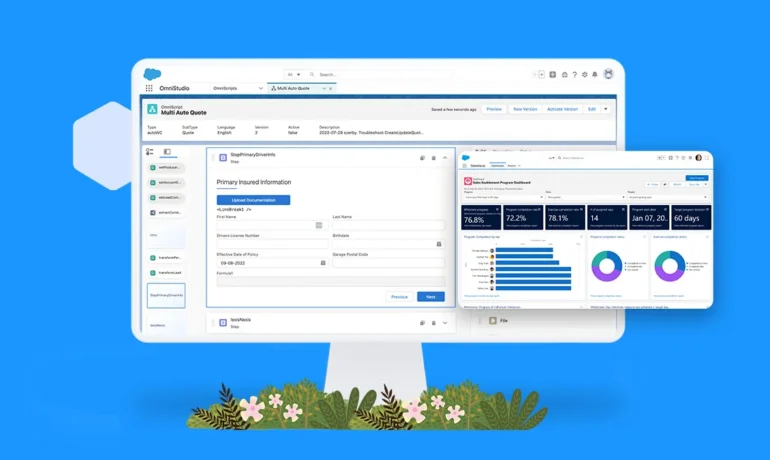
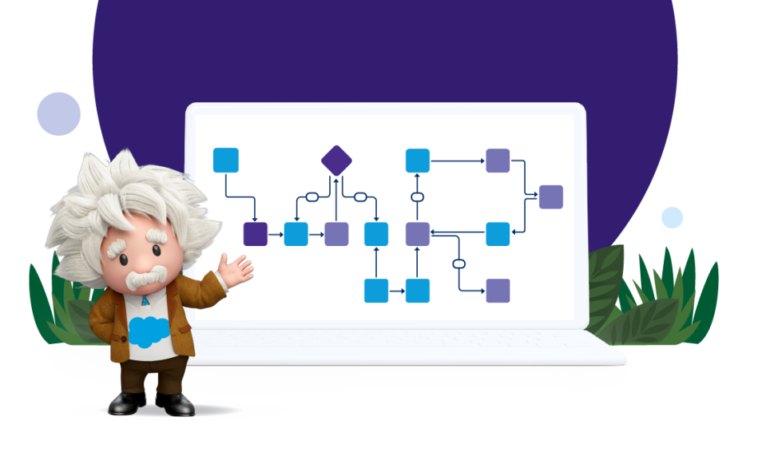
Introducing Einstein Automate, a comprehensive workflow automation solution by Salesforce, empowering individuals and businesses to boost productivity. With AI-infused bots, flows, and components, the new Flow Orchestrator transforms intricate processes into dynamic, industry-relevant experiences. Moreover, the new MuleSoft Composer for Salesforce enables every member of an organization to seamlessly integrate data from multiple systems into Salesforce, without the need for writing code. Leveraging pre-built resources from AppExchange and OmniStudio further accelerates the implementation of automation initiatives. Recognizing the digital imperative faced by organizations today, Einstein Automate offers automation capabilities tailored for every business function and industry. This solution enables individuals across companies to construct intelligent workflows and integrate data across systems effortlessly, using clicks instead of code. The Flow Orchestrator, a low-code workflow development tool, empowers users to compose workflows automating complex, multi-user processes and approvals. AI-generated next steps and recommendations expedite projects and processes, identifying bottlenecks and streamlining operations. Discover over 700 automation solutions on the new Einstein Automate collection page on Salesforce AppExchange, including solutions for robotic process automation (RPA), Einstein Bots, Flow Templates, Actions and Components, MuleSoft Connectors, Process Libraries, and partner solutions. These pre-built solutions allow organizations to implement automation quickly, without the need to build from scratch. OmniStudio provides businesses with no-code tools and pre-built guided experiences to deliver digital-first and industry-specific experiences to customers across multiple devices and channels. With features like dynamic, guided screen flows and the ability to gather data from any document, image, or legacy system, OmniStudio enhances user experience and boosts productivity. Einstein Next Best Action automatically presents recommendations and flow actions to users, while Einstein Recommendation Builder enables personalized recommendations. With updates across various features like Article Answers, External Services, and Model Sharing, Salesforce continues to enhance the capabilities of its automation tools, ensuring seamless integration and improved efficiency across the platform. Content updated August 2023. Like1 Related Posts Who is Salesforce? Who is Salesforce? Here is their story in their own words. From our inception, we’ve proudly embraced the identity of Read more Salesforce Marketing Cloud Transactional Emails Salesforce Marketing Cloud Transactional Emails are immediate, automated, non-promotional messages crucial to business operations and customer satisfaction, such as order Read more Salesforce Unites Einstein Analytics with Financial CRM Salesforce has unveiled a comprehensive analytics solution tailored for wealth managers, home office professionals, and retail bankers, merging its Financial Read more AI-Driven Propensity Scores AI plays a crucial role in propensity score estimation as it can discern underlying patterns between treatments and confounding variables Read more

Read More
gettectonic.com