

11Aug
Key Features of Sales Cloud Einstein
Features of Sales Cloud Einstein are one of the most exciting. Do you wonder why?
Let’s look at Sales Cloud Einstein to provide insights into how it can empower your orga
Features of Sales Cloud Einstein are one of the most exciting. Do you wonder why?
Let’s look at Sales Cloud Einstein to provide insights into how it can empower your orga
Kiosk mode is a Salesforce Marketing Cloud Account Engagement form setting that stops a tracking cookie being placed on your browser when you submit a form. With Kiosk Mode enabled, no one gets cookied. A prospect’s form submissions are related to a prospect record via a unique browser cookie. However, sometimes you don’t want to cookie every visitor because it can cause one prospect’s information to be related to another prospect’s cookie. For example: you want to manually enter prospect data into a form from a signup sheet or have prospects fill out forms at a tradeshow booth. You can submit a form multiple times without causing visitor association changes by using Kiosk Mode, because it doesn’t cookie visitors. Enable Kiosk Mode on a per-form basis on the Advanced tab of the Look and Feel step. Locate KM You can find Kiosk Mode in MCAE by going to the “Look and Feel” section then selecting the “Advanced” settings. Just check the box to make sure it’s switched on. Utilize Salesforce Kiosk Mode Utilize kiosk mode when at live events and multiple people are completing your Marketing Cloud Account Engagement forms from the same device. Make sure all users who attend live events such as trade shows know how to enable this feature. Here is another example of Kiosk Mode. Imagine a convention hall where convention attendees scan their badge for entry. The convention organizers have set up an entry point with a row of tablets, and on each tablet screen is a check-in application, displaying both a scanner view and instructions prompting attendees to scan their badge. Attendees can easily hold their badge up to the scanner view, after which they receive a confirmation message (indicating that they may enter) or a warning message (indicating that there is an issue with their badge, and that they should head over to the information booth to get help). At the same conference, presenters at each booth in the convention hall need a way to collect leads and stay connected with conference attendees who express interest in their product or service. Each booth is outfitted with a tablet with a scanner view. Similar to what the attendees encountered when entering the conference. These scanners, however, scan an attendee’s badge for the purpose of collecting their information and sharing it with the booth presenter, so that after the conference the two parties can stay connected, finalize purchase discussions, and more. To implement these self-service scanning stations, conference organizers and booth presenters used BarcodeScanner in their applications. To seamlessly integrate their check-in and lead collection processes with Salesforce. Once scanned, the check-in application processes the barcode to find the associated registration record and verify that the person scanning the barcode is a registered conference attendee. The booth scanner scans barcodes, extracts embedded attendee data, and uses it to create leads in Salesforce. Whether you want to update an existing LWC component to use the self-service features of BarcodeScanner, or you’re creating a brand-new component, you only need to keep a few things in mind to get started. Content modified November 2022 to reflect Pardot’s name change. Like1 Related Posts Who is Salesforce? Who is Salesforce? Here is their story in their own words. From our inception, we’ve proudly embraced the identity of Read more Salesforce Marketing Cloud Transactional Emails Salesforce Marketing Cloud Transactional Emails are immediate, automated, non-promotional messages crucial to business operations and customer satisfaction, such as order Read more Salesforce Unites Einstein Analytics with Financial CRM Salesforce has unveiled a comprehensive analytics solution tailored for wealth managers, home office professionals, and retail bankers, merging its Financial Read more AI-Driven Propensity Scores AI plays a crucial role in propensity score estimation as it can discern underlying patterns between treatments and confounding variables Read more

Harness the power of artificial intelligence (AI) to personalize documents with Salesforce Einstein Vision. The latest updates allow you to extract structured data from custom forms and invoices using Einstein OCR (beta), revolutionizing how you handle and process documents.
The Salesforce Platform, formerly known as Force.com, serves as the foundational framework that spans the Sales and Service Clouds, offering robust capabilities for tailoring standard Salesforce products. Within this platform, you have the flexibility to construct custom data tables using custom objects, initiate automation through Flow, and design personalized user interfaces utilizing the Lightning App Builder. Salesforce is a CRM platform and also a centralized platform for managing customer accounts, sales leads, activities, customer support cases, and more. Users can access Salesforce through a web browser, mobile app, or desktop application. Salesforce provides users comprehensive tools to manage customer data, automate processes, analyze data and insights, and create personalized customer experiences. Salesforce also offers a variety of solutions for customer service, marketing automation, commerce, app development, and more. For those seeking a wholly unique experience, the option to acquire Salesforce Platform licenses, considerably more economical than, for instance, Sales Cloud licenses, allows you to develop entirely customized applications on the Salesforce platform. What is Salesforce used for? Salesforce is used for streamlining sales, service, and marketing activities via industry-specific products. With seamless software integration. It offers solutions for various needs such as Sales Cloud, Service Cloud, Marketing Cloud, Community Cloud, Field Services, CPQ and Billing etc. Is the Salesforce platform just CRM? Salesforce has completely changed the idea of traditional CRM. It merged all the features of a traditional CRM with a bunch of new unique tools and capabilities. Thus offering its users MUCH more than ever before. Top Salesforce customers in the USA are U.S. Bank, Amazon Web Services, American Express, Walmart, and T-Mobile. Overall, more than 59% of Salesforce clients come from the USA, as for the end of 2022. Salesforce Platform Pricing – click here. The Salesforce Platform is now Einstein 1. The bold new future of enterprise AI requires a new type of platform. One that can handle terabytes of disconnected data, have the freedom to choose your AI models, and connect directly into the flow of work, all while maintaining customer trust. The Einstein 1 Platform unifies your data, AI, CRM, development, and security into a single, comprehensive platform. It empowers IT, admins, and developers with an extensible AI platform, facilitating fast development of generative apps and automation. Accelerate development and maximize your developers and admins time across workflows, app customization and configurations. Keep your data safe and sound by securing your Salesforce org with Salesforce’s portfolio of security and privacy products. Activate all your customer data across Salesforce applications at every touch point using relevant insights and contextual data in the flow of work. Content updated December 2023. Like1 Related Posts Who is Salesforce? Who is Salesforce? Here is their story in their own words. From our inception, we’ve proudly embraced the identity of Read more Salesforce Marketing Cloud Transactional Emails Salesforce Marketing Cloud Transactional Emails are immediate, automated, non-promotional messages crucial to business operations and customer satisfaction, such as order Read more Salesforce Unites Einstein Analytics with Financial CRM Salesforce has unveiled a comprehensive analytics solution tailored for wealth managers, home office professionals, and retail bankers, merging its Financial Read more AI-Driven Propensity Scores AI plays a crucial role in propensity score estimation as it can discern underlying patterns between treatments and confounding variables Read more

The landscape of Salesforce has undergone significant growth beyond its humble CRM origins, yet assumptions about the data within Salesforce orgs often remain unchanged. This is crazy when you think about the original Customer Relationship Management system and how many apps it had to connect to in order to actually manage your customer relationships. Protecting your Salesforce data is everyone’s responsibility. It is good to rethink how Salesforce data is used, especially considering its increasing indispensability in tandem with the platform’s expansion into diverse business processes and industries. The discontinuation of Salesforce’s data recovery service further creates the need for an updated perspective. Protecting Your Salesforce Data Salesforce Backup. Protect your enterprise against data loss and corruption. Contact Tectonic today. Like1 Related Posts Who is Salesforce? Who is Salesforce? Here is their story in their own words. From our inception, we’ve proudly embraced the identity of Read more Salesforce Marketing Cloud Transactional Emails Salesforce Marketing Cloud Transactional Emails are immediate, automated, non-promotional messages crucial to business operations and customer satisfaction, such as order Read more Salesforce Unites Einstein Analytics with Financial CRM Salesforce has unveiled a comprehensive analytics solution tailored for wealth managers, home office professionals, and retail bankers, merging its Financial Read more AI-Driven Propensity Scores AI plays a crucial role in propensity score estimation as it can discern underlying patterns between treatments and confounding variables Read more
With Salesforce CPQ companies can provide accurate pricing for any given product with any optional configurations, lessening errors and shortening sales cycles. Quotes are built quickly, accurately, and in compliance with business requirements.
Salesforce MobilePush is included in Corporate and Enterprise editions. Salesforce Marketing Cloud’s MobilePush feature powers the creation and delivery of notifications to encourage app usage. To effectively target your notifications, leverage user data from various channels. Push notifications, resembling SMS text messages and mobile alerts, are exclusive to users who have installed your app. Each mobile platform – iOS, Android, Fire OS, Windows, and BlackBerry – has its own services supporting push functionality. To send a push notification in Salesforce Marketing Cloud (SFMC), utilize the Outbound Message template in MobilePush. You can send push messages to mobile devices based on demographic attributes, including rich media content like images or videos. Push notifications operate as brief messages sent directly from app publishers to users’ mobile devices. Users don’t need to actively use the app or their phones to receive these notifications. They serve as a prompt and efficient means for brands to convey important information. In Salesforce, you can employ push notifications to notify sales managers of changes in opportunities or alert service agents to cases requiring immediate attention. These notifications can be configured for any object based on criteria set up in Salesforce Flow automation. The key distinction between a push notification and an app notification lies in their impact on users. A push notification brings users to the application, initiating engagement, while an in-app notification guides users within the app. The working principle is that push notifications can be received at any time, while in-app notifications are effective only when the application is open. Like1 Related Posts Who is Salesforce? Who is Salesforce? Here is their story in their own words. From our inception, we’ve proudly embraced the identity of Read more Salesforce Marketing Cloud Transactional Emails Salesforce Marketing Cloud Transactional Emails are immediate, automated, non-promotional messages crucial to business operations and customer satisfaction, such as order Read more Salesforce Unites Einstein Analytics with Financial CRM Salesforce has unveiled a comprehensive analytics solution tailored for wealth managers, home office professionals, and retail bankers, merging its Financial Read more AI-Driven Propensity Scores AI plays a crucial role in propensity score estimation as it can discern underlying patterns between treatments and confounding variables Read more
What are Salesforce Sales Cloud advantages? Salesforce Sales Cloud is a customer relationship management (CRM) platform designed to support sales, marketing and customer support in both business-to-business (B2B) and business-to-customer (B2C) contexts. Advantages of Salesforce Sales Cloud: Salesforce Sales Cloud Advantages: Salesforce Sales Cloud is a prominent tool from the world of CRM that helps companies of all sizes and from different industry verticals sell smarter and quicker. A business that is looking for the best implementation of the sales cloud can employ a Salesforce consulting company and leverage myriad advantages, such as centralized customer data, improved collaboration, logging interactions, and business process automation. Whether you are from the manufacturing industry or the financial services sector, having a sales cloud is imperative for your business growth. Why? Let’s discuss and help you understand the importance of having an experienced consulting partner when you launch Salesforce Sales Cloud. What is So Special About Salesforce Sales Cloud? Businesses need a solution that can help in handling leads, contacts, accounts, and opportunities in a seamless manner. It is here that the Sales Cloud comes into play with its advanced capabilities and the power of AI. Not only does this cloud tool centralized customer data, but also aids collaboration among different teams. According to a report by Ventino teams, Sales Cloud has claimed 38.2 percent of the market share and leads as the best cloud solution. There are multiple reasons for its huge popularity among businesses; some of them are as follows – If you are considering leveraging Salesforce Sales Cloud in your organization, contact Tectonic today. Tectonic is please to announce our Sales Cloud Implementation Solutions. Like Related Posts Who is Salesforce? Who is Salesforce? Here is their story in their own words. From our inception, we’ve proudly embraced the identity of Read more Salesforce Marketing Cloud Transactional Emails Salesforce Marketing Cloud Transactional Emails are immediate, automated, non-promotional messages crucial to business operations and customer satisfaction, such as order Read more Salesforce Unites Einstein Analytics with Financial CRM Salesforce has unveiled a comprehensive analytics solution tailored for wealth managers, home office professionals, and retail bankers, merging its Financial Read more AI-Driven Propensity Scores AI plays a crucial role in propensity score estimation as it can discern underlying patterns between treatments and confounding variables Read more
What is Salesforce Order Management? It’s a platform for managing orders, customer records, fulfillment, inventory visibility, payments and invoicing, and customer care.
Pardot’s evolution (rebranded to Marketing Cloud Account Engagement) is a B2B (Business-to-Business) marketing automation solution that was created by David Cummings and Adam Blitzer in 2007. It was purchased by ExactTarget in 2012 and then was finally acquired by Salesforce in 2013. “Pardot” in Latvian means “to market or sell,” which illustrates its main purpose best. It helps companies build meaningful connections, generate more robust pipelines, and empower sales teams to close more deals faster. In 2018 Salesforce built the Pardot Lightning App to align better marketing and sales activities and easily integrate Pardot with another Salesforce product – Sales Cloud. Another Pardot evolution. In the same year, Salesforce launched another product version – Pardot Einstein. It is powered up with AI (Artificial Intelligence) features for: Pardot Add-On Products: Pardot’s Evolution continues at Salesforce. Pardot (also known as Marketing Cloud Account Engagement) is a marketing automation and lead generation tool from Salesforce. It helps marketers identify prospective customers and convert them into actual customers. Pardot has more advanced features for launching and managing email marketing campaigns as well as some social media functionalities, although it doesn’t cover all social platforms. In addition, Pardot includes lead scoring as a standard feature that Salesforce Marketing Cloud doesn’t provide. Content updated April 2022 to reflect name change. Like1 Related Posts Who is Salesforce? Who is Salesforce? Here is their story in their own words. From our inception, we’ve proudly embraced the identity of Read more Salesforce Marketing Cloud Transactional Emails Salesforce Marketing Cloud Transactional Emails are immediate, automated, non-promotional messages crucial to business operations and customer satisfaction, such as order Read more Salesforce Unites Einstein Analytics with Financial CRM Salesforce has unveiled a comprehensive analytics solution tailored for wealth managers, home office professionals, and retail bankers, merging its Financial Read more AI-Driven Propensity Scores AI plays a crucial role in propensity score estimation as it can discern underlying patterns between treatments and confounding variables Read more
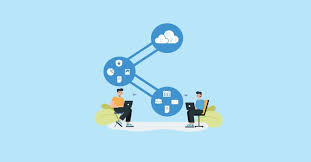
Utilize the CloudPages builder in Marketing Cloud Engagement to effortlessly publish targeted marketing content across multiple channels. CloudPages, a feature within Salesforce Marketing Cloud, offers drag-and-drop tools and pre-built templates for creating and publishing landing pages, preference center pages, and more. Salesforce Marketing Cloud empowers efficient marketing processes and streamlined customer relationship management. It enables the creation of customer profiles and tracking of interactions across various channels, including email, social media, and web interactions. CloudPages facilitates the automatic saving of Smart Capture block data, addition of default content versions to multiple destinations, and the design and preview of content in the audience’s format. For customer experience, CloudPages ensures a seamless process where prospects view and convert on pages using capture forms, with their data instantly updated in relevant Data Extensions. They are efficiently added to Journey Builder flows and receive tailored marketing communications promptly. Organize information for specific destinations, such as landing pages or microsites, with a Cloud Pages collection. Landing pages, created with Cloud Pages, can include custom forms with Ampscript and can be embedded in emails and websites. CloudPages smart capture forms can be used as a Journey Builder Entry Event. The difference between landing pages and CloudPages lies in CloudPages being an application within Marketing Cloud that can publish to various destinations, including Landing Pages. Marketing Cloud Engagement, with the inclusion of Cloud Pages, aids in conversions by providing a drag-and-drop interface for easy creation of landing pages, eliminating the need for complex coding. To create a landing page in Marketing Cloud, navigate to Web Studio > Cloud Pages, create a new collection, and within it, click ‘Create’ and select ‘Landing Page.’ Building CloudPages is user-friendly, featuring a drag-and-drop interface with templated layouts, content blocks, and dynamic content options. It allows easy insertion of text, images, buttons, forms, and more. Salesforce Marketing Cloud differs from Pardot, with Pardot being closely integrated with sales on the Salesforce core platform, while Marketing Cloud operates as a separate application. Landing pages are still crucial, as research indicates that businesses with more landing pages tend to experience higher conversion rates. The term “landing page” refers to a campaign-specific page with a single call to action and no website navigation. Insider tips for using Cloud Pages include making content relevant with Dynamic Content blocks, avoiding information overload, ensuring mobile-friendliness, and experimenting with different page versions for optimal performance. Content updated September 2023. Like2 Related Posts Who is Salesforce? Who is Salesforce? Here is their story in their own words. From our inception, we’ve proudly embraced the identity of Read more Salesforce Marketing Cloud Transactional Emails Salesforce Marketing Cloud Transactional Emails are immediate, automated, non-promotional messages crucial to business operations and customer satisfaction, such as order Read more Salesforce Unites Einstein Analytics with Financial CRM Salesforce has unveiled a comprehensive analytics solution tailored for wealth managers, home office professionals, and retail bankers, merging its Financial Read more AI-Driven Propensity Scores AI plays a crucial role in propensity score estimation as it can discern underlying patterns between treatments and confounding variables Read more

A/B testing eliminates guesswork from the process of website optimization, empowering experience optimizers to make decisions grounded in data. In this methodology, ‘A’ denotes the ‘control’ or the original testing variable, while ‘B’ signifies the ‘variation’ or a new version of the original variable. The version that demonstrates a positive impact on business metric(s) is declared the ‘winner.’ Implementing the changes from this winning variation on the tested pages/elements can optimize the website and improve overall business ROI.
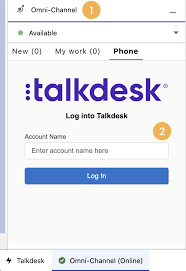
Forge Meaningful Customer Connections with Talkdesk Proactive Outbound Engagement™-Talkdesk Dialer for Salesforce Talkdesk Proactive Outbound Engagement™ is a comprehensive suite of outbound voice and digital capabilities integrated into the Talkdesk CX Cloud™ contact center platform. This suite includes versatile dialing modes tailored for every scenario, such as Talkdesk Preview Dialer, Talkdesk Dialer, Advanced Dialer, Talkdesk Dialer for Salesforce, and Automated Notifications. Maximize contact rates by reaching customers when and how they prefer to be contacted while ensuring high-quality interactions that reflect the level of service your customers deserve. Enhance Agent Productivity to Maximize Outbound Success Tools like the Talkdesk Preview Dialer can significantly increase outbound call volume, driving connect rates from 5 to 15 or more per hour and boosting revenue by up to 200-300%. Intelligently manage outbound call pacing to filter out unproductive calls like voicemails, busy signals, and no answers, optimizing agent productivity. Launch Strategic Campaigns Effortlessly Leverage highly configurable dialing options and advanced campaign management tools to maximize contact rates through precise targeting and segmentation. The Advanced Dialer supports customizable campaign and dialing configurations to accommodate virtually any outreach and retry strategy. Empower Agents with Smart Dialing Modes Equip agents with predictive, power, progressive, preview, and agentless dialing modes, complemented by a patented AI-driven answering machine detection algorithm. Salesforce Quick Campaign, part of the Talkdesk Dialer for Salesforce™ product, allows manual selection of Salesforce records for dialing using preview or power dialing modes. Streamlined List Management for Seamless Operations Set up calling lists effortlessly by uploading a CSV file or pushing records from Salesforce, other CRMs, or business systems via an API. Web leads can be seamlessly integrated into ongoing campaigns for immediate dialing, ensuring every hot lead is promptly engaged. Ensure Quality Connections with Talkdesk Dialer for Salesforce™ Talkdesk Dialer, fully embedded within the Salesforce UI, offers power and preview dialing to balance productivity with call quality and personalized customer interactions. Deliver Efficient and Proactive Notifications Go beyond voice calls with Talkdesk Automated Notifications, anticipating customer needs through automated event-triggered SMS notifications. Configure rules and content for each notification to deliver highly personalized messages that enhance efficiency and customer satisfaction. Robust Reporting and Insights While pre-set out-of-the-box reporting tools are currently unavailable for Talkdesk Dialer for Salesforce, Salesforce users can leverage standard Salesforce reporting functionality to create custom reports. Talkdesk Dialer™ is designed to automate the dialing process, maximize outbound call volume, and facilitate meaningful connections with customers while ensuring compliance with regulatory requirements. Learn more about our solutions crafted to optimize every customer interaction at talkdesk.com. Like1 Related Posts Who is Salesforce? Who is Salesforce? Here is their story in their own words. From our inception, we’ve proudly embraced the identity of Read more Salesforce Marketing Cloud Transactional Emails Salesforce Marketing Cloud Transactional Emails are immediate, automated, non-promotional messages crucial to business operations and customer satisfaction, such as order Read more Salesforce Unites Einstein Analytics with Financial CRM Salesforce has unveiled a comprehensive analytics solution tailored for wealth managers, home office professionals, and retail bankers, merging its Financial Read more AI-Driven Propensity Scores AI plays a crucial role in propensity score estimation as it can discern underlying patterns between treatments and confounding variables Read more
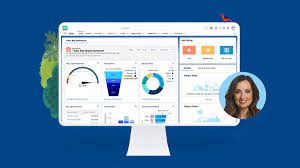
automation, and personalization to enhance sales processes, increase customer engagement, and drive revenue growth. Companies are working with AI to improve analysis of all customer contact points to both identify leads and weigh lead quality. That includes ingesting information from web pages, email campaigns, phone calls, and much more.

Account Based Engagement for marketing


