Salesforce Implementation Services Archives - gettectonic.com - Page 8
Salesforce Nonprofit

Salesforce Donor Management for Nonprofits

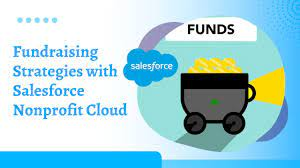
The Salesforce donor management solution offers a comprehensive fundraising tool to support the continuous growth of nonprofit organizations and facilitate the tracking of donor-related data. Donor Engagement: Enhance donor engagement by providing a personalized self-service experience through Salesforce donor management software. Enable donors to explore the impact of their contributions, read stories, and stay connected with your mission. Empower Donors: Empower donors to stay connected by allowing them to access their donation history, update contact details, manage communication preferences, and handle recurring gifts. This ensures a seamless and interactive experience for donors. Development Staff Efficiency: Improve the efficiency of your development staff by managing donors at scale through a donor platform. Minimize time spent on routine tasks, allowing your team to focus on more personalized and impactful interactions with donors. Digital Spaces: Create private, secure, and branded digital spaces tailored to your nonprofit. Utilize the Salesforce platform and CRM data to engage any community on any device. Donation Management System: Utilize a donation management system strategically for fundraising efforts, handling data for past, current, and potential donors. This system acts as a cloud-based filing cabinet, tracking all relevant information about your organization, including names, emails, tasks, deadlines, and gift asks. Fundraising for Nonprofit Cloud: Salesforce’s Fundraising for Nonprofit Cloud offers tools specifically designed for the unique considerations of the nonprofit sector. It assists fundraisers in nurturing relationships, capturing supporter information, monitoring key metrics, and unifying teams with purpose-built tools for various fundraising roles and channels. Features of Salesforce Donor Management for Nonprofits: Additional Functionality: Salesforce Solutions for Nonprofits: Salesforce provides various solutions tailored for nonprofits, including Nonprofit Cloud, Marketing Cloud, Experience Cloud, Nonprofit Success Pack, and Account Subledger, enabling organizations of all sizes to achieve success. Like1 Related Posts Salesforce Marketing Cloud Transactional Emails Salesforce Marketing Cloud Transactional Emails are immediate, automated, non-promotional messages crucial to business operations and customer satisfaction, such as order Read more Tectonic’s Successful Salesforce Track Record Salesforce Technology Services Integrator – Tectonic has successfully delivered Salesforce in a variety of industries including Public Sector, Hospitality, Manufacturing, Read more Asset Management Salesforce Can Salesforce do asset management? You can manage assets in Consumer Goods (desktop) and in the Consumer Goods offline mobile Read more Lookup Relationship in Salesforce What is Lookup relationship in Salesforce? Salesforce’s lookup relationships is a significant capability that allows users to connect two objects Read more

Read More
Tectonic at a Glance

Will You Get a Return on Your AI Investment?

To get a return on AI investment, you must understand what you are investing in with Artificial Intelligence. “You need to be able to be clear-eyed about the potential but be able then to come down to the use cases. What are the functions? What are the tasks? What are the jobs to be done?” CHITRANG DAVE DATA LEADERSHIP COLLABORATIVE The essence of digital transformation, whether it involves cloud migration or implementing enterprise CRM, revolves around achieving results and enhancing productivity. Artificial Intelligence (AI) is no exception to this paradigm. A survey conducted among analytics and IT leaders reveals the manifold benefits of AI adoption, including expedited business decision-making, operational streamlining, increased focus on valuable tasks, automated workflows, and an enhanced customer experience. However, to fully realize these advantages and get a return on AI investment, it is imperative to pinpoint projects that promise the highest returns. Not every use case aligns with an AI solution, and the process of determining where to deploy AI involves both an art and a science. It commences with a profound understanding of the goals at hand and an assessment of potential challenges. Starting from this foundation, the following questions should guide your approach to get a return on AI investment: By addressing these questions systematically, organizations can navigate the complexities of AI deployment, ensuring that the chosen projects align with their objectives and provide tangible benefits in terms of efficiency, innovation, and customer satisfaction. Like1 Related Posts Salesforce Unites Einstein Analytics with Financial CRM Salesforce has unveiled a comprehensive analytics solution tailored for wealth managers, home office professionals, and retail bankers, merging its Financial Read more AI-Driven Propensity Scores AI plays a crucial role in propensity score estimation as it can discern underlying patterns between treatments and confounding variables Read more Tectonic’s Successful Salesforce Track Record Salesforce Technology Services Integrator – Tectonic has successfully delivered Salesforce in a variety of industries including Public Sector, Hospitality, Manufacturing, Read more Step By Step Guide to a Salesforce Quickstart Salesforce Implementation with a Tectonic Quickstart: Step-by-Step Salesforce Quickstart Guide. Step 1: Define Your Business Requirements Identify specific business processes Read more

Read More
Salesforce Backup

Understanding Salesforce Backup Logs

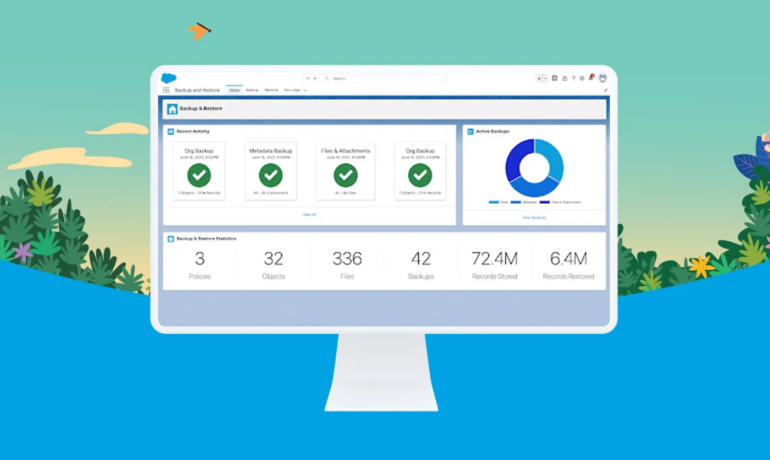
Follow these instructions to view logs in Salesforce Backup. These Salesforce Backup Logs contain information about the status of various Salesforce Backup policies and activity. REQUIRED EDITIONS for Salesforce Backup Logs Available in: Lightning Experience Available in: Professional, Enterprise, Performance, and Unlimited Editions Requires the Backup and Restore add-on subscription. Information in Salesforce Backup Logs Salesforce Backup Logs display the status of the backup for each object. If a backup is incomplete, you can review the logs to see errors on specific objects. The NOT_VISIBLE status in the backup log indicates that an object isn’t visible to the service at the time that the backup process ran and it hasn’t been backed up. When the service can’t back up an object, the most common issue is that the user running the backup doesn’t meet one or more of the required access conditions. Review all access settings for objects that show the NOT_VISIBLE status in logs. Correct any access gaps, then run the backup again. Salesforce Backup logs shows status codes for specific errors that can happen during backup and restore processes. Use this guide to determine what an error code indicates and how to fix the problem. If a backup or restore process ends with an error, status codes on the Log Detail page indicate the cause of the error. Use this table to identify causes and solutions to the most likely issues. If your process ends in an error that’s not listed here, contact Salesforce Customer Support for help. STATUS CODE ERROR CAUSE TIPS FOR FIXING THE PROBLEM DUPLICATE_EXTERNAL_ID A user-specified external ID matches more than one record. Export to CSV and manually edit the values as needed before importing your data. ENTITY_IS_DELETED The backup or restore job references an object that’s been deleted. If you try to restore a child record when the parent record is deleted, this error message appears because the child ID value doesn’t exist. Restore the parent and child record, so the child ID is recreated and updated. ENTITY_IS_LOCKED An approval process has locked a record, rendering it read-only. To restore the record, you must have record-level edit access. Ask an admin to temporarily disable the approval process. When the restoration job is done, they can reinstate the approval process. FIELD_CUSTOM_VALIDATION_EXCEPTION A custom validation formula in the backup or restore job violates a field integrity rule. Update the field integrity rule to allow the value to be restored. You can also export the backup as a CSV and manually edit the values as needed before importing your data. FIELD_FILTER_VALIDATION_EXCEPTION One or more fields in the backup or restore job violate field integrity rules. Update the rule to allow the value to be restored. You can also export to CSV and manually edit the values as needed before importing your data. INACTIVE_OWNER_OR_USER An inactive user owns one or more records in the backup or restore job. Reactivate the inactive user or reassign record ownership to an active user. You can also export to CSV and manually edit the values as needed before importing your data. INVALID_OR_NULL_FOR_RESTRICTED_PICKLIST Either the restore job includes a picklist whose values are restricted to a defined set that doesn’t match the backup or the backup contains one or more null values. Adjust the picklist values to match the values present in the backup, and then run the restore job. You can also export to CSV and manually edit the values as needed before importing your data. INVALID_SESSION_ID Either the specified session ID is malformed, such as with an incorrect length or format or the session has expired. Reconnect the app’s connection on the Settings tab or log in again to start a new session. INVALID_TYPE_ON_FIELD_IN_RECORD The field value on the record isn’t valid for the field’s type. Invalid record types can happen when the object’s schema has changed and is no longer compatible with the backed-up data. Export to CSV and manually edit the values as needed before importing your data. INVALID_USERID The backup or restore process references the user ID for a user that isn’t an active member of your org. Export to CSV and manually edit the values as needed before importing your data. INVALID_USER_OBJECT The user object isn’t valid. Export to CSV and manually edit the values as needed before importing your data. REQUIRED_FIELD_MISSING A call requires a field that wasn’t specified. Recreate the missing field on the record and then run the restore job. You can also export to CSV and manually edit the values as needed before importing your data. SELF_REFERENCE_FROM_TRIGGER Apex triggers that recursively update or delete an object interfere with backup and restore jobs. Common causes of this error are when an object is updated or deleted from within a before trigger, or when an object is deleted from within an after trigger. This error occurs with both direct and indirect operations.For example, a request is submitted to update Object A. A before update trigger on object A creates a second object, object B. Object A is updated. An after insert trigger on object B then queries object A and updates it. This update is an indirect update on object A because of the before trigger. An error is generated. Fix the Apex trigger code causing the issue. You can also export to CSV and manually edit the values as needed before importing your data. UNABLE_TO_LOCK_ROW A deadlock or timeout condition has been detected. A deadlock involves at least two transactions that update overlapping sets of objects. If the transaction involves a summary field, the parent objects are locked, making these transactions especially prone to deadlocks.A timeout occurs when a transaction takes too long to complete. The timeout state is temporary. No action is needed. However, if an object in a batch can’t be locked, the entire batch fails with this error. When available, these error messages contain the IDs of the records that couldn’t be locked. Temporarily disable any workflows or automations that can interfere.You can also export to CSV and manually

Read More
MC Personalization Tips and Tricks

MC Personalization Tips and Tricks

Salesforce Marketing Cloud Personalization, formerly Interaction Studio, offers incredible power for personalization. MC Personalization Tips and Tricks below will help you level up your game. Einstein Recipes: Enhancements and Challenges Multiple Dimensional Variations for Products in Einstein Recipes Einstein Recipes offer powerful and flexible tools for creating recommendations. However, the fourth step, Variations, falls short compared to other options. Currently, you can configure only a single Dimensional Variation. While multiple Item Types are available, once you select one, you cannot limit recommended products to specific numbers per category or brand. This limitation hinders control over product recommendations, especially for e-commerce sites with diverse catalogs. Unlike Dimensional Variations, multiple Boosters or Exclusions of the same type can be configured differently, which would be a valuable feature to add for Variations. Department Variation for Products in Einstein Recipes Einstein Recipes allow Dimensional Variations at the Category level, but only for primary categories. There is no option for Department (master category) level, which is limiting for e-commerce sites with broad category trees, such as: Recommendations with Category Variation set can still be dominated by similar products due to similar primary categories. Two solutions could address this: Price Reduction Ingredient in Einstein Recipes Triggered Campaigns in Journey Builder can target various events, including Catalog Triggers. Some triggers, like Product Expiring Soon, are available for Web with Einstein Recipes Ingredients. However, there is no Ingredient for the common e-commerce use case of Price Reduction. Marketing Cloud Personalization (Interaction Studio) has the required price and listPrice attributes for Triggered Campaigns. A workaround involves calculating price reductions externally and passing this information to a Related Catalog Object. More efficient solutions would be: Rating Count in Recipe’s Rating Exclusion Marketing Cloud Personalization offers Exclusions/Inclusions on Recipes to fine-tune recommendations. One option is to exclude/include items based on their rating, with an optional zero rating capture. It would be beneficial to include an option to filter based on rating count, allowing for: Currently, such filters can only be applied on the server side in the Template, which can limit recommendations. Having this feature at the recipe level would be more powerful. Abandoned Cart Retention Setting Marketing Cloud Personalization captures cart information for Einstein Recipes recommendations. However, cart content remains indefinitely unless managed proactively. A workaround involves a Web Campaign that checks cart age and pushes a clear cart action if necessary. A better solution would be a configurable option in MCP settings to automatically remove old cart data. Catalog Enhancements Full MCP Category Hierarchy Support for ETL Marketing Cloud Personalization can create a hierarchical tree of categories with automatic summing of views and revenue. However, this is currently possible only under specific conditions, such as having one Category per product and using a Sitemap format. This limitation is problematic, as ETL is often a better way to manage it. The Category ETL already provides detailed information using department and parentCategoryId attributes, but this data does not replicate the drill-down hierarchy in the Catalog UI or pass data from the bottom Category up. Ensuring feature parity between Sitemap and ETL would be beneficial. Segmentation Enhancements MCP Action Name Management Marketing Cloud Personalization captures actions from multiple sources but does not allow managing created actions. An option to view and remove unnecessary actions would improve user experience by reducing the number of options in the segmentation/targeting picklists. An even better solution would be to merge existing actions, preserving behavioral data after refactoring action names. MCP Hourly-Based Segmentation Rules Currently, segmentation rules in Marketing Cloud Personalization are based on days, limiting on-site campaign targeting. For example, to display an infobar for abandoned cart users, the current segmentation can only show users who have not performed a Cart Action today. Hourly-based segmentation rules would allow more precise targeting, showing users who have not performed a Cart Action in the last hour. Adding a picklist to choose between day or hour-based rules would enhance segmentation capabilities. Full MCP Catalog Export Marketing Cloud Personalization supports manual catalog export but only with limited data. The current export file lacks complete catalog data (e.g., promotable and archived attributes), making it unsuitable for ETL sources. An option to export the full catalog data, matching the ETL schema and including hidden items, would greatly benefit debugging and batch-modifying items for subsequent ETL import. Full MCP Catalog Metadata Visibility Marketing Cloud Personalization supports viewing custom attribute metadata in the Catalog but is limited to ETL updates. Extending this to built-in attributes and including origin and lastUpdated values for all sources (Sitemap, Mobile App, Manual update, API) would simplify debugging Catalog metadata issues, reducing admin/developer work and support tickets. ETL Enhancements External Email Campaign ETL Experience Name & ID External Email Campaign ETL allows passing behavioral data but is limited to Campaign ID and Campaign Name. To fully leverage this data in segmentation, it should also support Email ID and Email Name. Adding Experience ID and Experience Name fields to the ETL would enable targeted personalization, allowing segmentation on entire campaigns or specific emails within campaigns. External Email Campaign ETL Send Segmentation External Email Campaign ETL passes Send, Click, and Open data but does not support segmentation based on Send events. Enabling segmentation rules for Send events would unlock use cases like targeting Web or Push campaigns to users who received an email campaign but did not open it, fully leveraging cross-channel and real-time personalization. External Email Campaign ETL Unsubscription Event Type External Email Campaign ETL passes Send, Click, and Open data but cannot pass unsubscriptions. Including the Unsubscribe event would enable targeted campaigns like surveys about unsubscription reasons, win-back campaigns, or replacing email subscription prompts with other channel recommendations. By addressing these enhancements and challenges, Salesforce Marketing Cloud Personalization (Interaction Studio) can further improve its capabilities and provide more precise, effective, and user-friendly tools for personalized marketing. Reporting Enhancements: Direct Attribution at the MCP Campaign Level Current Reporting in Marketing Cloud Personalization (MCP) Marketing Cloud Personalization (Interaction Studio) offers various reports based on Activity, Results, and Visits. However, it

Read More
Salesforce Success Story

Case Study: Leading Provider of Branded, Designed Solutions Worldwide-Manufacturing-Salesforce Sales/Service/Experience Clouds

Leading provider of branded, designed solutions (laminate) for commercial and residential customers worldwide.  The company has been surfacing spaces for 110 years. Client struggled with no real ability to see a 360 degree view of the business.

Read More
Salesforce enhanced domains

Enhanced Domains in Salesforce

Enhanced domains are the current version of My Domain that meets the latest browser requirements. With enhanced domains, all URLs across your org contain your specific My Domain name. Including URLs for your Experience Cloud sites, Salesforce Sites, Visualforce pages, and content files. This feature changes domain suffixes (the part after the My Domain name) to meet the latest security standards. With no instance names, enhanced My Domain URLs are easier for users to remember and don’t change when your org is moved to another Salesforce instance. As enhanced domains meet the latest browser requirements, they’re deployed by default in new orgs and required in all orgs in Winter ’24. Potential Impact of Enhanced Domains If enhanced domains aren’t deployed in your Salesforce org before Salesforce deploys the feature for you, here are some issues that can arise. To avoid these issues, we recommend that you test and deploy enhanced domains in a sandbox. Deploy enhanced domains in production before Salesforce deploys the feature for you. When you deploy enhanced domains, your org’s My Domain name is used in all URLs that Salesforce hosts for your org. Key for memory and search engine optimization, this is one of the greatest Salesforce enhancements. What are the benefits of enhanced domains? Enhanced domains are designed to streamline access and improve security. Without them: Users might encounter errors accessing services like Experience Cloud sites, Salesforce Sites, and Visualforce pages. Showcase your company’s brand with a customer-specific subdomain name in your Salesforce org URLs. With My Domain, you can include your company name in your URLs, for example, https://mycompany.my.salesforce.com. With these org-specific URLs, you can set up a custom login page, set a custom login policy, offer single sign-on, and allow users to log in with a social account. My Domain allows you to work in multiple Salesforce orgs in the same browser at the same time. All Salesforce orgs get a My Domain with enhanced domains by default. If you don’t like your org’s My Domain name or circumstances warrant a change, you can rename it. Contact your Salesforce AE or Tectonic. Understand how to include your brand in the URL. When used to access your Salesforce org and its data with My Domain, Experience Cloud sites, Salesforce Sites, and custom domains. Like2 Related Posts Lookup Relationship in Salesforce What is Lookup relationship in Salesforce? Salesforce’s lookup relationships is a significant capability that allows users to connect two objects Read more Step By Step Guide to a Salesforce Quickstart Salesforce Implementation with a Tectonic Quickstart: Step-by-Step Salesforce Quickstart Guide. Step 1: Define Your Business Requirements Identify specific business processes Read more Cool Ways to Use Surveys With Salesforce Leveraging survey forms is an effective way to gather real-life insights from individuals crucial to your organization. Salesforce facilitates survey Read more Lightning Dialer Salesforce What is Lightning Dialer Salesforce? Lightning Dialer Salesforce offers an outbound calling product with the option to add inbound calling Read more

Read More
Salesforce Life Sciences Cloud

Salesforce Life Sciences Cloud

Salesforce has unveiled Life Sciences Cloud, a secure and trusted platform tailored for pharmaceutical (pharma) and medical technology (medtech) organizations. This innovative solution aims to expedite drug and device development, streamline patient enlistment and retention throughout the clinical trial journey, and harness AI capabilities to deliver personalized customer experiences. The significance of this announcement lies in the life sciences industry’s urgent need for accurate and accessible data to advance research and development efforts and enhance clinical trials. Despite this need, the industry has been slow to adopt digital tools, with a staggering 88% of healthcare and life sciences organizations yet to achieve their digital transformation objectives. Amit Khanna, SVP & GM of Health and Life Sciences at Salesforce, emphasized the necessity for integrated, compliant, and data-driven solutions in the life sciences industry. He highlighted Salesforce’s commitment to enhancing stakeholder engagement across the R&D and commercialization spectrum by leveraging data, AI, and CRM capabilities. The Salesforce solution encompasses: Commercial Operations, available now, provides insights into the commercial lifecycle, including contract compliance, pricing, and inventory management. AI-powered bots offer timely alerts to field representatives and forecasting insights to optimize sales strategies. Clinical Operations offers tools to set up and execute efficient trials, including Data Cloud for Health, Chain of Custody Management, and Participant Management features, aiming to enhance patient recruitment, safety, and engagement. Pharma CRM facilitates personalized engagement with stakeholders, managing interactions and digital content while ensuring compliance with regulations. Features like Healthcare Professional (HCP) Engagement and Einstein for Life Sciences enhance engagement and automate tasks for streamlined operations. Customer testimonials, such as from SI-BONE, highlight the tangible benefits of digitizing processes and improving efficiency with Salesforce solutions. Availability details for various features are provided, with some features already generally available and others set to roll out in the coming months and years. To learn more about Salesforce’s offerings for healthcare and life sciences, access industry insights, and explore the potential of CRM and AI in this sector, interested parties are encouraged to dig into the available resources or contact Tectonic today. Additionally, it’s noted that sales automation functionality for pharma/biotech customers will be available from mid-2025 onward. Learn about Salesforce for healthcare and life sciences  Learn more about Salesforce Life Sciences Cloud Like Related Posts Who is Salesforce? Who is Salesforce? Here is their story in their own words. From our inception, we’ve proudly embraced the identity of Read more Salesforce Marketing Cloud Transactional Emails Salesforce Marketing Cloud Transactional Emails are immediate, automated, non-promotional messages crucial to business operations and customer satisfaction, such as order Read more Salesforce Unites Einstein Analytics with Financial CRM Salesforce has unveiled a comprehensive analytics solution tailored for wealth managers, home office professionals, and retail bankers, merging its Financial Read more AI-Driven Propensity Scores AI plays a crucial role in propensity score estimation as it can discern underlying patterns between treatments and confounding variables Read more

Read More
Salesforce Success Story

Case Study: Large State Travel-Nonprofit and Hospitality/Travel-Salesforce Service/Experience Clouds

Transform into a Modern Data Driven Organization: case study nonprofit hospitality salesforce Largest Non-Profit Travel / Trade Organization moves to the cloud and adopts Salesforce and Google Cloud Platform to improve Operations and Marketing Industry: Government – Travel / Hospitality Service Cloud Experience Cloud case study nonprofit hospitality salesforce The largest nonprofit travel and Trade organization, is self-tasked with developing and maintaining marketing programs to further develop tourism in this large State. PROBLEM SOLUTION RESULTS Like2 Related Posts Who is Salesforce? Who is Salesforce? Here is their story in their own words. From our inception, we’ve proudly embraced the identity of Read more Salesforce Marketing Cloud Transactional Emails Salesforce Marketing Cloud Transactional Emails are immediate, automated, non-promotional messages crucial to business operations and customer satisfaction, such as order Read more Salesforce Unites Einstein Analytics with Financial CRM Salesforce has unveiled a comprehensive analytics solution tailored for wealth managers, home office professionals, and retail bankers, merging its Financial Read more AI-Driven Propensity Scores AI plays a crucial role in propensity score estimation as it can discern underlying patterns between treatments and confounding variables Read more

Read More
Salesforce Sales Enablement

Sales Enablement from Salesforce

Sales enablement from Salesforce encompasses the utilization of content, coaching, training, and technology. By bringing it all together to facilitate the onboarding of sales representatives, enhance their skills, and optimize their selling capabilities.  The responsibility is on sales leaders to establish impactful enablement strategies that directly contribute to revenue goals and to demonstrate their effectiveness. In a business world where sales is increasingly complex, sales enablement proves indispensable in assisting sellers in overcoming key challenges inherent in their roles, such as the need to be subject matter experts, adapting to virtual selling in a hybrid environment, and navigating economic uncertainties. For effective sales enablement, companies must initiate the process by pinpointing a specific and measurable revenue goal, subsequently crafting custom training programs that propel sales reps towards achievement. The journey involves meticulous monitoring of progress as sellers modify their behavior, necessitating adaptability and continuous learning to streamline their path toward efficient growth. This demands the selection of a well-defined enablement goal, articulating the requisite behavioral changes, molding the desired behavior through targeted training initiatives, and vigilantly monitoring advancements. Ultimately, sales enablement must adopt a personalized approach, focusing on empowering sellers with the skills and tools essential for transforming them into adept closers. Before you get started with Sales Enablement from Salesforce, make sure that you understand the responsibilities required to build Enablement programs in Salesforce. Identify colleagues who can take on the responsibilities of managing, assigning, and analyzing Enablement programs. Doing so also helps your Salesforce admin assign permissions so that the appropriate team members can access necessary features. Discover more about Salesforce’s sales enablement tools by reaching out to Tectonic. Contact us today. Like1 Related Posts Who is Salesforce? Who is Salesforce? Here is their story in their own words. From our inception, we’ve proudly embraced the identity of Read more Salesforce Marketing Cloud Transactional Emails Salesforce Marketing Cloud Transactional Emails are immediate, automated, non-promotional messages crucial to business operations and customer satisfaction, such as order Read more Salesforce Unites Einstein Analytics with Financial CRM Salesforce has unveiled a comprehensive analytics solution tailored for wealth managers, home office professionals, and retail bankers, merging its Financial Read more AI-Driven Propensity Scores AI plays a crucial role in propensity score estimation as it can discern underlying patterns between treatments and confounding variables Read more

Read More
Salesforce CPQ

Choosing a New Salesforce for Outlook Solution

6 Tips for Choosing a New Salesforce for Outlook Solution as an Email Tool: As you gear up for the transition, consider the following insights when selecting a replacement for Salesforce for Outlook: As you evaluate New Salesforce for Outlook Solutions, reach out to Tectonic for assistance in selecting the right solution for your organization. Like Related Posts Who is Salesforce? Who is Salesforce? Here is their story in their own words. From our inception, we’ve proudly embraced the identity of Read more Salesforce Marketing Cloud Transactional Emails Salesforce Marketing Cloud Transactional Emails are immediate, automated, non-promotional messages crucial to business operations and customer satisfaction, such as order Read more Salesforce Unites Einstein Analytics with Financial CRM Salesforce has unveiled a comprehensive analytics solution tailored for wealth managers, home office professionals, and retail bankers, merging its Financial Read more AI-Driven Propensity Scores AI plays a crucial role in propensity score estimation as it can discern underlying patterns between treatments and confounding variables Read more

Read More

Bridging the Gap Between Sales and Marketing

Bridging the Gap Between Sales and Marketing with Salesforce Implementation Sales and marketing teams often struggle to align their goals and strategies, leading to inefficiencies and missed revenue opportunities. A powerful way to overcome this challenge is by leveraging Salesforce implementation services, which connect these departments, enhance collaboration, and drive business success. Seamless Communication for Better Collaboration Effective communication is essential for synchronizing sales and marketing efforts. Salesforce serves as a unified platform, allowing teams to share information, access real-time data, and track progress effortlessly. This streamlined communication minimizes confusion, keeps objectives aligned, and boosts overall productivity. By working within a shared system, sales and marketing professionals can co-develop marketing initiatives, promotions, and sales plans, fostering teamwork and eliminating departmental silos. Salesforce’s collaborative tools ensure that teams stay connected and work toward common goals efficiently. Data-Driven Decision-Making In today’s business landscape, data is a critical driver of success. Salesforce equips organizations with advanced analytics tools, providing insights into customer behavior and market trends. These data-driven capabilities empower sales and marketing teams to: With Salesforce, businesses can adopt a proactive approach rather than reacting to market shifts, ensuring sustained growth and competitiveness. Enhancing Customer Experience Delivering a seamless customer journey is key to standing out in a competitive market. When sales and marketing teams align through Salesforce, they can: ✅ Customize marketing campaigns using sales-driven insights, leading to higher engagement.✅ Personalize sales interactions by leveraging marketing data to understand customer needs.✅ Consolidate customer information for a 360-degree view, ensuring consistent, tailored interactions across all touchpoints. This synchronization leads to higher customer satisfaction, improved retention, and increased revenue. Optimizing Lead Management Efficient lead handling is crucial for driving conversions. Salesforce streamlines this process by enabling: With Salesforce’s automation tools, teams can work together strategically to convert prospects into loyal customers. Performance Tracking & Accountability Measuring performance is essential for continuous improvement. Salesforce’s robust reporting tools empower teams to: 📊 Monitor KPIs, such as conversion rates and campaign performance.📊 Access real-time insights via customizable dashboards.📊 Make data-backed decisions to refine sales and marketing strategies. By fostering transparency and accountability, these insights drive teams to optimize performance and meet business objectives effectively. The Power of Salesforce for Business Growth Salesforce implementation is a game-changer for aligning sales and marketing teams, enabling: ✔ Enhanced communication and collaboration✔ Smarter, data-driven decision-making✔ Stronger customer relationships✔ Streamlined lead management✔ Comprehensive performance tracking By leveraging Salesforce’s powerful capabilities, businesses can break down silos, enhance efficiency, and drive sustained growth. Integrating Salesforce isn’t just about technology—it’s about creating a collaborative, high-performing environment that propels organizations toward success. Like Related Posts Who is Salesforce? Who is Salesforce? Here is their story in their own words. From our inception, we’ve proudly embraced the identity of Read more Salesforce Marketing Cloud Transactional Emails Salesforce Marketing Cloud Transactional Emails are immediate, automated, non-promotional messages crucial to business operations and customer satisfaction, such as order Read more Salesforce Unites Einstein Analytics with Financial CRM Salesforce has unveiled a comprehensive analytics solution tailored for wealth managers, home office professionals, and retail bankers, merging its Financial Read more AI-Driven Propensity Scores AI plays a crucial role in propensity score estimation as it can discern underlying patterns between treatments and confounding variables Read more

Read More
gettectonic.com