
Cloud Archives - gettectonic.com - Page 66
public sector and tribal governent

What is BI in Salesforce?

Salesforce BI helps to create fast, digestible reports to help you make informed decisions at the right time. Salesforce Einstein is a leading business intelligence software solution that will help streamline your operations. Read on in this insight to learn how Salesforce BI capabilities including Tableau rank in the Gartner Magic Quadrant. Make the right decision every time using analytics that go beyond business intelligence software. See why Gartner named Salesforce (Tableau) a Leader in the Gartner® Magic Quadrant™ for Analytics and Business Intelligence Platforms for the 11th consecutive year. Data and analytics leaders must use analytics and BI platforms to support the needs of IT, analysts, consumers and data scientists. While integration with cloud ecosystems and business applications is a key selection requirement, buyers also need platforms to support openness and interoperability. Analytics and business intelligence (ABI) platforms enable less technical users, including business people, to model, analyze, explore, share and manage data, and collaborate and share findings, enabled by IT and augmented by artificial intelligence (AI). For several years, the Magic Quadrant for Analytic and Business Intelligence Platforms has emphasized visual self-service for end users augmented by AI to deliver automated insights. While this remains a significant use case, the ABI platform market will increasingly need to focus on the needs of the analytic content consumer and business decision makers. To achieve this, automated insights must be relevant in context of a user’s goals, actions and workflow. Many platforms are adding capabilities for users to easily compose low-code or no-code automation workflows and applications. This blend of capabilities is helping to expand the vision for analytics beyond simply delivering datasets and presenting dashboards. Today’s ABI platforms can deliver enriched contextualized insights, refocus attention on decision-making processes and ultimately take actions that will deliver business value. In addition to the increasing consumer design focus trend, we see other key market trends, including the need for improved governance of analytic content creation and dissemination, and the demand for a headless, open architecture. For example, a headless ABI platform would decouple the metrics store from the front-end presentation layer, enabling more interoperability with competitive products. ABI platform functionality includes the following 12 critical capabilities, which have been updated to reflect areas of market change, differentiation and customer demand: Gartner added three new critical capabilities as part of our metrics store evaluation criteria this year:  ABI platforms have always been about measurement. For decades, the slicing and dicing of measures by their dimensional attributes was synonymous with the act of performing business intelligence. However, over the last decade, the focus on metrics and measurement was overshadowed by data visualization. As data visualization became the most conspicuous capability, some business executives began to conflate ABI platforms with data visualization — as if ABI platforms are glorified chart wizards. This misconception minimizes much of the work performed and the business value delivered by ABI platforms. Establishing metrics stores as a critical capability to execute makes it clear that defining and communicating performance measures throughout an organization is one of the key purposes of an ABI platform. Analytics collaboration is a combination of many features (such as Slack/Teams integration, action frameworks) that collectively improve an organization’s ability to make decisions with consensus. Data science integration reflects the increasing likelihood that a business analyst may want to use data science to test certain hypotheses, and that data scientists will need to leverage features such as data prep and data visualization. In addition, Gartner is changing “catalogs” to “analytic catalogs” to emphasize a set of requirements that are not being met by ABI platform vendors today. Most large enterprises have thousands of reports built across multiple ABI platforms, but consumers in these organizations have no easy way to access these reports. The name change to analytic catalogs reflects the need for ABI platform vendors to deliver analytic content with the consumer in mind. Three critical capabilities were removed from our evaluation criteria: security, natural language generation (NLG; rolled into data storytelling) and cloud analytics (which will no longer be considered a platform capability, but instead a go-to-market strategy covered in the Magic Quadrant). And one of the security sub-criteria, about the granularity of authorization (e.g., row-based security) has been moved to the enterprise reporting capability. Salesforce (Tableau) Tableau, a Salesforce company, is a Leader in this Magic Quadrant. Its products are mainly focused on visual-based exploration that enables business users to access, prepare, analyze and present findings in their data. CRM Analytics, formerly Tableau CRM, provides augmented analytics capabilities for analysts and citizen data scientists. Tableau has global operations and serves clients of all sizes. In 2022, Tableau reinforced its augmented consumer vision to provide contextualized insights with deeper integration with Salesforce Data Cloud. IT also improved decision intelligence by bringing domain-aware insights into action with Revenue Intelligence and other Salesforce-native apps. The extensible design and x-platform integrations (Salesforce Flow, MuleSoft, UiPath and Looker) further enable composable analytics to bring insights into workflow with agility. Strengths Cautions Like Related Posts Who is Salesforce? Who is Salesforce? Here is their story in their own words. From our inception, we’ve proudly embraced the identity of Read more Salesforce Marketing Cloud Transactional Emails Salesforce Marketing Cloud Transactional Emails are immediate, automated, non-promotional messages crucial to business operations and customer satisfaction, such as order Read more Salesforce Unites Einstein Analytics with Financial CRM Salesforce has unveiled a comprehensive analytics solution tailored for wealth managers, home office professionals, and retail bankers, merging its Financial Read more AI-Driven Propensity Scores AI plays a crucial role in propensity score estimation as it can discern underlying patterns between treatments and confounding variables Read more
Read More
Salesforce CDP Explained

Salesforce CDP Explained

What is a Customer Data Platform (CDP)? A Customer Data Platform (CDP) is one of the most transformative tools in modern marketing. Salesforce CDP Explained. If you’re exploring whether your business needs a CDP and how to begin using one, this guide will walk you through the essentials. CDPs have quickly become a go-to solution in marketing, popping up in reports and strategies everywhere. According to the 2020 State of Marketing Report, 86% of marketers who use CDPs are maintaining or increasing their usage, making many companies wonder: Do we need a CDP too? This insight serves as your step-by-step guide to help you determine whether your business should invest in a CDP, and how to successfully implement one for smarter marketing. What is a CDP? A Customer Data Platform (CDP) is a sophisticated piece of marketing technology designed to collect and organize customer data from various sources into centralized profiles. It helps businesses manage and draw actionable insights from data in real time, making it easier to personalize customer interactions. A typical CDP includes tools for customer data management, marketing automation, multichannel campaign execution, and real-time interaction management. It’s particularly useful when businesses need a database of user-level data to understand customer behaviors across touchpoints. Why Does Your Business Need a CDP? Salesforce CDP Explained CDPs excel in four core tasks: collecting, unifying, activating, and analyzing data. Introducing Salesforce’s CDP: Data Cloud Salesforce’s Data Cloud is a powerful CDP that integrates with Customer 360 to provide real-time customer profiles. It collects and unifies customer data in real time, ensuring businesses can deliver personalized customer experiences and foster stronger relationships. Data Cloud is scalable and designed for businesses of all sizes, with built-in security, compliance, and privacy features through Hyperforce. Benefits of a CDP Beyond basic segmentation, CDPs offer three major benefits: CDPs vs. CRM vs. DMP It’s important to understand the distinction between different data tools. While CRMs focus on managing customer relationships and interactions, and Data Management Platforms (DMPs) handle anonymous data for targeted advertising, CDPs are designed to unify and activate first-party data for personalized marketing. How to Choose a CDP When selecting a CDP, focus on two key areas: insights and engagement. Some CDPs specialize in integrating and analyzing customer data (insights), while others focus on delivering real-time personalized experiences (engagement). Salesforce’s Data Cloud combines both capabilities, offering real-time insights and activation to power personalized experiences across channels. To choose the right CDP for your business, ask these questions: Success Stories with CDPs CDPs have transformed the way businesses engage with their customers. One example involves a regional food and convenience store chain that implemented a CDP to enhance personalized digital experiences. By using customer data to tailor marketing emails and online interactions, the business saw a 16% increase in conversion rates on one of its key products. Getting Started with a CDP CDPs are essential tools for businesses looking to unify customer data, personalize marketing, and drive smarter marketing strategies. To get started, consider building a business case for CDP adoption, assembling a cross-functional team, and researching the right CDP to fit your organization’s needs. The journey to smarter, data-driven marketing begins with the right CDP. Make sure to explore Salesforce’s Data Cloud and other leading platforms to find the best fit for your organization’s growth and success. Content updated April 2023. Like Related Posts Who is Salesforce? Who is Salesforce? Here is their story in their own words. From our inception, we’ve proudly embraced the identity of Read more Salesforce Marketing Cloud Transactional Emails Salesforce Marketing Cloud Transactional Emails are immediate, automated, non-promotional messages crucial to business operations and customer satisfaction, such as order Read more Salesforce Unites Einstein Analytics with Financial CRM Salesforce has unveiled a comprehensive analytics solution tailored for wealth managers, home office professionals, and retail bankers, merging its Financial Read more AI-Driven Propensity Scores AI plays a crucial role in propensity score estimation as it can discern underlying patterns between treatments and confounding variables Read more
Read More
Journey Builder Wait Until API Event

Journey Builder Wait Until API Event

Introducing the Journey Builder Wait Until API Event Activity, a cutting-edge addition to Journey Builder unveiled in the April 2021 Salesforce Marketing Cloud Release. This feature revolutionizes customer engagement by enabling real-time experiences through external event triggers within a journey. By strategically placing the Wait Until API Event activity within your journey, you can suspend customer progression until a specified event occurs, ensuring seamless transitions to the next activity. Journey Builder Wait Until API Event Key Features: Use Cases: Configuration Steps: API Event Configuration: Additional Considerations: Use Case Example: In summary, the Wait Until API Event Activity empowers marketers to orchestrate dynamic, real-time journeys tailored to individual customer actions, driving enhanced engagement and conversion rates across multiple touchpoints. Like Related Posts Who is Salesforce? Who is Salesforce? Here is their story in their own words. From our inception, we’ve proudly embraced the identity of Read more Salesforce Marketing Cloud Transactional Emails Salesforce Marketing Cloud Transactional Emails are immediate, automated, non-promotional messages crucial to business operations and customer satisfaction, such as order Read more Salesforce Unites Einstein Analytics with Financial CRM Salesforce has unveiled a comprehensive analytics solution tailored for wealth managers, home office professionals, and retail bankers, merging its Financial Read more AI-Driven Propensity Scores AI plays a crucial role in propensity score estimation as it can discern underlying patterns between treatments and confounding variables Read more

Read More
Case Management in Salesforce

Case Management in Salesforce

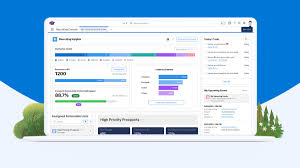
What does Salesforce Case Management entail? Salesforce Case Management, as explained in the Service Cloud Introduction session, provides a platform for recording, tracking, and resolving customer issues across sales, service, and support. Advantages of utilizing a case management system: Case Management in Salesforce Salesforce Case Management allows the automatic collection of cases from various sources like email, social media, support centers, or web forms. It provides tools for categorizing, filtering, and adding notes to cases stored in the database. How can I establish case management in Salesforce? Utilize queues and automated rules to assign cases to your team without constant monitoring. By assigning cases to a queue, specific team members can select cases from a list, helping prioritize work. Auto-assign cases to queues or team members based on conditional rules. Distinguishing case management from CRM: While both case management and CRM assist in managing customer data and interactions, the key distinction lies in the fact that case management is tailored to monitor the progress of individual cases. Visibility of cases in Salesforce: If the organization-wide sharing default access for Cases is set to ‘Private,’ and ‘Grant Access Using Hierarchies’ is enabled, only the Case owner, the owner’s managers in the role hierarchy, Salesforce admins, and user profiles with the ‘View All’ object permission on Cases can view a Case. Can leads have cases in Salesforce? To associate a Lead with a Case, create a custom lookup field on Cases to the Leads object. This allows for a Cases related list on the Lead record. Like Related Posts Who is Salesforce? Who is Salesforce? Here is their story in their own words. From our inception, we’ve proudly embraced the identity of Read more Salesforce Marketing Cloud Transactional Emails Salesforce Marketing Cloud Transactional Emails are immediate, automated, non-promotional messages crucial to business operations and customer satisfaction, such as order Read more Salesforce Unites Einstein Analytics with Financial CRM Salesforce has unveiled a comprehensive analytics solution tailored for wealth managers, home office professionals, and retail bankers, merging its Financial Read more AI-Driven Propensity Scores AI plays a crucial role in propensity score estimation as it can discern underlying patterns between treatments and confounding variables Read more
Read More
Salesforce in Education

Salesforce in Education

Salesforce for Education encompasses a suite of products that seamlessly integrate insights across recruitment, admissions, and student success, providing a comprehensive view of each learner’s journey—from prospective students to engaged alumni-and every step between. Our collaboration spans K-12 schools, community colleges, universities, and graduate schools, catering to institutions of all sizes, ensuring they are well-equipped with the education CRM necessary to thrive in the future. Education Cloud expedites time-to-value and fosters personalized experiences for every lifelong learner. Key Features: Learner-Centric Data Foundation:Begin your journey with education-specific objects, logic, and automation embedded in the #1 CRM platform. Core Capabilities for Your Entire Institution:Optimize faculty and staff impact using versatile features like scheduling and case management applicable across various departments. Pre-Built Apps Powering the Learner Lifecycle:Enhance productivity with ready-to-use, customizable apps tailored for each stage of the learner journey. From Insights to Action with Education Cloud:Realize improvements based on feedback from Salesforce.org customers, including the Hayward Unified School District, Austin Achieve Public Schools, and San Diego COE, achieving a 38% faster response to student needs and a 10% increase in enrollment. Access a Single Source of Truth:Consolidate student and family data into a unified view, enabling personalized interactions at every stage of the education journey. Innovate with a Scalable Platform:Education Cloud for K-12 serves as a CRM platform designed for schools, facilitating quick innovation to meet the evolving needs of constituents. Education Cloud for Community Colleges: Integrated Solutions to Maximize Impact:Built on the #1 CRM, Education Cloud serves as the digital foundation empowering institutions for the future. Tailored products and solutions for enrollment management, student support, workforce development, donor engagement, and marketing and communications enable community and technical colleges to leverage a single source of truth for transforming experiences into lifelong relationships. Like Related Posts Who is Salesforce? Who is Salesforce? Here is their story in their own words. From our inception, we’ve proudly embraced the identity of Read more Salesforce Marketing Cloud Transactional Emails Salesforce Marketing Cloud Transactional Emails are immediate, automated, non-promotional messages crucial to business operations and customer satisfaction, such as order Read more Salesforce Unites Einstein Analytics with Financial CRM Salesforce has unveiled a comprehensive analytics solution tailored for wealth managers, home office professionals, and retail bankers, merging its Financial Read more AI-Driven Propensity Scores AI plays a crucial role in propensity score estimation as it can discern underlying patterns between treatments and confounding variables Read more
Read More
Salesforce Sales Cloud

Salesforce for the Inside Sales Team

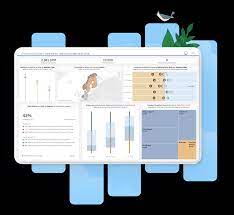
Inside sales serves as the cornerstone of a thriving sales organization. The efficient model using Salesforce for the inside sales team enables the delivery of personalized human interactions. Salesforce facilitates rapid scalability. Inside sales involves sales representatives engaging with and selling to customers via phone or digital channels rather than face-to-face interactions. This approach not only streamlines business operations but also fosters organizational and personal growth. Modern technology enhances the productivity and effectiveness of inside sales teams by providing valuable data and insights. Whether your team is making or receiving calls, employing the inside sales methodology, business development, or a similar approach yields results. This strategy, known as Sales Engagement, focuses on promptly connecting with customers through their preferred channels. In today’s fast-paced environment, buyers expect personalized engagement and that it aligns with their needs. Inside sales teams, often responsible for initial contact and research, play a crucial role in setting the stage for a successful sales process. Salesforce for the inside sales team provides that personalized engagement,. This example is actually how Salesforce itself handles inside sales. Inside sales teams can be structured as generalized, specialized, or segmented entities, catering to diverse business needs. Salesforce, following a Quantity and Quality approach, emphasizes multiple touches to nurture leads effectively. Leveraging advanced tools and strategic timing, Salesforce maximizes sales touches, ensuring engagement during opportune moments. The organization has mastered the art of striking while the iron is hot, reaching out to potential leads promptly after engagement. Salesforce combines quantity with quality, recognizing that 64% of customers expect personalized engagement based on past interactions and interests. Salesforce representatives meticulously research target companies to tailor personalized sales communications. Sales Engagement Of particular interest are the tools employed by Salesforce for inside sales. Sales Engagement, a solution automating record-keeping and streamlining the selling process, is accessible to all Salesforce customers as an add-on to Sales Cloud. With features like email integration, automated activity logging, Sales Dialer, and AI-driven tools like Einstein Lead Scoring and Einstein Conversation Insights, Salesforce empowers its inside sales teams. They work smarter, not harder. High Velocity Sales Salesforce’s Sales Engagement tool, formerly known as High Velocity Sales, enhances inside sales reps’ ability to engage buyers more efficiently, effectively, and with greater agility. With the right tools at their disposal, inside sales teams can provide a seamless experience, essential for winning and retaining new business. Tectonic recognizes the pivotal role of inside sales and supports our clients in optimizing their processes with Salesforce’s Sales Engagement tool, ensuring a more streamlined and productive approach to closing deals. Contact Tectonic today to discuss how Salesforce Sales Engagement can empower your inside sales team. Like Related Posts Who is Salesforce? Who is Salesforce? Here is their story in their own words. From our inception, we’ve proudly embraced the identity of Read more Salesforce Marketing Cloud Transactional Emails Salesforce Marketing Cloud Transactional Emails are immediate, automated, non-promotional messages crucial to business operations and customer satisfaction, such as order Read more Salesforce Unites Einstein Analytics with Financial CRM Salesforce has unveiled a comprehensive analytics solution tailored for wealth managers, home office professionals, and retail bankers, merging its Financial Read more AI-Driven Propensity Scores AI plays a crucial role in propensity score estimation as it can discern underlying patterns between treatments and confounding variables Read more
Read More
salesforce marketing cloud interaction studio

Ampscript

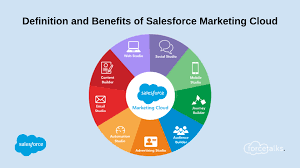
What is AMPscript used for in Salesforce? What is its purpose? AMPscript is a useful scripting language that you can use across emails, landing pages, SMS, and push notifications in Salesforce Marketing Cloud Builders. AMPscript is Marketing Cloud‘s proprietary scripting language for advanced dynamic content in emails, landing pages, SMS, and push messages. Why use Marketing Cloud AMPscript? AMPscript allows you to extend Marketing Cloud functionality beyond its out-of-the-box capabilities because you can develop code and custom solutions, tailored to your own specific needs and requirements. What are some functions you can perform with AMPscript? Types of Functions in Marketing Cloud AMPscript: What are advantages of AMPscript compared to Ssjs? For the web developer who are new to both languages, for them AMPscript has a shorter learning curve compared to SSJS. AMPscript should be preferred for simple inline personalization, which includes content like name, salutation and simple IF ELSE loops. Using AMPscript To use AMPscript, you insert it into the content body of your messages at the point where you want it to render. When you send a message that contains AMPscript, Marketing Cloud Engagement interprets the code and substitutes it with the output of the AMPscript function. 3 Way to Add There are three ways to add AMPscript code to your content: by using inline code, by adding code blocks, or by using tag-based scripting. The first two of these methods use special delimiters to denote the beginning and ending of the code that you want Marketing Cloud Engagement to interpret. In the third method, you delineate the AMPscript code with <script> tags. When you close an AMPscript block, use the same type of closing delimiter as you used to open the block. For example, if you open a block using tag-based scripting, you can’t close it by using the closing code block delimiter. Use the %%= and =%% delimiters to add AMPscript code inline with your content. Inline AMPscript is frequently used within HTML tags to dynamically populate the content of a message. In this basic example, a section of AMPscript is included inline within an HTML <p> tag. You can also include multi-line blocks of AMPscript code in your messages. Use the %%[ and ]%% delimiters to begin and end a code block, respectively. With a code block, you can define multiple variables and execute multiple functions. Code blocks use the syntax shown in this example. Tag-based syntax for AMPscript standardizes the syntax used to declare AMPscript blocks with the syntax of Server-Side JavaScript (SSJS). This syntax makes it easier for developers to switch between AMPscript and SSJS. Like1 Related Posts Who is Salesforce? Who is Salesforce? Here is their story in their own words. From our inception, we’ve proudly embraced the identity of Read more Salesforce Marketing Cloud Transactional Emails Salesforce Marketing Cloud Transactional Emails are immediate, automated, non-promotional messages crucial to business operations and customer satisfaction, such as order Read more Salesforce Unites Einstein Analytics with Financial CRM Salesforce has unveiled a comprehensive analytics solution tailored for wealth managers, home office professionals, and retail bankers, merging its Financial Read more AI-Driven Propensity Scores AI plays a crucial role in propensity score estimation as it can discern underlying patterns between treatments and confounding variables Read more
Read More
Einstein Discovery

Einstein Discovery Analysis

Elevate Your Business Outcomes with Einstein Discovery Analysis Einstein Discovery revolutionizes your approach to predictive analytics, allowing you to effortlessly build reliable machine learning models without any coding. Reduce reliance on data science teams with an intuitive model-building wizard and streamlined monitoring process. Transition swiftly from data to actionable insights, ensuring every decision is guided by intelligence. Enhance Your Business Intelligence with Einstein Discovery Incorporate statistical modeling and machine learning into your business intelligence with Einstein Discovery. Seamlessly integrated into your Salesforce environment, operationalize data analysis, predictions, and enhancements with clicks, not code. Developers can utilize the Einstein Prediction Service to access predictions programmatically, while data specialists can predict outcomes within recipes and dataflows. Tableau users can also leverage Einstein Discovery predictions and improvements directly within Tableau. Advanced Analytics Made Simple with Einstein Discovery Einstein Discovery offers a comprehensive suite of business analytics tailored to your specific data needs. Licensing and Permission Requirements for Einstein Discovery To utilize Einstein Discovery, your organization needs the appropriate license, with user accounts assigned relevant permissions. Supported Use Cases and Implementation Tasks Einstein Discovery solutions effectively address common business use cases, typically involving a series of defined implementation tasks. Key Differentiation: Einstein Analytics vs. Einstein Discovery While Einstein Analytics integrates predictive and analytical capabilities within Sales, Service, and Marketing clouds, Einstein Discovery is specifically focused on providing actionable insights and data-driven stories. Key Benefits of Einstein Discovery Supported Data Integration and Functionality Einstein Discovery enables direct integration and import of data from external sources like Hadoop, Oracle, and Microsoft SQL Server. It extracts data from diverse sources, leveraging AI, ML, and statistical intelligence to identify patterns and generate informed predictions. Enhanced Features Einstein Discovery seamlessly integrates insights into Tableau workflows, unlocks insights from unstructured data, fine-tunes prediction accuracy with trending data, handles missing values in datasets, accelerates prediction processing with high-volume writeback, and offers enhanced settings panels for efficient prediction management. Partner with Tectonic for Expert Guidance Collaborate with experienced Salesforce services providers like Tectonic to maximize the benefits of Einstein Discovery, ensuring a seamless implementation process and ongoing support. Empower Your Business with Einstein Discovery Einstein Discovery delivers automated data analysis, interactive visualizations, and predictive insights to elevate decision-making and optimize business operations. Unlock the power of AI-driven analytics within your Salesforce ecosystem to accelerate growth and gain a competitive edge. Like Related Posts Who is Salesforce? Who is Salesforce? Here is their story in their own words. From our inception, we’ve proudly embraced the identity of Read more Salesforce Marketing Cloud Transactional Emails Salesforce Marketing Cloud Transactional Emails are immediate, automated, non-promotional messages crucial to business operations and customer satisfaction, such as order Read more Salesforce Unites Einstein Analytics with Financial CRM Salesforce has unveiled a comprehensive analytics solution tailored for wealth managers, home office professionals, and retail bankers, merging its Financial Read more AI-Driven Propensity Scores AI plays a crucial role in propensity score estimation as it can discern underlying patterns between treatments and confounding variables Read more
Read More
Business Card Scanner App for Salesforce

Business Card Scanner App for Salesforce

Can I Scan a Business Card into Salesforce? Yes, you can scan a business card into Salesforce if your scanning system can create a CSV file or import data into Excel, which can then be saved as a .csv file. This resulting file can be uploaded to Salesforce. And there are several Business Card Scanner App for Salesforce solutions. Business Card Scanner App for Salesforce Does Salesforce Have a Business Card Scanner? Yes, Salesforce can utilize CamCard for Salesforce, a top OCR software that allows you to batch scan and digitize multiple business cards with unrivaled accuracy. Does CamCard Sync with Salesforce? Yes, CamCard perfectly integrates with customized Salesforce fields, making lead and contact management easier and more efficient on mobile. With a standard subscription, you can save unlimited cards to your Salesforce account. Is the CamCard App Free? CamCard offers many features, such as dating when you received a card, grouping cards received at one location, writing notes on each card, and searching by keywords, locations, or dates. The app is free, which is an added benefit. Is Scan to Salesforce Free? Yes, Scan to Salesforce allows you to instantly and accurately scan business cards and upload data to Salesforce for free. You can keep contacts in the iOS/Android app or sync them to your phone. How Do I Install Scan to Salesforce? Other Business Card Scanning Solutions: Using Outlook for Business Card Scanning: If you prefer more tools, consider those that import to Outlook and then use Salesforce’s Outlook integration tool to sync with Salesforce. This adds an extra step but offers more flexibility in choosing business card scanning software. Direct Integration with Salesforce: These options provide a variety of ways to seamlessly integrate business card data into Salesforce, ensuring efficient and accurate data management. Content updated March 2025. Like1 Related Posts Who is Salesforce? Who is Salesforce? Here is their story in their own words. From our inception, we’ve proudly embraced the identity of Read more Salesforce Marketing Cloud Transactional Emails Salesforce Marketing Cloud Transactional Emails are immediate, automated, non-promotional messages crucial to business operations and customer satisfaction, such as order Read more Salesforce Unites Einstein Analytics with Financial CRM Salesforce has unveiled a comprehensive analytics solution tailored for wealth managers, home office professionals, and retail bankers, merging its Financial Read more AI-Driven Propensity Scores AI plays a crucial role in propensity score estimation as it can discern underlying patterns between treatments and confounding variables Read more

Read More
marketing cloud utm parameters

What Are UTM Parameters in Marketing Cloud

What Are UTM Parameters in Marketing Cloud? UTM parameters are essential for tracking the effectiveness of your marketing messages by linking user clicks to actions on your website within Marketing Cloud. Once set up, the Marketing Cloud Engagement tool automatically adds these parameters to the URLs in your messages, enabling detailed performance tracking. You can track five key UTM parameters: source, medium, campaign, term, and content. These parameters are captured in Google Analytics reports, offering insights into your marketing efforts, such as total goal conversions, bounce rate, and average time spent on your site. What is a UTM Code? A UTM (Urchin Tracking Module) code is a text string appended to a URL to help monitor the performance of digital marketing campaigns. UTM codes include up to five key parameters: Campaign, Source, Medium, Content, and Term. UTM Parameter Channel Support: Example URL with UTM Parameters: arduinoCopy codehttps://www.example.com?utm_source=sfmc&utm_medium=email&utm_campaign=TestCampaign&utm_term=MyLink123&utm_content=123456&utm_id=f521708e-db6e-478b-9731-8243a692c2d5&sfmc_id=245678&sfmc_activityid=598741568 Parameter Breakdown: For more on UTM parameters, refer to the Google Analytics documentation. Configuring UTM Parameters in Marketing Cloud Engagement In Google Analytics 4 (GA4), UTM parameters are automatically appended to links in all sent messages unless the domain or subdomain is not on the allowlist in Journey Builder Settings. They will also not apply if click tracking is disabled. Adding UTM Parameters in Salesforce To track UTM parameters in Salesforce, follow these steps: Tracking UTM Parameters in Salesforce There are four primary methods to track UTM parameters and attribution data within Salesforce: Content updated March 2023. Like Related Posts Who is Salesforce? Who is Salesforce? Here is their story in their own words. From our inception, we’ve proudly embraced the identity of Read more Salesforce Marketing Cloud Transactional Emails Salesforce Marketing Cloud Transactional Emails are immediate, automated, non-promotional messages crucial to business operations and customer satisfaction, such as order Read more Salesforce Unites Einstein Analytics with Financial CRM Salesforce has unveiled a comprehensive analytics solution tailored for wealth managers, home office professionals, and retail bankers, merging its Financial Read more AI-Driven Propensity Scores AI plays a crucial role in propensity score estimation as it can discern underlying patterns between treatments and confounding variables Read more
Read More
gettectonic.com