
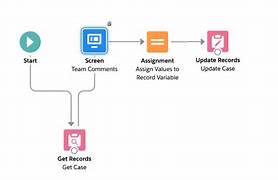
Adding a Dynamic Document Checklist Table in a Salesforce Screen Flow
If you’re working on a Salesforce Screen Flow and need to display a dynamic checklist of documents that an advisor must upload, you can achieve this based on specific criteria from a custom object like the Application Detail object. For example, the required documents might vary depending on the account type or the primary applicant type. A document checklist in Salesforce Screen Flow is a great safety check to monitor processes.
One effective way to accomplish this is by using the Document Matrix element in Discovery Framework–based OmniScripts. This approach allows you to streamline the assessment process and ensure that the advisor uploads the correct documents.
Setting Up the Document Matrix in OmniScripts
The Document Matrix element dynamically generates the list of required documents based on predefined criteria. Here’s how you can set it up:
- Set Up Document Types
Define common required document types, such as “Driving License,” “SSN,” and “Birth Certificate,” to associate new document checklist items with these types. - Set Up Document Categories
Organize your document checklist items into logical groups by defining document categories like “Identity Proof,” “Address Proof,” and “SSN.” - Associate Document Types with Categories
Use the Document Category Document Type junction object to link each document type to the appropriate document category. - Define Business Rules
Specify the criteria that the Document Matrix element will use to determine which documents are required. This is done using the Document Decision Requirement object. - Create a Decision Table
After defining your document decision rules, create decision tables to map out the outcomes based on the criteria. - Add the Document Matrix Element to Your Assessment Form
The Document Matrix element will automatically generate the required document checklist in the form layout at runtime, adding a File input element for each required document.
Example Scenario
Suppose the Application Detail record is for an IRA and the primary applicant is a minor (e.g., Type: IRA and IsAMinor: true). In this case, the flow should display a table listing the required documents, such as the “IRA Application” and the “Adult/Guardian Worksheet.”
Alternative Approach: Using Collections in Screen Flows
If you prefer not to use OmniScripts, or if the required documents change frequently, you might consider using a collection variable to dynamically present a list of documents within a screen flow. This approach allows you to:
- Present a Contextual Choice Picklist
Use a collection to dynamically display options in a picklist based on criteria from the Application Detail object. - Display a Data Table
Use a collection variable to present a table of required documents based on the context, such as the type of account or applicant status. This method is flexible but requires careful management if the document requirements frequently change.
Conclusion
Whether using the Document Matrix in OmniScripts or a collection variable in a Screen Flow, Salesforce provides powerful tools to dynamically generate document checklists based on custom criteria. These solutions help ensure that the right documents are requested and uploaded, improving the efficiency and accuracy of your loan or application processing.
🔔🔔 Follow us on LinkedIn 🔔🔔

Who is Salesforce? Here is their story in their own words. From our inception, we've proudly embraced the identity of Read more

Salesforce Marketing Cloud Transactional Emails are immediate, automated, non-promotional messages crucial to business operations and customer satisfaction, such as order Read more

Salesforce has unveiled a comprehensive analytics solution tailored for wealth managers, home office professionals, and retail bankers, merging its Financial Read more

AI plays a crucial role in propensity score estimation as it can discern underlying patterns between treatments and confounding variables Read more





